

PayPal won’t let a group pay one bill together at checkout — most of the time.
Instead, one person fronts the whole amount and then uses PayPal requests, PayPal.me links, or (where available) Group Requests to collect shares.
There is also a merchant-controlled split toggle that can divide a single purchase across two funding sources, but it’s inconsistent and capped at two methods.
This post explains how each option works, the limits and fees to watch for, and three quick actions to protect your cashflow and stop chasing unpaid shares.
How PayPal Split Payments Work for Bills, Groups, and Multiple Cards
PayPal won’t split a payment across multiple people or cards when you hit “buy.” All the splitting happens after someone’s already covered the full bill. That person then uses PayPal to chase repayment from everyone else. Works for group dinners, tickets, travel bookings, rent, whatever needs dividing up.
You’ve got three ways to do this after you’ve paid. The most common is the money request inside the PayPal app. You add people and tell it how much each person owes. Second option is PayPal.me, which is just a link you share. Each person opens it, types in what they owe, and pays. Third is Group Requests, which tracks everything in one place but only works in certain countries. None of these stop you from fronting the money first.
There’s also a separate thing that pops up at checkout sometimes. You can split one purchase between two cards, or a card and your PayPal balance. People started seeing it around March 2022. Shows up at places like Walmart and Target, but it’s inconsistent. Some stores turn it off. Tax sites block it completely. And you’re capped at two payment methods. If you need to spread a big purchase across your own cards, this is your only option at checkout.
Here’s how to request money after you’ve paid:
- Open the app and tap “Send & Request.”
- Tap “Request” and add each person by email or phone.
- Enter what each person owes. You do the math.
- Add a note so they know what it’s for.
- Tap “Send Request” and do it again for the next person.
Each request shows up in their PayPal inbox or as a notification. You have to follow up with anyone who ignores it. PayPal doesn’t calculate shares or set deadlines. You handle the math and the nagging every single time.
Manual PayPal Split Payment Options for Shared Costs
Money requests are PayPal’s main tool for splitting after someone pays. Open the app, tap “Send & Request,” pick “Request,” add people one by one. For each person you type the exact amount based on your own division. The app doesn’t suggest anything. You’re doing all the arithmetic. Once you send it, they get a notification with a link to pay. They can accept, decline, or ghost you. There’s no reminder system. If someone doesn’t pay, you message them yourself or let it go. Works fine for small groups who respond fast.
PayPal.me gives you a shareable link that opens a payment form. Your link looks like paypal.me/yourname. Send it via text or whatever along with a note saying how much they owe. Each person opens it, types in the amount you told them, pays. Because it’s manual, mistakes happen. Someone might enter the wrong amount or forget entirely. PayPal.me saves time when people already know their share and you trust them to get it right. Avoids adding each person in the app over and over.
Group Requests show up in certain regions, mostly the US and parts of Europe. When it’s available, you create a named group, add members by email, enter the total, and say how to split it. PayPal shows a progress bar and checks off who paid. Better for events with lots of people or longer timelines. If Group Requests isn’t in your menu, your country doesn’t support it. Can’t enable it manually.
Pros: Everyone uses the same PayPal balance or card they already have. No extra apps. Payments settle instantly.
Cons: You front the whole bill before collecting. You do all the math. No automated reminders.
Follow up effort: PayPal won’t tell you when someone ignores a request. You track responses yourself and message people manually.
Tracking limits: Individual requests and PayPal.me links don’t show group status. Only Group Requests gives you a consolidated view.
PayPal Checkout Splitting with Two Cards (Merchant-Dependent Feature)

PayPal added a split toggle at checkout that lets you divide one purchase between two funding sources. Usually two credit cards, or one card and your balance. Doesn’t appear everywhere. On March 30, 2022, people saw it at lots of retailers, including Walmart and Target. By October 21, 2022, it vanished from most big stores but stayed on donation pages like Wikimedia. On September 22, 2025, it showed up again at many merchants, maybe limited to purchases over a certain dollar amount. Pattern suggests merchants control it. Each store decides whether to turn it on.
When it’s active, you pick PayPal, then look for a “Split” or “Pay with multiple cards” toggle before confirming. Click it and you allocate dollar amounts to two different sources. Say $300 to Card A and $200 to Card B for a $500 purchase. The merchant processes one PayPal transaction that pulls from both behind the scenes. The cap’s strict. You can’t add a third card or split across more than two methods. If the toggle’s missing, the merchant hasn’t enabled it. No workaround inside PayPal will make it appear. Charities and donation sites are more likely to allow splits because they handle the extra processing complexity.
| Merchant Example | Availability Insight |
|---|---|
| Wikimedia donation page | Split toggle observed consistently across reporting periods; likely permanent merchant setting. |
| Walmart, Target | Split toggle available in March 2022, removed by October 2022, inconsistent since. Test before assuming availability. |
| Tax payment sites | Split payments explicitly blocked; government portals typically restrict funding-method complexity. |
| Best Buy, Home Depot, Tractor Supply Co. | Split payments reported as working at these retailers; availability may vary by purchase amount or account history. |
Benefits of PayPal Split Payments for Buyers and Sellers

Buyers use split payments to spread large costs across multiple funding sources or collect repayment from a group without handling cash or coordinating bank transfers. Splitting between two credit cards lets you drain a low balance card, hit an exact promotional spend on a new account, or stay under individual limits while finishing a big order. For shared expenses, the request tools cut friction when multiple people benefit from one purchase. Concert tickets, holiday accommodation, bulk grocery runs. PayPal’s request system creates a digital trail that shows who owes what, replacing informal IOUs.
Sellers benefit when buyers can finish purchases they’d otherwise abandon due to credit limits or the need to coordinate group funding. High ticket merchants that allow splits at checkout might see better conversion because buyers don’t need to find a single card with enough credit. Charities and donation platforms report higher average gift sizes when donors can combine a partially loaded prepaid with a regular credit card to maximize tax deductible contributions. Split payments reduce the chance a buyer leaves mid checkout to transfer balances or wait for others to send money first.
Complete purchases that go over a single card’s limit without applying for a credit increase. Use the exact remaining balance on prepaid gift cards, avoiding small leftover amounts. Earn rewards or meet minimum spend bonuses on multiple credit cards in one transaction. Collect repayment from friends or family through a tracked, timestamped request instead of informal reminders. Split recurring bills like utilities, subscriptions, shared memberships by requesting the same amount from the same people each cycle.
Fees, Limitations, and Restrictions for PayPal Split Payments

PayPal doesn’t charge buyers a fee when requesting money from friends or family if the payment’s funded by a PayPal balance or linked bank account. If the recipient pays using a credit or debit card, PayPal might assess a small percentage fee to the sender in certain regions, or the recipient might cover the card processing cost depending on account settings. Split at checkout transactions appear as a single sale to the merchant and get the merchant’s standard PayPal processing rate. Because the merchant sees one consolidated payment, no extra surcharge typically hits the buyer. Check your app settings or transaction history for the fee structure that applies to your account location and payment method.
Split at checkout is limited to two funding sources max. You can’t divide one purchase across three cards, or across a card, bank account, and PayPal balance at the same time. The feature appears only when the merchant has enabled it in their PayPal integration settings. Merchants absorb additional reconciliation complexity and potential dispute scenarios when allowing splits, so many disable it by default. Charities and nonprofit donation pages are more likely to support it because they prioritize donor convenience over streamlined backend processing. Government payment portals, tax sites, and high fraud risk categories typically block split funding to reduce chargeback exposure.
Group Requests are available in the United States, United Kingdom, and select European Union markets. If your PayPal account’s registered in a country outside this list, the feature won’t appear in your app. PayPal.me links work globally, but currency restrictions apply. The recipient must hold a PayPal account in a currency compatible with the sender’s request. Manual money requests work across borders, but cross currency conversions get PayPal’s foreign exchange spread, which can add 3 to 4 percent to the effective cost. None of PayPal’s tools automatically calculate each person’s share. You divide the total yourself and enter each amount individually, creating room for arithmetic errors and disputes over who owes what.
Alternative Tools for Automatic Split-at-Checkout (Including Cino)
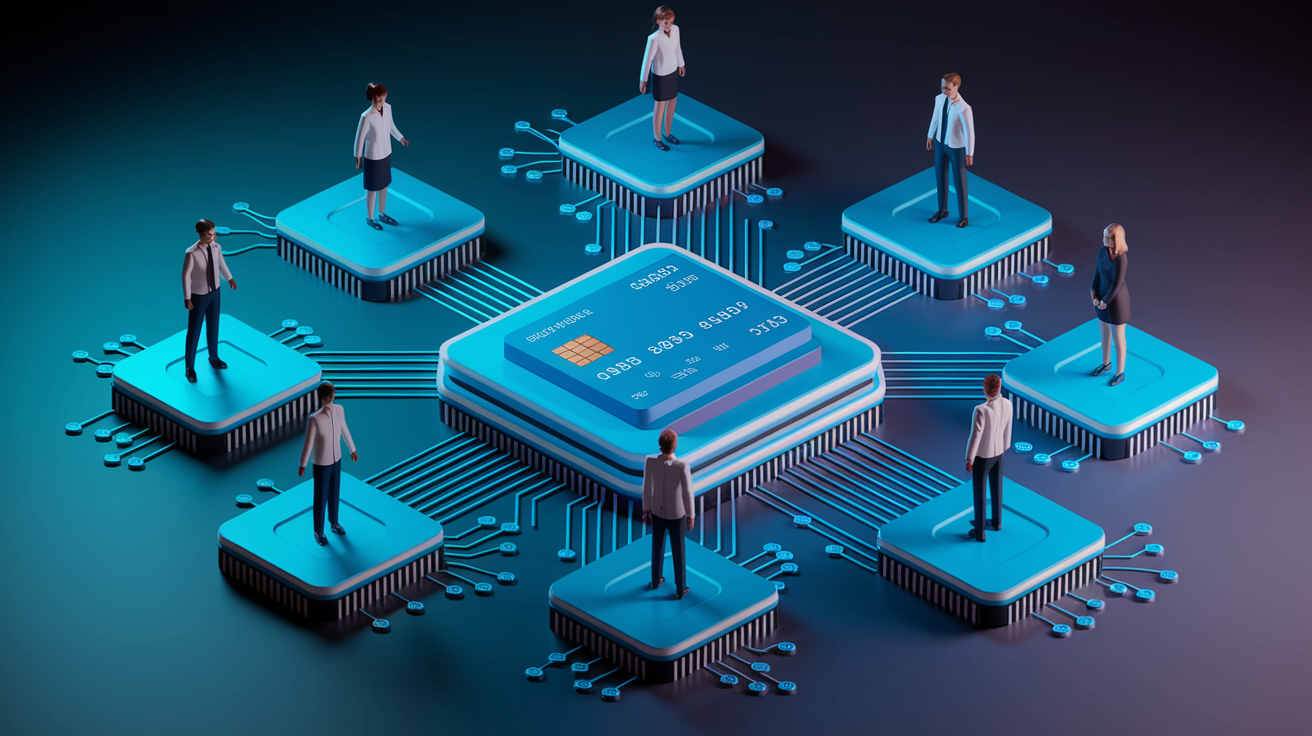
Cino is an app built to solve the problem PayPal doesn’t address. Automatic splitting at the exact moment of payment. Instead of one person paying the full bill then requesting repayment, Cino connects each participant’s bank card to a shared virtual card. When that virtual card gets used at checkout, Cino immediately charges each person’s linked card for their predetermined share. If four people split a $200 hotel booking equally, Cino deducts $50 from each card the instant the hotel processes the payment. No one fronts the money. No follow up requests required.
Cino targets recurring shared expenses. Household bills, rent, shared subscriptions, fuel costs during road trips, group holidays. The app’s useful when the same people split the same types of expenses regularly, because you can set default percentages or fixed amounts per participant and reuse those settings. Cino’s virtual card works wherever Mastercard or Visa is accepted, including online checkouts and physical terminals. The automatic deduction model eliminates the trust gap and the admin overhead of tracking who paid and who still owes. For one off splits or infrequent group purchases, the setup effort might outweigh the convenience, and PayPal’s manual request method stays simpler.
Buy now pay later services like Affirm, Afterpay, and Klarna offer a different form of splitting. They divide your personal payment into installments over weeks or months, but they don’t split a single purchase across multiple people. These services are merchant dependent and work well for spreading your own costs over time without interest if you pay on schedule. They don’t replace PayPal’s group splitting functions, but they can be combined with them. One person could use Klarna to fund their share of a PayPal request, for example. For splitting across people at the moment of checkout, only dedicated bill split apps like Cino provide true automation.
Cino: Automatic per person deduction at checkout. No fronting required. Best for recurring splits. Requires all participants to link bank cards and install the app.
PayPal manual requests: Works with existing PayPal accounts. One person pays upfront and collects later. Full control over amount and timing. No automatic enforcement.
Cino shared virtual card: One card number used by the group. Charges distributed instantly. Transparent real time ledger of who was charged and when.
PayPal split at checkout toggle: Limited to two funding sources. Controlled by merchant. Only splits your own cards, not across multiple people. Sporadic availability.
Troubleshooting PayPal Split Payment Issues
If the split at checkout toggle doesn’t appear when you select PayPal as your payment method, the merchant hasn’t enabled the feature or your purchase doesn’t meet the minimum threshold. Availability’s fluctuated across reporting periods, with many major retailers removing the option by late 2022. Try a test purchase at a charity or donation site like Wikimedia, where the feature’s been more consistent. If the toggle still doesn’t appear, you can’t force it. The merchant controls the setting. PayPal doesn’t offer a buyer side override.
Group Requests might be missing from your app if your account’s registered in a country where the feature isn’t supported. Check your account settings to confirm your registered address. If you’re located outside the United States, United Kingdom, or select EU markets, Group Requests won’t be available regardless of app version. Switching your account region requires closing your existing account and opening a new one with a valid address in a supported country, which is impractical for most users. Use individual money requests or PayPal.me links instead.
- Confirm your PayPal app is updated to the latest version available in your region’s app store. Outdated builds might hide newer features.
- Log out of the PayPal app and log back in to refresh account settings and feature flags tied to your profile.
- When using PayPal.me, send a message alongside the link clearly stating the exact amount each person should enter to avoid underpayment or overpayment errors.
- If a money request goes unpaid, send a follow up request or direct message rather than assuming the recipient saw the first notification. Push alerts can be missed.
- For split at checkout, attempt the purchase on a desktop browser instead of a mobile device. Some merchants render the split toggle only on larger screens or during specific checkout flows.
Developer Overview of PayPal Split Payment Logic and Marketplace Flows
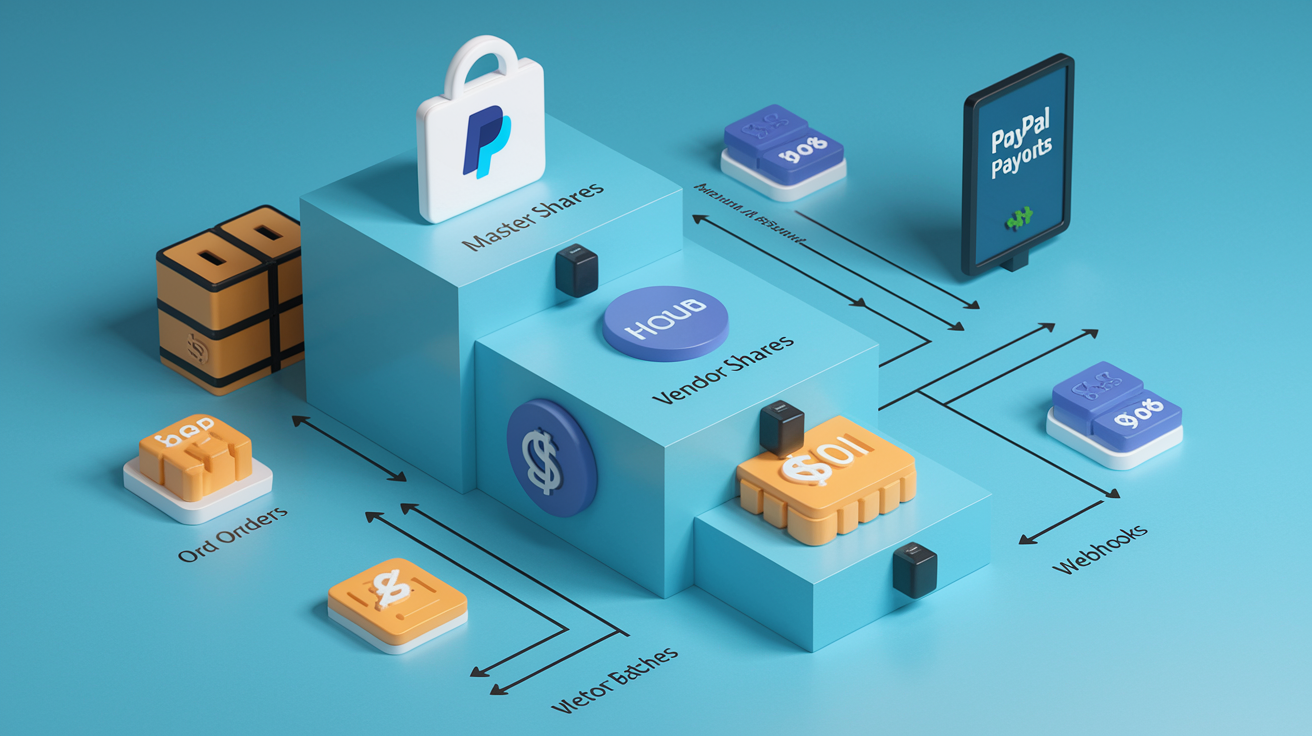
PayPal doesn’t provide a direct API endpoint that automatically splits a single buyer payment across multiple sellers or funding sources at the moment of checkout. Marketplace platforms and multi vendor sites must implement revenue splitting manually using PayPal’s Payouts API. The typical workflow requires the marketplace to collect the full payment into a master merchant account, then calculate each seller’s share server side, and trigger individual payout transactions to each seller’s PayPal account. The marketplace operator is responsible for all math, reconciliation, tax reporting, and dispute handling. PayPal processes each payout as a separate transaction, meaning fees apply per recipient and webhooks must be monitored for each payout’s success or failure state.
Developers building multi vendor checkout flows should capture the full order amount using the standard PayPal Checkout integration (Orders API v2). Once the payment is authorized and captured, store the transaction ID and itemized order details in your database. Calculate each vendor’s share by applying your platform’s commission structure, shipping cost allocation, and any promotional discounts. Then call the Payouts API with a batch of recipient objects, each specifying a vendor’s PayPal email and payout amount. PayPal returns a batch ID and individual payout item IDs. Subscribe to payout related webhook events (PAYMENT.PAYOUTSBATCH.SUCCESS, PAYMENT.PAYOUTSBATCH.DENIED, PAYOUTS-ITEM.SUCCEEDED, PAYOUTS-ITEM.FAILED) to confirm when funds reach each seller and handle retries for failed transfers.
Security and compliance require additional logic. Validate webhook signatures using PayPal’s public certificate to prevent spoofed event notifications. Store payout status in your database and reconcile it against webhook events before marking orders as “seller paid” in your admin panel. Implement idempotency keys to prevent duplicate payouts if a network timeout causes your server to retry the same batch request. Consider rate limits. PayPal restricts the number of payout API calls per account per day, and batch payouts can include up to 15,000 items per request but should be chunked smaller for easier error handling.
Reconciliation: Match each payout item ID to an internal order line item. Log success and failure states. Expose a vendor facing ledger showing expected vs. completed payouts.
Reporting: Generate per vendor payout summaries for tax and accounting. Include gross sales, platform fees, net payout, and payout date.
Webhook validation: Always verify the cert chain and signature before processing payout status updates. Reject events that fail validation to block fraudulent callbacks.
Sample Logic for Marketplace Payout Splitting
When an order completes, iterate through each line item and identify the vendor of record. Sum the item price and apply your platform’s fee percentage to calculate the net payout for that vendor. Group all line items by vendor ID to consolidate payouts per seller rather than per item, reducing transaction fees. Construct a JSON array with one object per vendor, each containing the vendor’s PayPal email (or phone number if using PayPal.me style payouts), the calculated net amount, a currency code, and a unique sender generated item ID for idempotency. Submit the array to the Payouts API’s create batch endpoint. Store the returned batch ID and poll the batch details endpoint or rely on webhooks to capture when each payout transitions to “SUCCESS” or “FAILED.” For failed payouts, inspect the failure reason (invalid recipient account, insufficient funds in your payout source, regulatory hold) and either retry automatically or flag the payout for manual review. Update your vendor’s account balance or pending payout dashboard in real time as each payout clears, so sellers see accurate funds available totals.
Final Words
You now know the practical ways to split costs: post-payment Requests, PayPal.me links, region-dependent Group Requests, and the merchant-controlled two-card checkout option.
Remember that one person usually pays first, availability changes by merchant and country, and PayPal won’t auto-split at checkout in most cases.
Try a low-value purchase to test which flow fits your team. paypal split payment handles most casual group spends when merchants allow it. Small test, then scale – you’re ready.
FAQ
Q: Can I pay with PayPal on Gymshark?
A: You can pay with PayPal on Gymshark only if PayPal is enabled for your country at checkout; check the payment options during checkout or contact Gymshark support to confirm.
Q: Does Uggs accept PayPal?
A: Uggs accepts PayPal on its online store in many regions, but availability varies by country and platform; look for the PayPal option at checkout or ask UGG customer service.
Q: Why is PayPal not giving me pay in 3 options?
A: PayPal isn’t showing Pay in 3 because the feature depends on merchant support, regional availability, your account and purchase size, or phased rollouts; check eligibility in the PayPal app or contact PayPal.
Q: Does PayPal work with Clover?
A: PayPal can work with Clover when a merchant installs a PayPal‑compatible app or integration; availability depends on the Clover App Market and regional support—ask the merchant or check Clover apps.