

Still reconciling stock on spreadsheets?
If your WMS isn’t talking to the rest of your software, you’re promising items you don’t have and doubling work.
Integration builds a live data bridge so orders, inventory, billing, and shipping update in real time across systems.
That cuts errors, speeds fulfillment, and stops revenue leakage.
This post explains how WMS integration actually works, which connections matter most, and the practical next steps to get a reliable, low-friction sync in place.
Comprehensive Overview of How Warehouse Management System Integration Works

Warehouse management system integration builds a live data bridge between your WMS and every other system you run. It moves information, not paperwork. When someone buys something on your site, the integration shoots that order straight to the WMS without anyone typing SKUs or addresses. A picker scans a box, and the system logs it instantly, pushing status updates to customer service and accounting at the same time. Real-time inventory sync means every platform looking at stock sees the same number right now. No guessing. No promising something you can’t deliver.
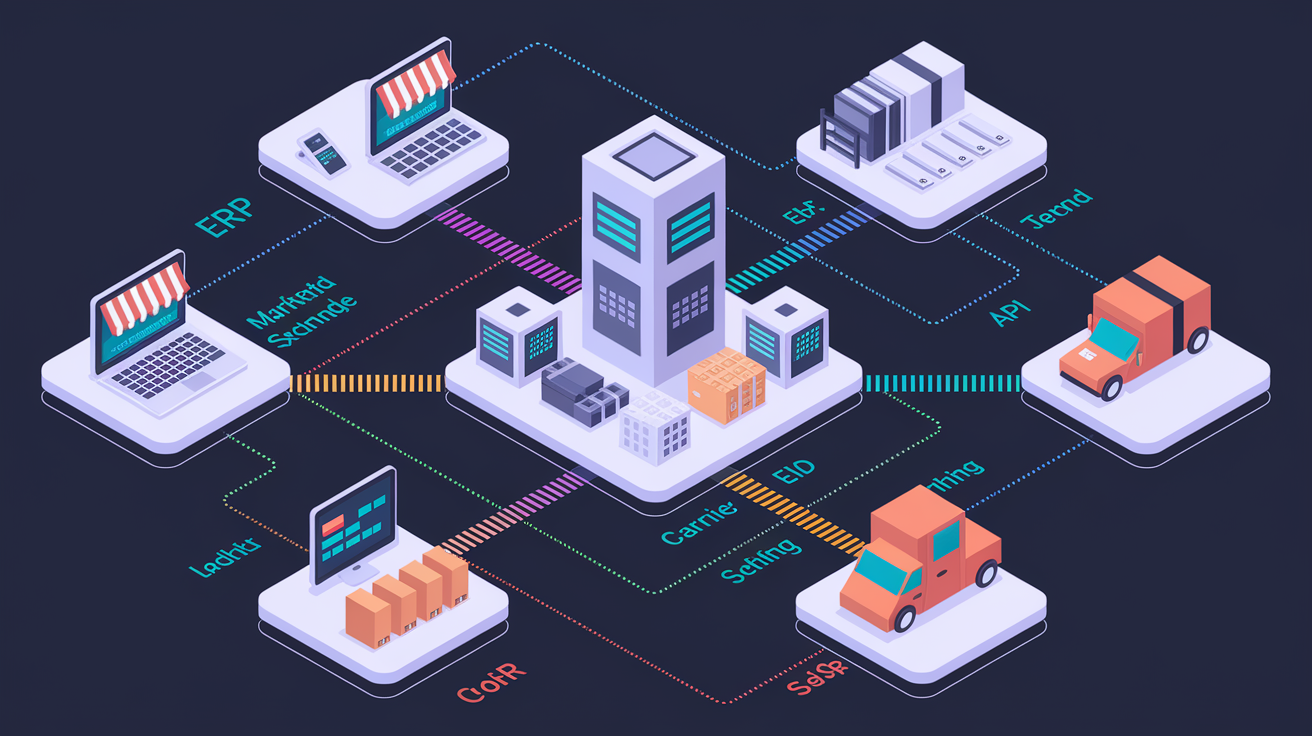
The mechanics usually run on APIs, webhooks, and middleware that translate between platforms built in different decades by different companies. An API lets outside systems request or post data on demand. Your e-commerce platform needs to know if you’ve got five units of SKU 4789? It pings the WMS API in milliseconds. Webhooks flip the script. The WMS pushes an event out (shipment confirmed, inventory received) without waiting to be asked. Middleware handles the messy middle when you’ve got more than two systems talking, retrying when the network drops, and translating formats so your ancient ERP can understand messages from a cloud WMS.
Automated workflows run on events. One scan at receiving sets off a chain reaction. The WMS logs the receipt, updates available stock, tells purchasing the PO landed, alerts billing to start the clock, and signals order management that backorders can ship. Nobody updates four spreadsheets or emails three departments. The integration hears the scan, reads the rules, executes the sequence in seconds. That speed and accuracy stack up across hundreds of transactions a day, turning integration from nice-to-have into the backbone of how modern warehouses actually function.
Core Types of Warehouse Management System Integration and Their Use Cases
ERP and Accounting System Connectivity
Connecting your WMS to accounting software automates the entire billing cycle for warehouses charging for storage, labor, and shipping. The WMS tracks every billable event in real time: cubic feet on the rack, pick labor per order, outbound freight. End of the billing period (weekly, monthly, per transaction), the integration grabs those events, calculates totals, and generates invoices without touching a spreadsheet. Those invoices flow straight into QuickBooks or your ERP, posting to receivables and triggering payment reminders. This loop also feeds forecasting, because billing data synced between WMS and ERP shows seasonal swings, customer growth, and margin squeeze before you feel it in the bank account.
E-commerce & Marketplace API Integrations
RESTful APIs link your WMS to shopping carts and marketplaces, pushing orders automatically and syncing inventory both ways. Shopify, WooCommerce, Amazon, eBay send new orders to the WMS the second someone clicks buy. Pickers see the queue update live instead of waiting for an end-of-day batch file. The warehouse writes inventory counts back to every sales channel continuously. A picker confirms a case shipped, and available stock drops across all storefronts at once. You can’t oversell something that’s already gone. For sellers juggling six or eight marketplaces, this real-time sync kills the manual spreadsheet reconciliation that used to happen twice a day and still left you with backorders and angry customers.
EDI Integrations
Electronic Data Interchange still runs structured document exchange with big retail customers and trading partners who want machine-readable POs and advance shipping notices. EDI integration automates inbound POs in formats like EDI 850, translating them into WMS work orders without re-keying line items. Inventory arrives, you run a receive-against-ASN workflow: the WMS matches the physical scan to the advance shipping notice (EDI 856) the supplier sent hours or days earlier, flagging mismatches instantly. Some retail customers mandate EDI compliance to do business at all, especially in grocery and big-box distribution. The integration becomes both an efficiency play and a commercial gate.
Mobile Barcode Scanning Hardware
Mobile scanning integrations capture SKU, UPC, and serial numbers with one scan and feed that data into every WMS transaction. Receiving: scan logs the item, checks it against the expected ASN, updates inventory in one step. Picking: scan confirms the right SKU and quantity before it moves to packing. Packing stations use dimensional-weight capture hardware that measures box size and weight, pushes those values to the WMS so shipping can price carrier services accurately and print compliant labels. Same scanners support cycle counts and audits, recording variances on the fly and routing exceptions to supervisors. This hardware-to-software link eliminates clipboards, cuts pick errors, and creates an auditable chain from dock door to shipping lane.
Shipping Carrier Integrations
Carrier integrations unlock rate shopping, one-click labels, and automatic tracking across multiple carrier accounts. The WMS queries carrier APIs (USPS, UPS, FedEx, plus third-party resellers like Pitney Bowes and BUKU Ship) using your negotiated rates, compares cost and service level for each package, and picks the cheapest or fastest option based on rules you configure. Once the choice is made, the integration requests the label, writes the tracking number into the order record, and pushes a shipment confirmation back to your e-commerce platform. Customer gets an email in seconds. This carrier connectivity has evolved a lot over the past few years as new logistics resellers entered the market, giving warehouses more rate options and backup capacity during peak season or when legacy carriers restrict volume.
Technical Architecture Patterns for Warehouse Management System Integration

Integration architecture defines how systems exchange messages, handle failures, and keep data consistent across distributed applications. REST APIs expose resource endpoints that external platforms call to create, read, update, or delete WMS records (orders, SKUs, inventory adjustments) using standard HTTP verbs and JSON. Webhooks invert that. The WMS pushes event notifications to subscribed listeners the instant something changes, so downstream systems react in real time without polling every few seconds. EDI relies on batch file exchange and predefined transaction sets, still common in retail and manufacturing supply chains that prefer structured, auditable document flows. Message queues buffer events during traffic spikes and guarantee delivery even when one system briefly goes offline. Middleware and iPaaS layers orchestrate complex workflows, translating data formats, enforcing business rules, and providing retry logic when individual API calls fail.
Choosing between batch and real-time sync depends on how much lag you can tolerate and how many transactions you handle. Real-time, event-driven models keep inventory accurate to the second. Critical for high-velocity e-commerce where a stockout can happen between morning coffee and lunch. Batch sync (nightly uploads, hourly polling) reduces infrastructure cost and complexity but introduces lag. Fine for financial reporting or historical analytics, risky for customer-facing stock levels. Asynchronous techniques let the WMS acknowledge a request immediately and process it in the background, improving responsiveness and preventing timeout errors during peak loads when hundreds of orders hit the queue at once.
Common integration patterns you’ll see:
- RESTful API design with versioned endpoints, auth tokens, and clear error codes
- Webhook subscriptions for order placement, shipment confirmation, and inventory depletion events
- EDI translators that map X12 or EDIFACT documents to internal WMS data models
- Message brokers like RabbitMQ or AWS SQS that buffer and route events under heavy load
- Middleware or iPaaS platforms with visual flow designers, prebuilt connectors, and monitoring dashboards
Implementing Warehouse Management System Integration Step-by-Step

-
Discovery and system audit: document every platform you use (WMS, ERP, e-commerce, shipping software), catalog the data each one owns (SKUs, orders, customers, rates), and map current manual workflows the integration will replace.
-
Define integration goals and scope: specify which data fields sync, in which direction, and how often (real-time for orders and inventory, hourly for financials, daily for reports). Set measurable targets like eliminating manual order entry or cutting fulfillment time by 20 percent.
-
Choose the integration method: evaluate whether native connectors already exist between the WMS and target platforms, whether custom API development is required, or whether middleware or an iPaaS tool will reduce build time and future maintenance.
-
Design data mappings and transformation logic: align field names, formats, and units across systems (mapping “Qty” in the e-commerce platform to “AvailableUnits” in the WMS), and define business rules for exceptions, like how to handle a marketplace order for a SKU the WMS has never seen.
-
Build, configure, and test integrations: implement API endpoints or configure middleware flows, then run unit tests on individual connectors, integration tests across the full workflow, and user acceptance testing with real operators to confirm the system behaves as expected under normal and edge-case conditions.
-
Conduct peak-load and error-scenario testing: simulate high transaction volumes (Black Friday order surges, year-end inventory counts) and deliberately break connections to verify retry logic, alerting, and graceful degradation when one system goes offline.
-
Execute phased deployment and monitor continuously: roll out the integration to a pilot group or single warehouse, monitor for data discrepancies and performance bottlenecks, then expand to full production while tracking KPIs and maintaining detailed logs for troubleshooting.
Best practices include maintaining a staging environment that mirrors production so changes can be tested without risking live operations, documenting rollback procedures in case a release introduces unexpected errors, and scheduling cutovers during low-volume windows to minimize impact. Teams that skip staging or rush user acceptance testing frequently discover data corruption or missing workflows only after customers start calling about delayed shipments or incorrect invoices.
Integration Challenges in Warehouse Management System Projects and How to Address Them

Data inconsistency and format mismatches top the list. One platform stores SKUs as alphanumeric strings with leading zeros. Another treats them as integers and strips the zeros on import. Order dates arrive in ISO 8601 from the e-commerce API but the legacy ERP expects MM/DD/YYYY. Address fields split differently. Some systems use a single “Address” column, others separate Address1, Address2, City, State, PostalCode. Without careful data mapping and transformation, orders route to the wrong dock or invoices bill the wrong customer. Data cleansing and normalization before go-live, combined with validation rules that reject malformed records at the API gateway, prevent most of these errors.
Latency and concurrency create timing problems when multiple systems try to update the same inventory record simultaneously. A warehouse picker confirms a pick in the WMS while a customer adds the last unit to their cart on the website. Without proper locking or event sequencing, the systems disagree about whether stock remains. Message queues with guaranteed delivery and idempotent processing (where the same event applied twice produces the same result) solve most race conditions. Insufficient monitoring leaves teams blind when errors occur. Logging and alerting best practices mean every failed API call, retry attempt, and data mismatch generates a timestamped entry in a central dashboard. Engineers can diagnose issues in minutes rather than days.
Organizational resistance and skill gaps slow implementations as much as technical complexity. Warehouse staff used to paper pick lists or manual inventory counts resist new scanning workflows, especially if training consists of a single hour-long session. Structured change management (early communication about why the integration matters, hands-on practice in a sandbox environment, quick-reference guides, ongoing support during the first weeks) turns skeptics into advocates. When technical teams lack integration experience, low-code middleware platforms reduce the need for custom code and provide visual designers that operations managers can configure without waiting for a developer to write and deploy an API.
Platform Compatibility: Connecting WMS With ERP, E-commerce, and Carrier Systems

Platform compatibility starts with verifying that prebuilt connectors exist between the WMS and the business-critical systems you already use. Major ERP platforms like SAP, Microsoft Dynamics, Oracle NetSuite, and Epicor (including specialized modules like Epicor P21 and Epicor Eclipse) publish integration specs, and many WMS vendors or middleware providers maintain certified connectors that handle authentication, data transformation, and error handling out of the box. When connectors don’t exist, custom API development becomes necessary, adding weeks or months to the timeline and ongoing maintenance overhead whenever either platform releases an update.
E-commerce and marketplace connectivity spans a wide range, from hosted carts like Shopify and BigCommerce to self-hosted solutions like Adobe Commerce (formerly Magento), plus marketplaces including Amazon and eBay. Each platform exposes APIs with different capabilities, rate limits, and data models. Multi-warehouse and multi-site sync requires the integration layer to maintain consistent SKU and product master data across every storefront and every physical location. A SKU sold on Shopify, fulfilled from warehouse A, must decrement the same logical inventory pool that an Amazon order ships from warehouse B. The WMS integration has to aggregate stock levels and route orders according to rules that balance proximity, labor cost, and service-level commitments.
Carrier and shipping API integration introduces another compatibility layer, because each carrier (USPS, UPS, FedEx, regional providers, and third-party resellers like Pitney Bowes and BUKU Ship) publishes unique endpoints for rate requests, label generation, and tracking updates. Warehouses that negotiate volume discounts with multiple carriers need the WMS integration to query all available options, apply the correct account credentials and rate tables, and select the optimal service without manual intervention. This complexity multiplies in operations that ship internationally, where customs documentation, duties, and cross-border compliance require additional API calls and data fields that domestic integrations can ignore.
Cost, ROI, and Vendor Evaluation for Warehouse Management System Integration

Integration cost estimation begins with tallying licensing fees, connector subscriptions, implementation labor, and ongoing support. Some WMS platforms bundle a fixed number of connectors in the base license. Others charge per endpoint or transaction volume, so a warehouse syncing five e-commerce sites and two ERPs may face monthly fees that scale with order count. Implementation workloads vary widely: a prebuilt connector between a modern cloud WMS and Shopify might deploy in days, while a custom integration linking a legacy on-premise WMS to an ERP running on an AS/400 can consume months of developer time. Training costs and change-management effort add to the budget, particularly for warehouses with high staff turnover or limited technical literacy.
ROI and business case rely on measurable productivity and accuracy improvements. Labor productivity gains of up to 40 percent have been documented when automated picking workflows replace paper lists and manual inventory lookups, translating directly into fewer hours per order and the ability to absorb seasonal volume spikes without temporary hires. Order accuracy improvements reduce costly returns, restocking labor, and customer-service escalations, while faster order cycle time shortens cash-conversion cycles and enables same-day or next-day delivery commitments that drive competitive advantage. Inventory turnover rises when real-time visibility prevents overstock and stockouts, freeing capital and warehouse space for higher-margin SKUs.
Vendor selection criteria should prioritize track record and technical depth. Ask whether the vendor maintains WMS connectors for the specific ERP and e-commerce platforms the warehouse already uses, and request references from customers running similar volumes and complexity. SLA uptime commitments matter. Platforms reporting three or more years of uptime without outages demonstrate operational maturity. API maturity, including versioning policies, deprecation timelines, and developer documentation quality, predicts how easily the integration will adapt as business requirements evolve. Finally, evaluate the balance between customization and configuration: low-code platforms that let operations teams adjust workflows through visual designers reduce dependency on scarce developer resources and accelerate iteration.
| Cost Driver | Typical Impact | Notes |
|---|---|---|
| Licensing and connector fees | Recurring monthly or annual | May scale with transaction volume or number of endpoints |
| Implementation labor (internal and consulting) | One-time project cost | Ranges from days (prebuilt) to months (custom); include testing and cutover time |
| Training, change management, and support | One-time plus ongoing | Higher for complex workflows or less-technical teams; reduces long-term support tickets |
Measuring and Optimizing Warehouse Management System Integration Performance

Tracking KPIs after go-live reveals whether the integration delivers the promised operational improvements and highlights areas for continuous refinement. Labor productivity (measured as orders processed per person-hour or lines picked per shift) should increase as automated workflows eliminate manual lookups and redundant data entry. Order accuracy, calculated as the percentage of shipments that match the customer’s purchase order without substitutions or shortages, climbs when barcode scanning and real-time inventory prevent pick errors. Fulfillment cycle time, from order receipt to carrier scan, compresses when the integration pushes orders to the pick queue instantly rather than waiting for batch imports. Inventory turnover accelerates when synchronized stock levels across all channels prevent safety-stock hoarding and enable just-in-time replenishment.
Reporting and BI integration combines transactional data from the WMS with financial data from the ERP and customer behavior from e-commerce platforms, creating dashboards that reveal margin by SKU, cost to serve by customer, and seasonal demand patterns. Continuous improvement depends on documentation and runbooks that explain how each integration flow works, where error logs reside, and what to do when a connector fails at 2 a.m. Teams that invest in observability (centralized logging, real-time alerting, automated reconciliation reports) catch discrepancies before they compound into customer complaints or financial write-offs.
Key performance indicators to monitor:
- Labor productivity (orders per person-hour or lines per labor dollar)
- Order accuracy rate (percentage of shipments free of picking or packing errors)
- Order cycle time (minutes or hours from order creation to carrier handoff)
- Inventory turnover (cost of goods sold divided by average inventory value)
- Return processing time (days from RMA issuance to item back in available stock)
Final Words
In the action, this post walked through how warehouse systems talk (APIs, webhooks, middleware), the main integration types and architecture patterns, step-by-step implementation, common challenges, platform compatibility, cost/ROI, and the KPIs to watch.
If you’re planning work, run a small pilot, map master SKU data, and stage peak-load tests. Build error/retry logic and monitoring from day one.
A focused warehouse management system integration can cut errors and speed fulfillment. Start small, measure fast, and scale with confidence.
FAQ
Q: What is WMS integration?
A: WMS integration is the connection that lets a warehouse management system exchange real-time data with other business systems, removing manual entry, reducing errors, preventing oversells, and enabling automated fulfillment workflows.
Q: What are the four types of WMS?
A: The four types of WMS are on-premise installations, cloud (SaaS) WMS, hosted/managed solutions, and hybrid models that mix local control with cloud services.
Q: Is SAP a WMS or ERP?
A: SAP is primarily an ERP provider; it includes warehouse functionality via ERP modules and also offers dedicated WMS products, so you can use SAP as ERP with optional WMS capabilities.
Q: What are the 5 S of warehouse management?
A: The 5 S of warehouse management are Sort, Set in order, Shine, Standardize, and Sustain — practices to declutter, organize, clean, document procedures, and maintain discipline for safer, faster operations.