


Still copying product details into seven platforms by hand?
You’re burning time, risking errors, and killing launches.
PIM integration links your Product Information Management system to ecommerce, CMS, ERP, marketplaces, and marketing tools so updates push everywhere automatically.
Read on to learn the core connection methods (APIs, prebuilt connectors, middleware), the systems you must sync first, and three quick checks to run before you switch on automated syncs.
Do this and you’ll cut errors and speed launches.
What PIM Integration Is and Why It Matters
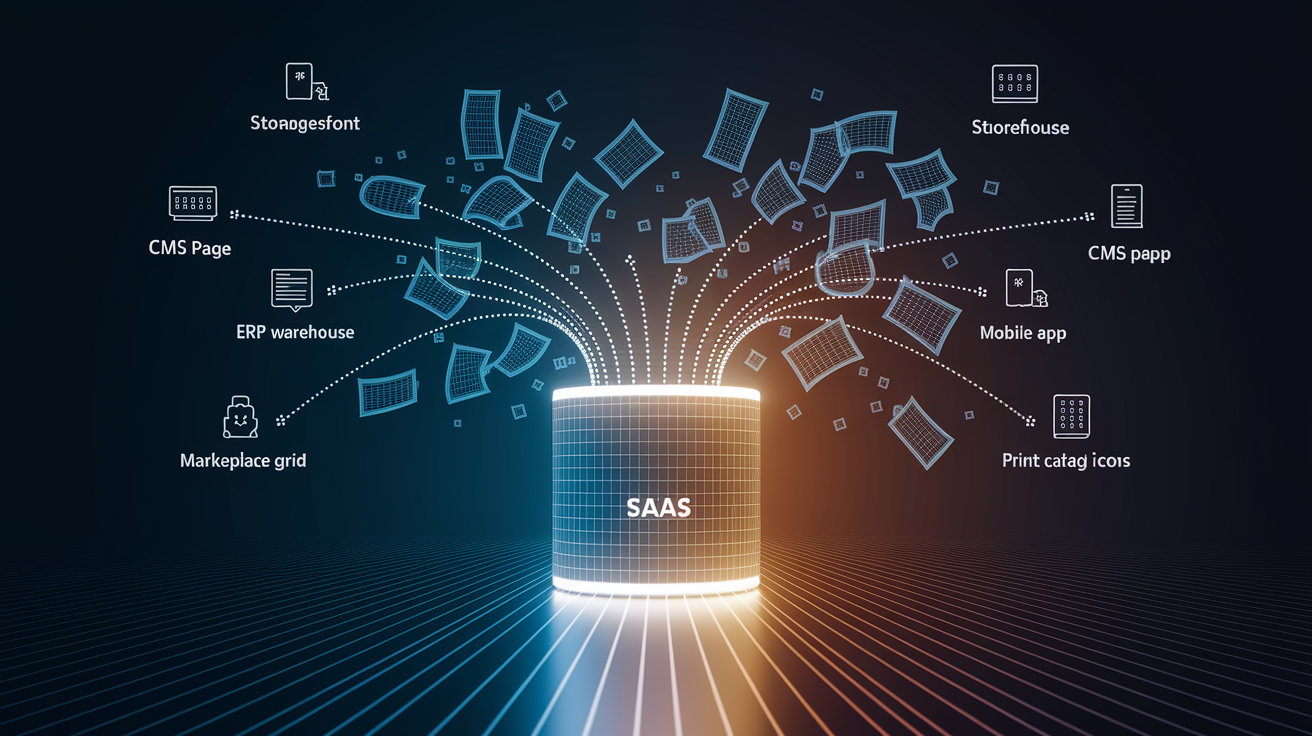
PIM integration connects a Product Information Management system to the platforms and tools a business uses to sell, market, and manage products. A PIM stores all product data in one place: descriptions, specs, images, pricing, technical details, compliance info. Integrations make that data flow automatically to ecommerce platforms, marketplaces, ERPs, CMSs, marketing tools, and sales channels. Without integration, product data just sits there. You’re stuck copying, exporting, or reformatting every time you need to push it somewhere new.
Integration kills data silos. It keeps every platform working from the same source of truth. When someone updates an attribute, price, or image in the PIM, those changes push to every connected system without anyone touching a keyboard. Less lag between data entry and what customers see. Fewer errors from manual re-entry. You can scale across more channels without hiring more people.
Businesses invest in PIM integrations for pretty straightforward reasons:
Kill manual data entry across systems like ERP, CMS, and ecommerce platforms.
Keep product info consistent everywhere customers shop, whether that’s your website, a marketplace, a mobile app, print catalogs, or sales tools.
Launch products faster by pushing updates to all channels at once instead of one by one.
Fix data accuracy and cut out errors that come from copy-pasting between spreadsheets and databases.
Support omnichannel operations where customers expect identical product details no matter where they’re shopping.
Scale without breaking by adding new sales channels or international markets without multiplying grunt work.
Core Methods for Implementing PIM Integrations

PIM platforms offer several ways to connect to other systems. Your pick depends on how much technical help you’ve got, how messy your data model is, whether you need real-time updates, and what the target systems can actually handle. Each method trades flexibility for setup speed and how much maintenance you’ll be doing later.
API Integrations
REST and GraphQL APIs let developers build custom integrations that read from and write to the PIM. APIs give you total control. You can filter data, transform fields, handle weird attribute mappings, and build workflows that involve multiple systems. API integrations need real development work or a system integrator, and you’ll be stuck managing version updates and testing whenever the PIM or connected systems change. This route makes sense when no prebuilt connector exists, when your data model is custom, or when you’re building internal tools that need product data.
Connector-Based Integrations
Prebuilt connectors package integration logic for specific system pairs. Think Akeneo to Shopify, Salsify to Amazon Seller Central, inRiver to Adobe Commerce. Vendors or third parties maintain these connectors, which handle authentication, data mapping, error handling, and sync scheduling right out of the box. Setup is faster than custom API work, and someone else covers maintenance. Connectors work great for common integrations where the data model fits what the connector expects. But they can limit customization or force workarounds for edge cases.
Middleware and ETL Platforms
Middleware layers like MuleSoft, Dell Boomi, Celigo, or Jitterbit sit between the PIM and target systems, moving data around, transforming it, and handling errors. ETL pipelines pull data from the PIM, apply business rules or format changes, then push it to downstream systems. Middleware costs more and adds infrastructure, but it simplifies complex integrations, especially when you’re dealing with dozens of systems. It centralizes monitoring, logging, and reusable transformation logic. You can add new integrations without touching the PIM or target systems directly.
| Method | Best For |
|---|---|
| REST/GraphQL APIs | Custom workflows, complex data models, developer resources available |
| Prebuilt connectors | Common platform pairs, fast setup, limited technical resources |
| Middleware/iPaaS | Large system ecosystems, centralized governance, complex transformations |
| Batch ETL | High data volumes, scheduled sync windows, legacy systems |
Systems Commonly Integrated with PIM Platforms

PIM integrations usually link to a few system categories that either feed data to the PIM or pull data from it. Each integration handles a specific job and swaps specific types of product information.
ERP Systems
ERP platforms manage financials, inventory, procurement, and order fulfillment. Integrating the PIM with an ERP splits the workload. The ERP handles transactional stuff like pricing, stock levels, supplier info, and order volumes. The PIM manages descriptive data like product names, technical specs, marketing copy, and images. The integration keeps pricing and availability synced on product pages without making the PIM pretend to be an inventory system. When cost or stock changes in the ERP, it triggers updates in the PIM, which then pushes those changes to every connected sales channel.
Common data in PIM-ERP integrations:
SKU and product identifiers to link records across systems.
Pricing and cost data for accurate channel publishing.
Inventory levels and lead times to show stock availability.
Supplier and vendor information for internal product lifecycle tracking.
CMS Platforms
Content management systems deliver web pages, landing pages, and editorial content. PIM-CMS integrations embed product data into templates so content editors can build pages around accurate, current product info without copying fields manually. When someone updates a technical spec or an image in the PIM, the CMS automatically reflects the change on all pages referencing that product. Marketing pages, comparison charts, and category landing pages stay aligned with the PIM’s source of truth.
Common data in PIM-CMS integrations:
Product names, descriptions, and features for automated page population.
Images, videos, and digital assets linked from the PIM or a connected DAM.
Category and taxonomy mappings to structure site navigation and filters.
SEO metadata and localized translations to support global content strategies.
Ecommerce Platforms
Ecommerce systems like Shopify, BigCommerce, Adobe Commerce, and custom storefronts need accurate product catalogs. PIM integrations push catalog updates to the storefront so customers see correct descriptions, pricing, images, and attributes. When the merchandising team launches a new SKU, updates a color variant, or revises product copy, the integration syncs those changes to the ecommerce platform without developers or manual CSV uploads. Faster time to market, lower risk of stale or wrong product pages that kill conversion.
Common data in PIM-ecommerce integrations:
Product titles, descriptions, and long-form content for product detail pages.
Variants, options, and attributes (size, color, material) to populate selection dropdowns.
Pricing, discounts, and promotional flags from the ERP or PIM’s pricing module.
Images, videos, and downloadable assets to enrich the shopping experience.
Marketplaces and Sales Channels
Marketplaces like Amazon, eBay, Walmart, and regional platforms each want product feeds in specific formats, with different attribute requirements, character limits, and taxonomy structures. PIM integrations generate these feeds automatically, mapping internal product attributes to marketplace-specific fields and transforming data to meet validation rules. When a product updates in the PIM, the integration regenerates the feed or pushes real-time updates, keeping listings accurate across dozens of channels without manual feed management.
Common data in PIM-marketplace integrations:
Category mappings and taxonomy translations to fit marketplace classification schemes.
Channel-specific attributes like bullet points, brand codes, or regulatory identifiers.
Inventory and pricing overrides when marketplace pricing differs from the company’s main storefront.
Compliance and safety information required for regulated product categories.
Architecture Examples for PIM Integrations

Integration architecture defines how data flows between the PIM and connected systems, how often updates happen, and how tightly platforms are coupled. The pattern you pick affects resilience, performance, and the effort needed to add new systems.
Hub-and-spoke models treat the PIM as the central hub, with each connected system as a spoke. Data flows from the PIM outward to ecommerce, marketplaces, CMS, and marketing tools. Changes in the PIM trigger updates across all spokes. Centralized control, simple governance. But you’ve got a single point of failure and the PIM can bottleneck if it gets overloaded.
Event-driven architectures decouple systems by publishing events (like “product.updated”) to a message bus like Kafka or RabbitMQ. Downstream systems subscribe to events and pull the latest data asynchronously. Better resilience. If one consumer is down, others keep processing. Supports real-time workflows without tight coupling.
Batch/ETL architectures run scheduled jobs that extract data from the PIM, transform it, and load it into target systems. Good for high volumes and complex transformations, but it introduces latency. Updates might lag behind real-time changes by hours or days.
Point-to-point integrations connect the PIM directly to each target system without middleware. Cuts infrastructure cost and complexity for small deployments but gets brittle and hard to manage as the number of connections grows.
API-first designs expose the PIM’s data through well-documented REST or GraphQL endpoints, letting any system integrate without custom connectors. Maximum flexibility, supports future integrations. But you need strong API governance and rate limiting to prevent abuse.
Common architecture patterns:
Hub-and-spoke: PIM at the center, pushing data to all connected systems. Simple governance, single point of failure.
Event-driven: PIM publishes events, systems subscribe asynchronously. Decoupled, resilient, supports real-time updates.
Batch/ETL: Scheduled data extraction and transformation. Handles high volumes, introduces sync lag.
Point-to-point: Direct PIM-to-system connections. Fast setup for small ecosystems, brittle at scale.
API-first with orchestration layer: Middleware coordinates calls to PIM APIs, applies transformations, routes to targets. Centralized logic, flexible.
Most companies start with simple point-to-point or prebuilt connectors for their first few integrations, then move to event-driven or middleware-based patterns as the number of connected systems and complexity of data transformations grow. The choice depends on technical maturity, transaction volume, acceptable latency, and budget for integration infrastructure.
Benefits of Effective PIM Integration

Strong PIM integrations deliver measurable operational and business improvements by automating data distribution and reducing friction between product management and customer-facing channels.
Integrations kill hours of manual data entry, CSV exports, and copy-pasting across systems. Teams publish once in the PIM and updates flow to every connected platform automatically. Less headcount spent on data wrangling. Product managers and merchandisers can focus on content quality and strategy.
Data accuracy improves because the PIM enforces validation rules and standardized attribute formats before syncing to downstream systems. Errors from manual re-entry drop sharply. Misspellings, outdated pricing, missing images… all reduced.
Faster time to market follows. New SKUs or updated product info reach all channels within minutes or hours instead of days or weeks. The gap between product availability and customer awareness shrinks.
Omnichannel consistency means customers see the same product name, image, and specs whether they’re browsing the company website, a marketplace listing, a mobile app, or a print catalog. Builds trust, reduces friction in the buying journey.
Key benefits:
Automated data synchronization. Updates propagate to all channels without manual intervention.
Higher data accuracy. Validation and centralized editing reduce errors and inconsistencies.
Faster product launches. New SKUs and updates reach customers in hours instead of days.
Omnichannel consistency. Identical product information across web, mobile, marketplaces, and offline channels.
Operational efficiency. Less time on data entry, more time on content quality and strategy.
Scalability. Adding new sales channels or markets doesn’t multiply manual workload.
Improved customer experience. Accurate, complete product information increases conversion and reduces returns.
Common Challenges in PIM Integration

PIM integrations often hit technical and organizational obstacles that slow deployment or wreck data quality.
Data quality issues are the most frequent blocker. If product records in the source systems contain inconsistent formats, missing attributes, or conflicting values, the PIM can’t fix them. Integrations surface and amplify data quality problems by pushing bad data to every connected system at once. You discover that SKU identifiers don’t match between the ERP and ecommerce platform, that image URLs are broken, or that required marketplace attributes are blank. Fixing these takes data governance work. Standardizing naming conventions, filling gaps, deduplicating records… all before the integration can run cleanly.
System compatibility adds complexity. Legacy ERPs might lack APIs, forcing you to rely on scheduled file exports and manual uploads. Some platforms use proprietary data formats that don’t map cleanly to the PIM’s attribute model. API rate limits can throttle sync speed or cause failures during large catalog updates.
Mapping complexity grows with the number of attributes and the diversity of target systems. A single PIM field might need to transform into five different formats for Amazon, Shopify, Adobe Commerce, a CMS, and a print catalog. Building and maintaining those mappings takes time and deep knowledge of each platform’s requirements.
Common challenges:
Poor data quality. Inconsistent formats, missing attributes, duplicates, and conflicting values in source systems.
System compatibility gaps. Legacy platforms without APIs, proprietary formats, and API rate limits.
Complex attribute mapping. Transforming PIM fields to meet diverse downstream requirements.
Data governance failures. Lack of clear ownership, validation rules, or change-control processes.
Sync failures and monitoring gaps. Integrations break silently, and teams don’t notice until customers report stale data.
Ongoing maintenance burden. APIs change, new attributes appear, systems deprecate endpoints, requiring constant updates.
Best Practices for Successful PIM Integration

Organizations that follow structured planning, enforce data governance, and invest in monitoring avoid many of the common integration pitfalls.
Start by auditing current product data across all systems. Identify gaps, inconsistencies, and formatting problems before connecting the PIM. Prioritize fixes that affect high-traffic products or critical channels.
Assign clear ownership for product data. Who defines the master record? Who approves changes? Who maintains attribute standards? Without ownership, data quality degrades over time as teams make undocumented changes.
Standardize data formats early. Define attribute naming conventions, pick lists, measurement units, and required fields. Document them in a data dictionary that all teams reference. Reduces mapping complexity and prevents errors when syncing to downstream systems.
Choose integration methods that match your technical resources and scale needs. Small catalog and limited developer capacity? Prebuilt connectors might be the fastest path. Managing thousands of SKUs across dozens of channels? Invest in middleware or event-driven architecture.
Test integrations in a staging environment before pushing to production. Run end-to-end sync tests, validate data accuracy on target systems, and check error logs. Confirm that updates flow correctly, that rollback procedures work, and that monitoring alerts fire when syncs fail.
Best practices:
Audit and clean data before integrating. Fix inconsistencies, fill gaps, standardize formats.
Assign clear ownership for product data, attribute standards, and change approval.
Standardize attribute models and document them in a data dictionary accessible to all teams.
Select integration methods that align with technical resources, scale, and latency requirements.
Test in staging with full end-to-end sync tests, validation checks, and error-handling scenarios.
Set up monitoring and alerts to catch sync failures, data mismatches, and performance degradation.
Document API contracts and mapping logic so future team members can maintain and extend integrations.
Long-term maintenance needs versioning APIs, tracking upstream changes in connected systems, and reviewing data quality metrics quarterly. Integration isn’t a one-time project. It’s an ongoing operational practice that needs dedicated resources and clear governance.
PIM Vendor and Tool Landscape

The PIM market includes established enterprise platforms and newer cloud-native solutions, each with different strengths in integration capabilities, deployment models, and target customer size.
Akeneo is an open-source and enterprise PIM offering REST APIs, webhooks, and a marketplace of prebuilt connectors for ecommerce platforms, ERPs, and marketing tools. The open-source version lets developers customize integration logic directly, while the enterprise edition adds support, governance tools, and managed connectors.
Salsify targets brands and retailers with a cloud platform that bundles PIM, DAM, and syndication tools. It focuses on marketplace integrations and includes connectors for Amazon, Walmart, Target, and regional channels. Salsify’s architecture is built around automated feed generation and compliance with retailer data standards.
inRiver provides an enterprise PIM with strong support for complex product hierarchies and multichannel publishing. Its integration framework includes APIs, iPaaS partnerships, and connectors for Adobe Commerce, Shopify, and major ERPs. inRiver positions itself for manufacturers and distributors managing large, technical catalogs.
Pimcore is an open-source platform combining PIM, DAM, CMS, and digital commerce capabilities. Its architecture is highly customizable, with developer-friendly APIs and direct database access. Integration flexibility is high, but setup requires technical expertise.
Plytix is a cloud-native PIM aimed at small and midsize businesses. It offers simpler integration options, including Zapier connections, CSV imports, and basic APIs, with a focus on ease of use over deep customization.
Vendors differ in how they approach integrations. Open-source platforms like Akeneo and Pimcore give developers full control but require more in-house technical work. Cloud platforms like Salsify and inRiver bundle prebuilt connectors and syndication tools, reducing setup time but limiting customization.
Pricing models vary. Some vendors charge per user or SKU, others per connected system or transaction volume. When comparing vendors, evaluate the number and quality of existing connectors for your stack, the flexibility of their APIs, the availability of technical documentation, and the cost of adding new integrations over time.
Real-World PIM Integration Examples

Multichannel Retailer Unifying Product Data Across Shopify and Amazon
A direct-to-consumer brand selling home goods was managing product listings manually on Shopify and Amazon. Product managers updated descriptions in Shopify, then exported CSVs and re-uploaded them to Amazon Seller Central. When inventory levels changed in the ERP, the team had to update both platforms separately. Errors crept in. Wrong images, outdated pricing, missing attributes that caused Amazon listing rejections.
The company implemented a PIM integrated with Shopify via a prebuilt connector and Amazon via a feed management integration. Product data flowed from the ERP to the PIM (for pricing and stock), got enriched by the merchandising team (for descriptions and images), then synced automatically to both channels.
Listing errors dropped by 80 percent. Time to market for new SKUs shortened from three days to a few hours. The team freed up ten hours per week previously spent on manual updates.
Manufacturer Expanding into European Markets with Localized Content
An industrial equipment manufacturer sold in the U.S. and wanted to launch in Germany, France, and Spain. Each market required product documentation translated into local languages, compliance certifications, and region-specific technical specs.
The company used a PIM integrated with a translation management system and a DAM for localized images and PDFs. Product managers defined base attributes in English, tagged fields for translation, and the PIM routed content to the translation vendor’s API. Translated content returned to the PIM, where it was linked to market-specific product records. The integration also synced compliance data from the ERP and region-specific certifications from a regulatory database.
The result? The company launched three new markets in six months instead of the projected twelve, with full product catalogs in local languages and no manual copy-pasting.
B2B Distributor Connecting PIM to Sales Portal and ERP
A wholesale distributor serving contractors provided product information through a custom sales portal where reps placed orders. Product data lived in spreadsheets, and the portal pulled from a separate database that was manually updated weekly. Pricing came from the ERP, which sales reps checked separately. Inconsistencies were common. Reps quoted outdated specs or incorrect pricing, leading to order errors and customer complaints.
The distributor implemented a PIM integrated with the ERP for real-time pricing and inventory, and with the sales portal via REST API. When a product manager updated a specification or the ERP adjusted a price, the portal reflected the change within minutes. The PIM also enforced validation rules, ensuring required fields were complete before syncing.
Order error rates dropped, sales reps spent less time checking multiple systems, and customer satisfaction scores improved.
Final Words
In the action: this guide covered what pim integration is, core implementation methods (APIs, connectors, middleware), the systems you’ll link (ERP, CMS, ecommerce, marketplaces), common architectures, benefits, challenges, best practices, vendors, and real examples.
The takeaway: integrated PIM fixes messy product data, speeds launches, and keeps channels consistent—if you invest in data governance and testing up front, you avoid repeat fixes.
Next step: audit your top 20 SKUs and one target system, pick the simplest integration route you can support, and monitor syncs. Small wins add up — pim integration pays off.
FAQ
Q: What is a PIM integration?
A: A PIM integration is connecting a Product Information Management system to other platforms (ERP, ecommerce, CMS, marketplaces) so product data syncs automatically and stays consistent across channels, cutting manual updates and errors.
Q: What is PIM used for?
A: PIM is used for centralizing, enriching, and publishing product data to sales channels, improving accuracy, speeding product launches, and ensuring consistent descriptions, images, and attributes across web, marketplaces, and catalogs.
Q: What does a PIM stand for?
A: PIM stands for Product Information Management, the system or process that stores, organizes, and distributes product attributes, descriptions, images, pricing, and metadata for channel-ready use.
Q: Is PIM the same as ERP?
A: PIM is not the same as ERP; PIM handles product content and channel-ready data, while ERP manages transactions, inventory, purchasing, accounting, and broader operational processes.