


Think open source e-commerce platforms are just cheap knockoffs? Think again.
They now power millions of stores and give you full control over data, checkout, and integrations, if you’re ready to own the stack.
This post compares the top open source e-commerce platforms, WooCommerce, Magento Open Source, Saleor, PrestaShop, OpenCart, and more, so you can match tech stack, operating cost, and developer needs to your business.
Here’s what changed, why it matters, and the next steps to pick the right platform.
Core Overview of Open‑Source E‑Commerce Platforms and How They Work

Open‑source e‑commerce platforms let you download, install, and modify the core code yourself. No recurring license fees. The code is free. You’ll still pay for hosting (shared, VPS, or cloud), SSL certificates, domains, premium extensions, and developer time. Most platforms run on familiar tech: PHP with MySQL or MariaDB (WooCommerce, PrestaShop, OpenCart), Ruby on Rails (Spree and Solidus), Node.js with GraphQL for headless setups, .NET for NopCommerce, and Python/Django for Saleor and Odoo. WooCommerce powers more than 3.9 million stores. PrestaShop runs over 300,000 active sites. These aren’t experimental tools.
Comparing self-hosted open‑source to proprietary platforms means swapping predictable monthly fees for variable infrastructure and labor costs. A Shopify merchant pays a flat subscription plus transaction fees but gives up deep customization. An open‑source merchant owns the entire stack, controls data storage and integrations, and can swap out any module. But you’re responsible for server management, security patching, backups, and developer hours. If you’ve got technical teams or agencies on retainer, open‑source often delivers lower long-term costs and eliminates vendor lock‑in. Lean teams without DevOps resources? The operational overhead can outweigh the savings.
Open‑source becomes the right call when you need granular control over checkout flows, custom pricing logic, ERP or CRM integrations, multi-warehouse inventory routing, or compliance with industry regulations that proprietary platforms can’t handle. Startups testing product-market fit may prefer hosted platforms for speed. Scaling merchants with unique workflows and tight margins benefit most from owning the stack.
Core advantages include:
- Full ownership and data control. Customer data, order history, and analytics stay on infrastructure you control, with no third-party access unless you grant it.
- Unlimited customization. Modify checkout logic, product attribute structures, pricing engines, and admin workflows without waiting for a vendor roadmap.
- Flexible integrations. Connect to any ERP, WMS, CRM, or marketing automation tool via REST or GraphQL APIs, or build custom middleware.
- Active community support. Large ecosystems like WooCommerce and Magento maintain thousands of free plugins and active forums with hundreds of thousands of members.
- Transparent cost structure. No hidden transaction fees, bandwidth throttling, or surprise price hikes when revenue scales.
- No vendor lock‑in. Migrate hosting providers, swap payment gateways, or rebuild the frontend without renegotiating contracts or losing historical data.
Comparing the Top Open‑Source E‑Commerce Platforms for 2025

Platforms differ in technical foundation (monolithic PHP vs. API‑first headless), feature depth, extension ecosystem size, and target merchant segment. Some are drop‑in solutions for small businesses with minimal developer input. WooCommerce installs as a WordPress plugin and offers 800+ extensions for payment gateways, shipping calculators, and marketing automation. Others, like Saleor or Spree, are headless frameworks that need a separate frontend stack and a team comfortable with GraphQL or Rails. Magento Open Source provides enterprise catalog management and nearly 4,000 marketplace extensions but demands dedicated DevOps for production. PrestaShop and OpenCart strike a middle ground: rich out-of-the-box features (PrestaShop ships with 300+ built-in features) and large module libraries (OpenCart offers 13,000+ modules and themes), yet simpler installation than Magento.
Bagisto (Laravel + Vue.js) is built for developers and enterprises who want a modern, modular Laravel foundation. It supports headless commerce via GraphQL, multi-channel and multi-warehouse inventory, and multi-vendor marketplace workflows. With 24,600+ GitHub stars, developer adoption is strong. Best for teams comfortable with Laravel who need scalable, API-driven architecture and mobile app support (iOS and Android open‑source apps are available).
WooCommerce extends WordPress with e‑commerce functionality. Product listings, cart, checkout, and order management are handled as native WordPress content types. It accepts payments in 135+ currencies, offers automated tax calculations, live shipping rates, and label printing, and powers more than 3.9 million stores. The ecosystem includes plugins for appointments, memberships, bundles, and digital downloads. Best for businesses already on WordPress or those who prioritize design flexibility and a massive plugin library.
Magento Open Source is the free edition of Adobe Commerce, offering advanced catalog management, multi-store and multi-language support, robust REST and GraphQL APIs, and access to the Adobe Commerce Marketplace with nearly 4,000 extensions. Adobe provides formal training and certification programs. Development complexity is high. Recommended for medium-to-large catalogs with dedicated developer and DevOps resources. Best for enterprises planning eventual upgrades to Adobe’s managed Commerce Cloud.
PrestaShop runs on Symfony and powers over 300,000 sites. It ships with 300+ built-in features covering product variants, multi-currency checkout, shipping integrations, and SEO tools. The official marketplace hosts thousands of modules and themes. Installation is straightforward but not always one-click on shared hosts. Best for international stores needing strong multilingual and multi-currency support out of the box.
Odoo eCommerce is one module within the larger Odoo ERP suite, which includes CRM, inventory, accounting, and marketing automation. The platform offers drag-and-drop site building, theme customization, and promotion engines. Because it’s integrated with the full business suite, you avoid building separate connectors for order-to-invoice workflows. Best for businesses wanting unified ERP and e‑commerce on a single open‑source stack.
NopCommerce is built on ASP.NET and tailored for enterprise scenarios: multi-store management, multi-vendor marketplaces, advanced SEO controls, affiliate and loyalty programs, one-page checkout, and extended product attributes. The community exceeds 250,000 members. Role-based access control (RBAC) is built in. Best for Microsoft-focused enterprises and development teams comfortable with .NET.
Saleor is a headless, API‑first platform built on Python/Django. It centers on a GraphQL API that handles complex catalog logic, inventory, and order workflows, while the frontend is decoupled. Commonly built with React, Next.js, or other JAMstack tools. The admin dashboard is localized in 30+ languages. Best for global brands building custom storefronts or integrating commerce into mobile apps and IoT devices.
Spree Commerce runs on Ruby on Rails and provides pre-built starters for React and Vue Storefront. It supports more than 200 third-party integrations (analytics, CRM, payments including wallets and BNPL), multi-language and multi-currency stores, and has over 850 contributors with 1.5 million downloads. Best for development teams experienced in Rails who need flexible, API-driven foundations for bespoke commerce logic.
OpenCart is a lightweight PHP/MySQL platform with multi-store management, a mobile-friendly admin interface, product/order/customer dashboards, and sales reporting. Its marketplace contains 13,000+ modules and themes, and the community forum hosts more than 110,000 members and 550,000 posts. One-click installers are common on shared hosting providers. Best for small-to-medium stores who prioritize ease of deployment and a large selection of ready-made extensions.
Shopware combines Symfony (backend) and Vue.js (admin and storefront components) into an API‑first architecture. It supports B2B, B2C, and D2C models, multi-storefront and multi-warehouse deployments, and includes an AI Copilot for content generation and faster store setup. The ecosystem includes roughly 7,000 developers and 3,000 extensions. Best for mid-sized to large merchants focused on modern customer experiences, flexible integrations, and built-in AI tools.
| Platform | Tech Stack | Best For |
|---|---|---|
| Bagisto | Laravel + Vue.js | Scalable, API-driven enterprise builds |
| WooCommerce | WordPress / PHP | WordPress users and SMBs needing massive plugin choice |
| Magento Open Source | PHP | Feature-rich catalogs with enterprise upgrade path |
| PrestaShop | Symfony / PHP | International stores with multi-currency needs |
| Odoo eCommerce | Python (ERP suite) | Businesses requiring integrated ERP and commerce |
| NopCommerce | ASP.NET | Microsoft-focused enterprises and multi-vendor marketplaces |
| Saleor | Python/Django + GraphQL | Headless builds and global JAMstack storefronts |
| Spree Commerce | Ruby on Rails | Custom Rails applications with bespoke logic |
| OpenCart | PHP / MySQL | Small-to-medium stores seeking simple deployment |
| Shopware | Symfony + Vue.js | Modern UX-focused stores and AI-assisted content |
Key Features to Prioritize in an Open‑Source E‑Commerce Platform

Monolithic platforms like WooCommerce, PrestaShop, and OpenCart bundle product catalog, cart, checkout, and storefront rendering into a single codebase. This simplifies initial setup but tightly couples the frontend and backend. Headless platforms like Saleor, Spree, and Mailchimp Open Commerce separate commerce logic (exposed via GraphQL or REST APIs) from the presentation layer, letting teams build custom React, Vue, or mobile frontends while reusing the same backend for web, app, and even IoT channels. Monolithic systems offer faster time-to-launch for standard stores. Headless systems require more developer investment but deliver superior flexibility for omnichannel experiences and progressive web apps.
Extensibility through marketplace modules transforms a basic platform into a full-featured commerce suite. PrestaShop’s marketplace offers thousands of modules for payment gateways (Stripe, PayPal, regional processors), shipping (live rates from FedEx, UPS, DHL), marketing (abandoned cart recovery, email automation, loyalty programs), and advanced product types (subscriptions, bookings, digital downloads). WooCommerce’s 800+ official extensions and tens of thousands of third-party plugins cover nearly every workflow: appointment scheduling, membership paywalls, complex product bundles, and print-on-demand fulfillment. Spree Commerce provides more than 200 integrations spanning CRM (Salesforce, HubSpot), analytics (Google Analytics, Mixpanel), and payment methods including wallets (Apple Pay, Google Pay) and buy-now-pay-later options (Klarna, Affirm).
Essential features to evaluate:
- Catalog management. Support for simple, configurable, bundled, and digital products, variant attributes (size, color, material), bulk import/export, and SKU-level inventory tracking.
- Flexible checkout options. One-page checkout, guest checkout, address validation, tax calculation (including region-specific VAT and sales tax), and shipping rate APIs.
- Multi-vendor marketplace support. Vendor onboarding, commission structures, separate vendor dashboards, and split payment routing (critical for platforms like Bagisto and NopCommerce).
- B2B pricing and workflows. Tiered pricing, quote requests, purchase order support, credit terms, and customer-specific catalogs (native in OroCommerce and configurable in Magento and NopCommerce).
- Multi-language and multi-currency. Localized storefronts, currency conversion, and region-specific payment methods (standard in PrestaShop, Spree, and Saleor).
- Digital goods and downloads. License key generation, file access control, download limits, and subscription renewals (available in WooCommerce, Magento, and Odoo).
- Integrations and APIs. REST or GraphQL endpoints for ERP, WMS, CRM, marketing automation, and analytics platforms, webhook support for real-time event notifications.
Technical Stacks and Architectures Behind Open‑Source Storefronts

Monolithic platforms deliver the storefront, admin panel, and commerce logic as a unified application. WooCommerce renders product pages using WordPress templates. PrestaShop and OpenCart serve HTML via PHP templating engines. Shopware combines Symfony controllers with Vue components for the admin and storefront. This architecture simplifies deployment: one codebase, one database, one hosting environment. But it limits frontend flexibility. Scaling often requires vertical server upgrades (more CPU and RAM) rather than horizontal distribution of services.
Headless platforms split the system into a backend API (product catalog, inventory, order management, customer accounts) and a separate frontend (static site generator, React SPA, mobile app). Saleor exposes all commerce operations through a GraphQL API, letting a team build a Next.js storefront, a React Native mobile app, and an IoT kiosk interface, all hitting the same backend. Spree and Solidus provide Rails-based APIs with pre-built React and Vue starters. Mailchimp Open Commerce is a modular Node.js stack where the catalog, cart, and payment modules run as microservices, and the storefront is a standalone React application. API‑first architecture enables faster frontend iteration, A/B testing of experimental UX, and omnichannel consistency. But it requires dedicated frontend developers and increases operational complexity. Now you’re managing two deployments, two repos, and inter-service communication.
GraphQL offers schema-driven queries that let the frontend request exactly the data it needs in a single round trip. “Give me product title, price, primary image, and inventory status for SKU 12345.” REST APIs require multiple endpoints (GET /products/12345, GET /inventory/12345, GET /images?product_id=12345), often leading to over-fetching or under-fetching of data. For mobile apps and progressive web apps where bandwidth and latency matter, GraphQL reduces payload size and improves perceived performance. Saleor and Bagisto default to GraphQL. Magento and Shopware support both GraphQL and REST. JAMstack (JavaScript, APIs, Markup) storefronts pre-render pages at build time and serve them from a CDN, with dynamic cart and checkout operations handled via API calls. This pattern pairs naturally with headless platforms and delivers sub-second page loads. Microservices commerce architectures, where catalog, cart, pricing, inventory, and fulfillment run as independent services, enable teams to scale and deploy each service independently but require orchestration (Docker Compose, Kubernetes) and monitoring infrastructure.
| Platform | API Type |
|---|---|
| Saleor | GraphQL |
| Bagisto | GraphQL + REST |
| Magento Open Source | GraphQL + REST |
| Shopware | REST (API-first) |
Installation, Hosting, and Deployment for Self‑Hosted Storefronts

PHP-based platforms (WooCommerce, PrestaShop, OpenCart, Magento) run on LAMP (Linux, Apache, MySQL, PHP) or LEMP (Linux, Nginx, MySQL, PHP) stacks. A typical installation requires a Linux server (Ubuntu 22.04 or CentOS Stream), Nginx or Apache as the web server, MySQL 8.0 or MariaDB 10.6, and PHP 8.1 or 8.2 with required extensions (curl, gd, mbstring, xml, zip). Rails platforms (Spree, Solidus) require Ruby (3.0+), Bundler for gem management, and PostgreSQL or MySQL as the database. Node.js/GraphQL systems (Mailchimp Open Commerce) need Node 16+ and MongoDB or PostgreSQL. Odoo runs on Python 3.8+ with its own application server and PostgreSQL. NopCommerce requires .NET 6 or 7 runtime and SQL Server (or SQL Server Express for dev environments). OpenCart is commonly offered as a one-click installer on shared hosting providers (cPanel, Plesk), while Magento and enterprise-grade platforms often require VPS or dedicated servers due to resource demands. Magento recommends a minimum of 2 GB RAM for development and 4–8 GB for production stores with moderate traffic.
Shared hosting (Bluehost, SiteGround, HostGator) costs $5–15/month and works for small OpenCart or WooCommerce stores with light traffic, but limits CPU time, memory, and the ability to install system-level dependencies or tune server configs. VPS (DigitalOcean Droplets, Linode, Vultr) starts around $10–20/month and grants root access, letting you install custom PHP versions, configure Nginx with HTTP/2, enable Redis for session caching, and set up automated backups via cron jobs. Cloud platforms (AWS Lightsail, Google Cloud Compute Engine, Azure Virtual Machines) offer auto-scaling, managed databases (RDS, Cloud SQL), load balancers, and CDN integration (CloudFront, Cloud CDN), which become essential when traffic spikes or when running multi-region storefronts. For high-traffic enterprise stores, managed Kubernetes (EKS, GKE, AKS) enables containerized deployments where each service (web frontend, API backend, background job workers, cache layer) runs in separate pods, scales independently, and rolls out updates without downtime.
Containerization with Docker packages the application, runtime, and dependencies into a portable image. A Dockerfile for a WooCommerce store might specify PHP 8.2-FPM, install required extensions, copy WordPress core and WooCommerce plugin files, and configure Nginx as a reverse proxy. Now the entire stack runs identically on a developer’s laptop, a staging server, and production. Docker Compose orchestrates multi-container setups: one container for Nginx, one for PHP-FPM, one for MySQL, and one for Redis. Developers clone the repo, run docker-compose up, and the store is live in minutes. This eliminates “works on my machine” issues and simplifies onboarding new team members.
Kubernetes is overkill for most small stores but becomes valuable when operating at scale: running dozens of storefronts, handling millions of sessions per day, or deploying across multiple geographic regions. A Kubernetes cluster can auto-scale PHP worker pods based on CPU load, route traffic to the nearest data center using geo-aware load balancing, and perform rolling updates (deploy new code to 10 percent of pods, monitor error rates, proceed or roll back) without taking the site offline. Managed Kubernetes services (Amazon EKS, Google GKE) handle cluster provisioning, patching, and monitoring, reducing the operational burden compared to self-managed clusters.
Installation preparation checklist:
- Select hosting tier and provider. Match expected traffic and technical requirements (PHP version, database type, RAM) to shared, VPS, or cloud.
- Provision server resources. Spin up a VPS or cloud instance. For Docker, install Docker Engine and Docker Compose. For Kubernetes, provision a managed cluster.
- Install runtime dependencies. Update package repositories (
apt update), install web server (Nginx or Apache), database server (MySQL, PostgreSQL), runtime (PHP, Ruby, Node.js, .NET), and required extensions. - Secure the server. Configure firewall (ufw or iptables) to allow only ports 80, 443, and SSH. Disable root SSH login. Set up fail2ban to block brute-force attempts. Install and configure Let’s Encrypt for free SSL certificates.
- Deploy the platform. Clone the repository or download the release archive, run installation scripts or Composer/Bundler/npm install, configure database connection strings and environment variables, run database migrations, and set file permissions for uploads and cache directories.
Performance Optimization for Open‑Source E‑Commerce Platforms

E‑commerce platforms handle CPU-intensive tasks (rendering product pages with thousands of SKUs, calculating tiered pricing, filtering search results) and I/O-intensive operations (database queries for inventory checks, API calls to payment gateways, image resizing). Without optimization, response times balloon and conversion rates drop. Every 100 ms of added latency can reduce sales by 1 percent. Caching layers, CDNs, and efficient asset delivery are non-negotiable for production stores.
Redis (or Memcached) caches database query results, rendered page fragments, and session data in memory, reducing database load by 70–90 percent. For example, a product detail page that queries the database for product attributes, pricing rules, inventory status, and related products can be cached for 5–10 minutes. Subsequent requests serve the cached HTML instantly. WooCommerce and Magento support Redis via plugins. PrestaShop and Shopware include built-in cache configuration. Session storage in Redis (instead of disk-based PHP sessions) speeds up cart operations and checkout, especially under high concurrency.
A content delivery network (CDN) distributes static assets (images, CSS, JavaScript, fonts) across geographically distributed edge servers. When a shopper in Sydney loads a product image, the CDN serves it from an Australian edge node instead of fetching it from a US-based origin server, cutting latency from 200 ms to 20 ms. Cloudflare, Fastly, and AWS CloudFront cache assets at hundreds of global locations and automatically purge stale content when products are updated.
Performance optimization checklist:
- Enable Redis or Memcached for object and page caching. Configure the platform to cache database queries, rendered pages, and sessions in memory. Set appropriate TTLs (time-to-live) based on content update frequency.
- Integrate a CDN for static assets. Offload images, CSS, JavaScript, and fonts to a CDN. Configure cache headers (Cache-Control, Expires) to instruct browsers and CDN nodes to cache assets for days or weeks.
- Optimize images and use modern formats. Compress product images with tools like ImageOptim or Squoosh. Serve WebP or AVIF formats (20–30 percent smaller than JPEG) to browsers that support them. Use srcset attributes for responsive images.
- Implement lazy loading for below-the-fold content. Defer loading of images, videos, and iframes until they enter the viewport. This reduces initial page weight and speeds up perceived load time.
- Tune database queries and add indexes. Use slow query logs to identify bottlenecks. Add indexes on frequently queried columns (product SKU, category ID, order date). Archive or partition historical orders to keep active tables small.
- Monitor performance metrics and set budgets. Instrument the store with New Relic, Datadog, or open-source APM (Application Performance Monitoring) tools. Set performance budgets (for example, time to first byte under 200 ms, largest contentful paint under 2.5 seconds) and alert when thresholds are breached.
Security and Compliance for Self‑Hosted Open‑Source Stores

Self-hosted stores place full security responsibility on you. Unlike SaaS platforms where patching, DDoS mitigation, and PCI compliance are handled by the vendor, open‑source merchants must monitor for vulnerabilities, apply updates, audit third-party code, and implement defense-in-depth strategies. A compromised store leaks customer data, exposes payment details, and triggers regulatory penalties under GDPR, CCPA, or PCI DSS.
Core and extension patching is the first line of defense. WooCommerce, Magento, and PrestaShop release security patches within days of discovering critical vulnerabilities (SQL injection, remote code execution, authentication bypass). Subscribe to security mailing lists (WooCommerce Security, Magento Security Center, PrestaShop Security Advisories) and apply patches immediately. Automated update scripts or managed hosting with auto-patching reduce the window of exposure. Third-party plugins and themes introduce additional risk. Many breaches originate from abandoned or poorly coded extensions. Before installing a module, check its update history, review ratings, and search for reported vulnerabilities. Tools like WPScan (for WordPress/WooCommerce) and MageReport (for Magento) scan for known issues in installed plugins and outdated core files.
SSL/TLS encryption (HTTPS) is mandatory for any page handling login credentials, payment information, or personal data. Let’s Encrypt provides free SSL certificates that auto-renew via Certbot. Most hosting providers offer one-click SSL setup. Configure HTTP Strict Transport Security (HSTS) headers to force browsers to always use HTTPS and prevent downgrade attacks. For PCI DSS compliance (required when processing credit card payments), operate the store on a segregated network segment, disable unnecessary services (FTP, Telnet), enforce strong password policies, and log all access to cardholder data.
Security implementation steps:
- Establish a patch management routine. Subscribe to security advisories for your platform and installed extensions. Test patches in a staging environment, then deploy to production within 24–48 hours of release.
- Audit and vet all extensions before installation. Review extension source code if possible. Check for recent updates, active support, and security track record. Prefer extensions with large install bases and frequent updates.
- Enforce SSL/TLS and configure secure headers. Install an SSL certificate, redirect all HTTP traffic to HTTPS, enable HSTS, and set Content Security Policy (CSP) headers to block inline scripts and prevent XSS attacks.
- Implement role-based access control (RBAC). Platforms like NopCommerce and Magento support granular permissions. Restrict admin access to IP whitelists. Use separate accounts for developers, marketers, and customer service with least-privilege access.
- Schedule automated backups and test restoration. Back up database and file system nightly to off-site storage (AWS S3, Backblaze B2). Verify backups by restoring to a staging environment monthly. A corrupted or ransomware-encrypted database without a clean backup means total data loss.
Customization, Themes, and Extensibility in Open‑Source Platforms

Storefront theming controls layout, typography, color schemes, and component placement. Modern platforms offer theme builders or design systems that let non-developers customize the look via drag-and-drop interfaces. Shopware includes a visual page builder where marketers add product sliders, hero banners, and testimonial blocks without touching code. Odoo provides a drag-and-drop website builder integrated with the e‑commerce module. Bagisto and Saleor require custom frontend development but offer starter kits. Bagisto ships with a Vue.js storefront. Saleor provides a Next.js starter that integrates with the GraphQL API.
Extensions and plugins add functionality: payment gateways (Stripe, PayPal, regional processors), shipping calculators (live rates from FedEx, UPS, local couriers), marketing automation (email campaigns, SMS notifications, abandoned cart recovery), analytics (Google Analytics, Facebook Pixel), and advanced product types (subscriptions, bookings, digital downloads, print-on-demand). WooCommerce’s ecosystem is the largest, tens of thousands of free and premium plugins cover nearly every workflow. Magento’s Adobe Commerce Marketplace hosts nearly 4,000 extensions, including enterprise solutions for B2B pricing, advanced inventory, and multi-warehouse fulfillment. PrestaShop and OpenCart rely heavily on marketplace modules. PrestaShop offers thousands of themes and extensions, while OpenCart’s marketplace exceeds 13,000 modules and themes.
When evaluating extensions, check update frequency, compatibility with your platform version, user reviews, and support channels. A poorly coded extension can introduce security vulnerabilities, slow page load times, or conflict with other plugins. For mission-critical workflows (payment processing, tax calculation), prefer official or certified extensions. For example, Magento’s Adobe Commerce Marketplace flags extensions that have passed technical and security review.
| Platform | Extension Ecosystem Size |
|---|---|
| WooCommerce | 800+ official, tens of thousands third-party |
| Magento Open Source | ~4,000 (Adobe Commerce Marketplace) |
| OpenCart | 13,000+ modules and themes |
| PrestaShop | Thousands of modules and themes |
Scalability, Growth Planning, and Enterprise‑Grade Use Cases
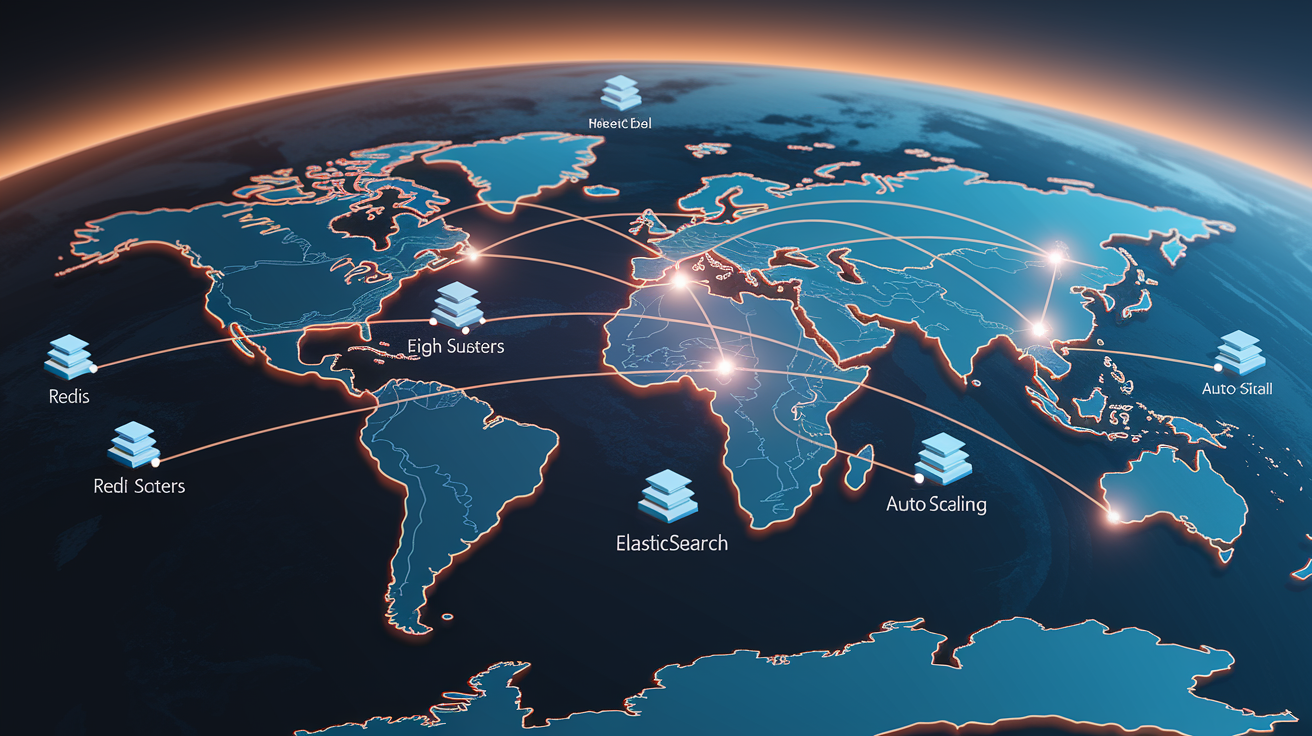
Scalability in open‑source commerce means maintaining sub-second response times and high availability as traffic grows from hundreds to millions of sessions per day, as catalog size expands from 1,000 to 100,000 SKUs, and as order volume increases from dozens to thousands per hour. Vertical scaling (adding CPU cores and RAM to a single server) works until the database becomes the bottleneck. Horizontal scaling distributes load across multiple servers and requires architectural changes: database replication, load balancing, distributed caching, and asynchronous job processing.
Magento and Bagisto handle high-traffic enterprise scenarios when deployed with horizontal scaling patterns. A typical setup includes multiple web/application servers behind an Nginx or HAProxy load balancer, a primary MySQL database with read replicas for reporting queries, a Redis cluster for session and cache storage, Elasticsearch for product search indexing, and RabbitMQ or Apache Kafka for asynchronous tasks (order confirmation emails, inventory sync to external WMS). Saleor and Shopware excel in API-driven enterprise builds where the storefront is a static site deployed to a CDN and the backend API runs on Kubernetes, auto-scaling based on request rates. NopCommerce is suited for Microsoft enterprise environments. It supports distributed caching via Redis, SQL Server Always On availability groups for database replication, and Azure App Service for auto-scaling web tier.
Multi-store deployments let a single installation manage separate storefronts for different brands, regions, or customer segments, each with its own domain, catalog, pricing, and branding. PrestaShop, Magento, and NopCommerce support multi-store natively. Spree and Solidus handle it via separate database schemas or Rails engines. Multi-warehouse and multi-region inventory routing becomes critical for global operations. When an order is placed, the system must determine which warehouse has stock, calculate shipping cost and transit time from each location, and route the order to optimize delivery speed and cost.
Scaling strategies for high-growth stores:
- Load balancing. Distribute incoming requests across multiple application servers using Nginx, HAProxy, or cloud load balancers (AWS ALB, Google Cloud Load Balancing).
- Database sharding and replication. Split write traffic to a primary database and read traffic to replicas. Shard large tables (orders, customers) by region or date range.
- Asynchronous job queues. Offload slow tasks (sending order confirmation emails, generating invoices, syncing inventory to third-party systems) to background workers (Sidekiq for Rails, Celery for Python, Laravel Queues).
- Caching tiers. Use Redis for session and object caching, Varnish or Nginx FastCGI cache for full-page caching, and CDN edge caching for static assets.
- Search indexing with Elasticsearch or Algolia. Move product search and filtering off the database and into a dedicated search engine. Index updates happen asynchronously, and queries return in milliseconds even for catalogs with 100k+ SKUs.
- Multi-region hosting. Deploy application and database clusters in multiple AWS regions or Google Cloud zones. Route users to the nearest region using DNS geo-routing or Anycast CDN. Replicate data between regions for disaster recovery.
Migration Considerations When Switching to an Open‑Source E‑Commerce Platform

Migrating from a hosted platform (Shopify, BigCommerce, Wix) to open‑source involves data export, schema mapping, and testing before cutover. Most proprietary platforms allow CSV export of products, customers, and orders, but export formats vary. Shopify exports include SKU, title, price, inventory, images, and variant attributes. BigCommerce exports add custom fields and product options. Open‑source platforms provide import tools or modules that map CSV columns to database fields. WooCommerce includes a built-in product importer. Magento offers Data Migration Tool for Magento 1 to Magento 2 upgrades and CSV import for external sources. PrestaShop supports CSV import natively. OpenCart has third-party import extensions.
Images, customer passwords, and SEO URLs require special handling. Product images must be re-uploaded or migrated via URL mapping. Some migration tools fetch images from URLs in the CSV and store them locally. Customer passwords are hashed. Proprietary platforms don’t export plaintext passwords, so after migration customers must reset passwords or you implement a password bridging module that re-hashes on first login. SEO URLs (old Shopify product URLs like /products/blue-widget) must redirect to new URLs (/shop/blue-widget) to preserve search rankings and inbound links. 301 redirects are configured via .htaccess (Apache), nginx.conf (Nginx), or redirect plugins.
Final Words
We ran through the practical bits: what an open‑source e‑commerce platform is, hosting and TCO, and when self‑hosting pays off.
We compared top platforms, looked at tech stacks, deployment and performance tips, security basics, customization, scalability, and migration checklists so you can pick a concrete path.
If you’re choosing a store, weigh developer time, hosting costs, and long‑term scaling. Use the checklists here to audit your top SKUs and hosting. An open source e-commerce platform gives control and a clear upgrade path—build for growth.
FAQ
Q: What is an open‑source e‑commerce platform?
A: An open‑source e‑commerce platform is software you can modify and host yourself, with no recurring license fees; you handle hosting, updates, extensions, and developer maintenance.
Q: How does self‑hosting affect costs and total cost of ownership (TCO)?
A: Self‑hosting affects costs and TCO by removing license fees but adding hosting, SSL, extensions, and developer support; expect variable upfront and ongoing developer or managed hosting expenses.
Q: When should a business choose open‑source over a hosted platform?
A: A business should choose open‑source when it needs deep customization, ownership, multi‑store or B2B features, or wants to avoid vendor lock‑in; ideal for complex, growing, or enterprise use.
Q: How do the top open‑source platforms differ and which fits my store?
A: Top platforms differ in tech stack, complexity, and extension ecosystems; pick WooCommerce for WordPress SMBs, Magento/Bagisto for enterprise, Saleor for headless, PrestaShop or OpenCart for mid‑market.
Q: What hosting requirements do open‑source stores need?
A: Hosting requirements include a compatible web stack (LAMP/LEMP, Ruby, Node, or Python), SSL, CDN, backups, and routine patching; size hosting to match traffic and platform resource needs.
Q: What technical stacks and headless options are common?
A: Key technical stacks and headless options vary: PHP (WooCommerce, PrestaShop), Laravel (Bagisto), Python/GraphQL (Saleor), .NET (NopCommerce); many platforms offer REST or GraphQL APIs for headless builds.
Q: How hard is installation and deployment?
A: Installation and deployment range from one‑click installers (OpenCart) to complex enterprise setups (Magento) needing DevOps; use Docker for reproducible builds or managed hosting if you lack DevOps skills.
Q: How can I optimize performance on an open‑source store?
A: Optimize performance with CDNs, Redis caching, image compression, lazy loading, DB indexing, and monitoring; run load tests before big sales and enforce a performance budget.
Q: What security and compliance steps must I take?
A: Security and compliance require patching core and extensions, SSL/TLS, RBAC, vetted modules, backups, and regular audits; follow OWASP guidance and implement PCI DSS controls if you process payments.
Q: How do themes and extensions affect customization and risk?
A: Themes and extensions enable fast customization but vary in quality; choose mature marketplaces, vet extensions for security, and prefer platforms with robust theme systems or UI component libraries.
Q: How do open‑source platforms scale for enterprise use?
A: Open‑source platforms scale using load balancing, DB sharding, async queues, caching tiers, search indexing, and multi‑region hosting; enterprise projects usually need architecture reviews and dedicated DevOps.
Q: What are the main migration considerations when switching to open‑source?
A: Migration considerations include data mapping, SKU and URL migration, connector availability, extensions parity, testing, SEO redirects, and a rollback plan; run a staged migration and test carts and payments.