
Amazon quietly rewrote its dimensional weight rules—and that change will show up as higher FBA fees for many sellers.
Starting March 2026, Amazon rounds each dimension up before computing DIM weight, enforces a 2-inch minimum for oversize width/height, and tightens measurement checks across U.S. and EU fulfillment centers.
This post explains what changed, who gets hit (bulky, lightweight SKUs), the likely cost impact, and three practical moves to cut fees: remeasure, repackage, or reprice.
Read on for quick checks you can run this week.
Understanding the New Amazon FBA Dimensional Weight Rules

Amazon updated its dimensional weight policy in March 2026. The changes hit U.S. and European fulfillment centers at the same time, tightening measurement enforcement across the board. There’s now a stricter oversize minimum dimension rule. Amazon enforces a consistent 2-inch floor for width and height calculations. And they’re rounding up partial inches to the next whole number before applying the divisor.
These updates change how Amazon calculates billable weight for standard-size and oversize items. Thousands of SKUs that benefited from looser measurement tolerances or favorable rounding now face higher fees. Sellers shipping bulky, lightweight products got hit hardest. Home goods, apparel accessories, seasonal categories, anywhere packaging volume had been undercounted.
The old formula let sellers measure dimensions as-shipped and applied the divisor without strict rounding enforcement. A package measuring 11.4 × 7.8 × 5.2 inches might’ve been recorded as 11 × 7 × 5 for billing. Under the revised policy, Amazon rounds each dimension up before calculating cubic inches. That same package becomes 12 × 8 × 6 inches. Cubic volume jumps from 440 to 576 cubic inches. Dimensional weight rises from 3.17 pounds to 4.14 pounds when divided by the U.S. divisor of 139. Europe’s divisor stays at 5,000, but the same rounding enforcement applies there too.
These changes directly increase FBA fulfillment fees, storage costs, removal fees, disposal fees. Any SKU where dimensional weight exceeds actual unit weight pays more. For sellers on thin margins, even a one-pound increase in billable weight can kill profitability on low-priced items. The shift forces repricing, packaging redesign, or SKU discontinuation decisions for products that were marginally profitable before the update.
Key policy changes and their seller impact:
- Divisor enforcement tightened: Amazon strictly applies the 139 divisor (U.S.) and 5,000 divisor (Europe) with no tolerance variance. Previous warehouse-level inconsistencies that sometimes favored sellers are gone.
- Rounding up before calculation: All three dimensions get rounded up to the next whole inch or centimeter before multiplying. This increases cubic volume and dimensional weight even when actual measurements fall just above a whole number.
- Oversize minimum dimension rule: Oversize items must assume a minimum width and height of 2 inches when calculating dimensional weight. Sellers can’t record flat or narrow oversize packages with zero or fractional dimensions anymore.
- Measurement reminders and flags: Seller Central flags ASINs with outdated or inconsistent dimensions. It prompts remeasurement before the next inbound shipment. Sellers must update records or risk higher fees from Amazon’s own remeasurement.
- Billing logic priority: When dimensional weight exceeds unit weight, Amazon uses dimensional weight for all fee calculations. Fulfillment, storage, removal, Multi-Channel Fulfillment. The cost effects compound across multiple fee categories.
Comparing Old vs. Updated Amazon FBA Dimensional Weight Calculations
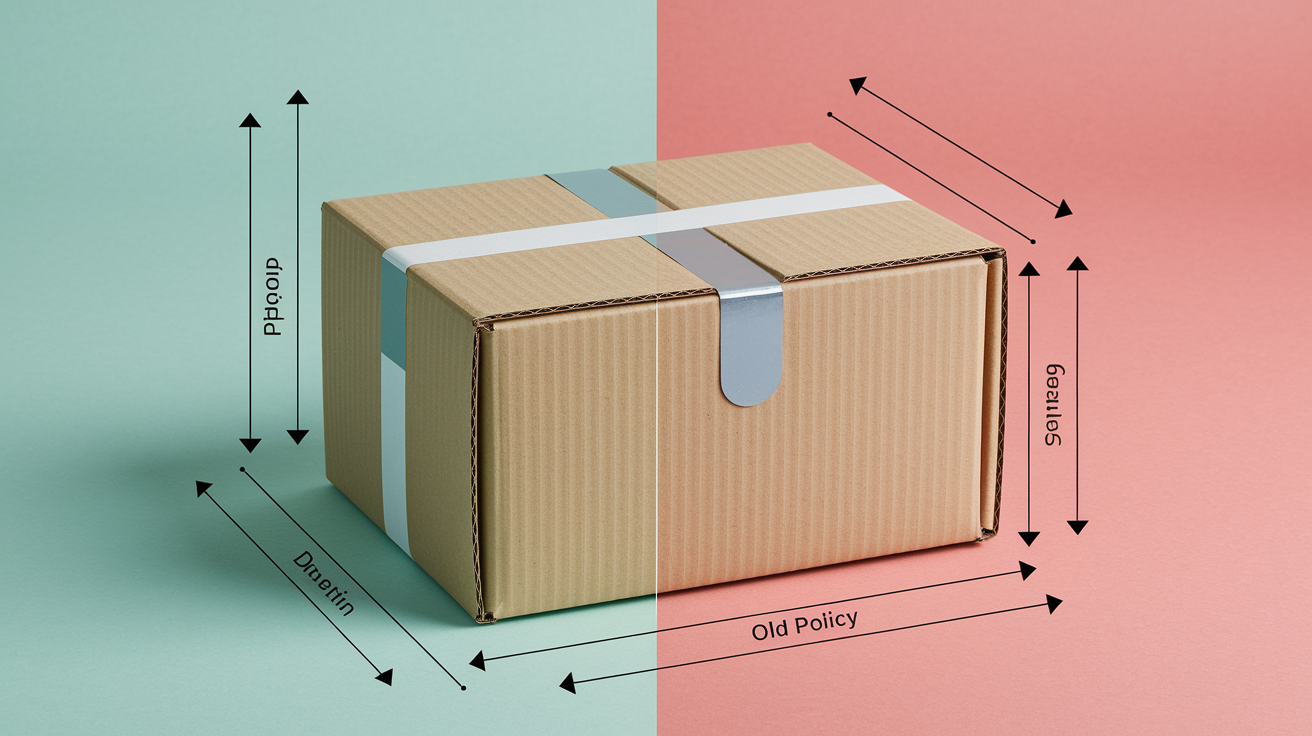
Amazon’s old dimensional weight formula was (Length × Width × Height) ÷ 139 for U.S. shipments. But measurement tolerances and inconsistent rounding meant sellers often benefited from favorable dimension entries. Before March 2026, a package measuring 12.3 × 8.1 × 6.4 inches might’ve been recorded as 12 × 8 × 6 inches. That yielded a cubic volume of 576 cubic inches and a dimensional weight of 4.14 pounds. Under the updated policy, those same measurements round up to 13 × 9 × 7 inches before calculation. You get 819 cubic inches and a dimensional weight of 5.89 pounds. That’s a 42 percent increase in billed weight for the same physical package.
The new rounding and enforcement rules amplify fees for products where dimensional weight already exceeded actual weight. Take a plush toy weighing 1.2 pounds but packaged in a 20 × 20 × 4-inch box. It previously generated a dimensional weight of about 5.76 pounds (old measurement: 20 × 20 × 4 = 1,600 ÷ 139). Under updated rounding, even slight measurement variance pushes dimensions to 21 × 21 × 5 inches. That creates 2,205 cubic inches and a dimensional weight of 15.86 pounds. Nearly tripling the billed weight. Making the SKU unprofitable at its current retail price.
| Product Example | Old DIM Weight | New DIM Weight | Difference |
|---|---|---|---|
| 12.3 × 8.1 × 6.4 in box | 4.14 lb | 5.89 lb | +1.75 lb (+42%) |
| 20 × 20 × 4 in box | 5.76 lb | 15.86 lb (if rounded to 21×21×5) | +10.10 lb (+175%) |
| 30 × 20 × 15 in oversize | 64.75 lb | 67.63 lb (if rounded to 31×21×16) | +2.88 lb (+4%) |
| 10 × 8 × 4 in standard | 2.30 lb | 2.59 lb (if rounded to 11×9×5) | +0.29 lb (+13%) |
How Amazon Measures Packages Under the Updated DIM Guidelines

Amazon measures the longest side as length, the next-longest as width, the shortest as height. All three dimensions get recorded in inches for U.S. fulfillment centers, centimeters for European facilities. Measurements include all packaging materials. The outer box, bubble wrap, air pillows, any protective inserts. So the recorded dimensions reflect the complete as-shipped package, not the bare product. Seller Central displays these dimensions on the inventory detail page for each ASIN. Any discrepancy between seller-provided dimensions and Amazon’s warehouse measurements triggers a remeasurement flag. That can delay inbound processing or immediately update the ASIN’s billing dimensions without seller approval.
Under the updated guidelines, Amazon rounds each dimension up to the next whole number before calculating cubic volume. A package measuring 11.2 × 7.9 × 5.3 inches becomes 12 × 8 × 6 inches for billing. Oversize items enforce an additional rule: if the measured width or height falls below 2 inches, Amazon substitutes 2 inches as the minimum value for that dimension. This prevents sellers from recording ultra-flat or ultra-narrow oversize packages with fractional dimensions that would otherwise reduce dimensional weight. Rounding and floor-enforcement logic applies uniformly across all size tiers except special oversize, which uses actual unit weight exclusively.
Sellers who manually enter dimensions in Seller Central must measure the outer package at its widest, longest, and tallest points. Account for any bulges, protrusions, irregular shapes. Amazon’s fulfillment centers use automated dimensioning systems that capture dimensions via laser scanners. Those measurements override seller-entered values if a discrepancy exceeds one inch in any direction. Incorrect dimensions can shift an ASIN from standard-size to oversize, immediately increasing fulfillment fees by several dollars per unit.
Common measurement errors and how to avoid them:
- Measuring the product instead of the packaged unit. Always measure the sealed, ready-to-ship box including all tape, labels, protective materials.
- Failing to account for bulges or box expansion. Measure at the widest point, not at the box seam, because Amazon’s scanners capture the maximum dimension.
- Entering dimensions before finalizing packaging design. Lock packaging specs before creating the ASIN, or update dimensions in Seller Central immediately after any packaging change.
- Ignoring the 2-inch floor for oversize items. If your oversize package is flat or narrow, assume Amazon will bill using a minimum 2-inch width and height, not your recorded fractional measurement.
Fee Implications of Amazon’s Updated DIM Policies

Dimensional weight drives five distinct FBA fee categories: fulfillment fees, monthly storage fees, long-term storage surcharges, removal and disposal order fees, Multi-Channel Fulfillment fees. Each category uses the greater of dimensional weight or unit weight to determine billable weight. Any SKU where dimensional weight exceeds actual weight will see cost increases across all five fee types at once. A product with an actual weight of 1.5 pounds but a dimensional weight of 4.5 pounds pays fulfillment fees as if it weighs 4.5 pounds. It occupies storage volume calculated from its cubic-foot footprint. And it incurs removal fees based on 4.5 pounds if the seller later decides to pull inventory from Amazon’s warehouses.
Fulfillment fees rise in steps tied to weight bands. Amazon’s U.S. fee table breaks standard-size fulfillment into increments like 0 to 4 oz, 4 to 8 oz, 8 to 12 oz, 12 oz to 1 lb, then 1-pound increments up to 20 pounds. When dimensional weight pushes a 1.2-pound item into the 4.5-pound band, the per-unit fulfillment fee can jump from about $3.22 to $4.75. That erases margin on products priced below $15. Oversize items face even steeper fee increases because Amazon applies both higher base fulfillment rates and additional dimensional surcharges when length exceeds 60 inches or when the package requires special handling.
Storage fees compound the problem. Amazon bills storage monthly based on the daily average cubic-foot volume your inventory occupies. Cubic feet are derived from the same L × W × H measurements used for dimensional weight. A product measuring 20 × 20 × 4 inches occupies 1,600 cubic inches, or about 0.93 cubic feet per unit. If you stock 1,000 units year-round, you pay storage fees on 930 cubic feet every month. At standard-size rates of roughly $0.87 per cubic foot during peak season (October to December), that SKU alone costs $809 per month in storage, even if the units weigh only 0.5 pounds each.
Long-term storage adds another layer. Any inventory aged beyond 365 days incurs an extra monthly surcharge, calculated per cubic foot, on top of regular storage fees. Dimensional weight increases also affect removal and disposal fees. Amazon prices those per pound of billable weight. Removing 100 units of a 4.5-pound DIM item costs way more than removing 100 units of a 1.5-pound actual-weight item.
Five fee categories directly affected by dimensional weight policy changes:
- FBA fulfillment fees: charged per unit shipped to the customer. Fee tier determined by the greater of dimensional or unit weight, with higher weight bands incurring materially higher fees.
- Monthly inventory storage fees: billed per cubic foot of space occupied. Cubic footage derived from the same L × W × H used in DIM calculations, so larger dimensions increase storage costs even when unit weight is low.
- Long-term storage surcharges: applied monthly to units stored longer than 365 days. Calculated per cubic foot, compounding the cost of holding slow-moving, bulky inventory.
- Removal order fees: charged when sellers request return shipment of FBA inventory. Fee based on billable weight, so high DIM weight increases removal costs per unit.
- Multi-Channel Fulfillment (MCF) fees: Amazon’s service for fulfilling non-Amazon orders from FBA inventory. MCF fees use the same dimensional vs. unit weight logic, meaning DIM increases raise the cost of fulfilling orders from other sales channels.
Applying DIM Calculations: Real Examples for Sellers

A small standard-size item measuring 10 × 8 × 4 inches generates a cubic volume of 320 cubic inches. Dividing by the U.S. divisor of 139 yields a dimensional weight of 2.30 pounds. If the actual unit weight is 1.5 pounds, Amazon bills the item at 2.30 pounds for fulfillment, storage, all other fee calculations, because 2.30 exceeds 1.5. The seller pays fulfillment fees in the 2 to 3 pound band instead of the 1 to 2 pound band. That increases per-unit costs by about $0.50 to $1.00 depending on the current fee schedule. Over 10,000 units sold annually, that half-dollar difference costs an extra $5,000 in fulfillment fees alone.
A bulkier example shows the compounding effect. An item measuring 20 × 20 × 4 inches produces 1,600 cubic inches, or 11.51 pounds of dimensional weight when divided by 139. If the actual weight is only 2 pounds, the seller is billed at 11.51 pounds. Nearly six times the actual weight. Fulfillment fees for an 11.51-pound standard-size item can exceed $8 per unit. If the product retails for $25 with a 15 percent referral fee, the seller nets roughly $25 minus $3.75 referral minus $8 fulfillment equals $13.25 before accounting for product cost, inbound shipping, storage, advertising. Reducing the package height by one inch, from 4 to 3 inches, drops the cubic volume to 1,200 cubic inches and the dimensional weight to 8.63 pounds. That saves about $1.50 per unit in fulfillment fees and $15,000 annually on 10,000 units.
Oversize Example Breakdown
An oversize item measuring 30 × 20 × 15 inches generates a cubic volume of 9,000 cubic inches. Dividing by 139 produces a dimensional weight of 64.75 pounds. If the actual unit weight is 20 pounds, Amazon bills the item at 64.75 pounds. More than tripling the weight used for fee calculations. Oversize fulfillment fees start higher than standard-size fees and scale steeply with weight. An oversize item billed at 64.75 pounds can incur a fulfillment fee exceeding $30 per unit, compared to roughly $10 for a 20-pound actual-weight oversize item.
The 2-inch minimum rule further penalizes flat oversize products. If a seller ships a thin oversize item measuring 30 × 20 × 1 inch, Amazon enforces a 2-inch floor for both width and height. It recalculates the package as 30 × 20 × 2 inches, yielding 1,200 cubic inches and a dimensional weight of 8.63 pounds even though the actual thickness is only 1 inch. This minimum prevents sellers from using ultra-flat packaging to game the DIM formula. But it also means oversize SKUs must absorb higher fees unless the seller can redesign the product or packaging to qualify for standard-size tier thresholds.
Strategies to Reduce Dimensional Weight Under Amazon’s New Rules

Right-sizing packaging is the fastest lever. Switching from a stock 12 × 9 × 6-inch box to a custom 11 × 8 × 5-inch box drops cubic volume from 648 to 440 cubic inches. That reduces dimensional weight from 4.66 to 3.17 pounds and cuts fulfillment fees by roughly $0.75 per unit. Multi-depth boxes work well too. Cartons with scored lines let you fold the box to different heights, minimizing empty space without ordering dozens of custom sizes. Flat-pack options work well for soft goods or collapsible items. Shipping a folded tote bag in a poly mailer instead of a box can reduce dimensions from 14 × 10 × 6 inches to 12 × 9 × 1 inch, slashing dimensional weight and keeping the item in a lower fee band.
Replacing bulky void fill with low-profile alternatives also helps. Traditional packing peanuts and crumpled paper add inches to box height. Inflatable air pillows or molded foam inserts provide the same protection in a fraction of the space. Testing multiple packaging prototypes before committing to a production run is critical. Measure each configuration, calculate dimensional weight, model the fee impact in a spreadsheet to identify the lowest-cost option. Product redesign is a longer-term strategy but often the most effective. Designing a product with “ship-friendly” dimensions, compact, dense, rectangular, reduces both dimensional weight and the likelihood of damage. That lowers fees and return rates at the same time.
Selecting SKUs that naturally avoid dimensional weight penalties also improves overall portfolio profitability. Dense, heavy items where actual weight exceeds dimensional weight (a 5-pound dumbbell in a small box, for example) never trigger DIM-based fees. That makes them simpler to model and more margin-stable. Bulky, lightweight products (pillows, large gift boxes, seasonal inflatables) almost always incur dimensional weight charges. They require aggressive packaging optimization or higher retail pricing to remain profitable.
Testing Packaging Configurations
Run a controlled packaging test by ordering sample boxes in three or four different dimensions. Pack your product with varying amounts of void fill. Measure the final L × W × H for each configuration. Calculate the dimensional weight for each option using the formula (L × W × H) ÷ 139. Compare the results to your product’s actual unit weight. Select the configuration that produces the lowest billable weight while still protecting the product during shipment. Document your measurements in a simple spreadsheet so you can quickly recalculate if Amazon updates the divisor or rounding rules in the future.
Seven practical methods to reduce dimensional weight:
- Use custom or right-sized boxes: order packaging that closely matches your product’s footprint, eliminating excess length, width, and height that inflate cubic volume.
- Switch to multi-depth or adjustable-height boxes: fold the box down to the minimum height needed for each SKU, reducing wasted vertical space.
- Replace bulky void fill with air pillows or molded inserts: low-profile cushioning adds minimal thickness compared to packing peanuts or crumpled paper.
- Adopt poly mailers or flat envelopes for soft goods: flexible packaging conforms to the product, preventing dimensional expansion from rigid box walls.
- Negotiate custom packaging with your supplier: ask manufacturers to ship products in retail-ready packaging that doubles as the FBA shipping container, eliminating the need for a secondary box.
- Design products with compact, ship-friendly dimensions: prioritize product shapes that pack efficiently and avoid long or wide dimensions that push items into oversize tiers.
- Audit your catalog and discontinue high-DIM SKUs with low margins: if a product’s dimensional weight makes it unprofitable even with optimized packaging, remove it from your catalog and reallocate inventory spend to more profitable ASINs.
Tools and Calculators for Modeling DIM Changes

Sellers can build a simple dimensional weight calculator in Excel or Google Sheets. Create columns for length, width, height, actual weight, divisor. Add a formula column that computes (L * W * H) / divisor. Add a final column that returns MAX(actual_weight, DIM_weight) to show the billable weight. This setup lets you model dozens of SKUs quickly, compare packaging scenarios side by side, instantly see the fee impact of a one-inch reduction in any dimension. Advanced users can link the billable weight to Amazon’s published fee tables, adding referral percentage, fulfillment fee, storage cost columns to calculate net margin per unit and annual fee totals for each SKU.
Online DIM calculators and FBA fee estimator tools streamline the process further. They accept product dimensions, weight, price as inputs and return estimated fulfillment fees, storage costs, profit margin in seconds. Many tools also let you toggle between different packaging configurations or compare old vs. new divisor rules. That makes it easier to visualize the financial impact of Amazon’s policy updates. Seller Central itself offers a Revenue Calculator that incorporates current FBA fees, but it doesn’t always reflect the latest dimensional weight rounding rules. Cross-checking with a third-party calculator or your own spreadsheet ensures accuracy.
Dimension-monitoring software and alerts help sellers stay on top of policy changes and catch measurement discrepancies before they inflate fees. Some third-party tools scrape Seller Central daily, flagging any ASIN where Amazon has updated the recorded dimensions. They send email or Slack alerts so you can review and correct the change immediately. Setting up a monthly audit, downloading your entire catalog’s dimensions and comparing them to your internal packaging specs, catches drift caused by warehouse remeasurements or data-entry errors and prevents surprise fee increases.
| Tool Type | Primary Use | Required Inputs | Best Use Case |
|---|---|---|---|
| Excel/Sheets calculator | Manual DIM and fee modeling | L, W, H, actual weight, divisor, fee tables | Sellers who want full control and custom scenarios; batch analysis of entire catalog |
| Online FBA fee estimator | Quick per-SKU fee and margin estimates | L, W, H, weight, price, referral % | Fast validation of new product ideas or packaging changes |
| Dimension-monitoring software | Automated alerts for dimension changes | Seller Central API access or daily scrape | Large catalogs where manual audits are impractical; catching Amazon remeasurements early |
| Profit/margin dashboard | End-to-end P&L including DIM fees | Sales data, COGS, ad spend, all FBA fees | Portfolio-level analysis; identifying which SKUs are hurt most by DIM increases |
Preparing Your Amazon Operation for Ongoing DIM Policy Updates

Amazon updates its fee structure and dimensional weight rules at least annually. The most recent major revision took effect March 24, 2026. Smaller adjustments get announced throughout the year via Seller Central notifications and the FBA fee schedule page. Sellers who wait until a fee increase appears on an invoice often discover the change weeks or months after it took effect. That makes it impossible to adjust pricing or packaging retroactively. Building a proactive monitoring routine, checking Seller Central’s “News” section weekly, subscribing to Amazon’s seller newsletter, reviewing the FBA fee schedule page each quarter, ensures you catch updates early enough to model their impact and decide whether to redesign packaging, reprice products, or discontinue SKUs before the new fees erode margin.
Re-running dimensional weight calculations after every policy update is essential. Even a small change in divisor or rounding logic can shift dozens of SKUs into higher fee bands. The cumulative effect across a 500-SKU catalog can total tens of thousands of dollars annually. Create a standard operating procedure: whenever Amazon announces a fee change, download your current inventory report, plug the new divisor or rounding rule into your DIM calculator, compare the new billable weights to the old ones. Prioritize SKUs where the billable weight increase is largest or where the margin is already thin. Evaluate whether a packaging redesign, price increase, or SKU discontinuation makes sense.
DIM policy changes also influence upstream decisions. If you know Amazon is tightening measurement enforcement, negotiate packaging specs with your supplier before placing the next production order. Lock in dimensions that minimize dimensional weight under the new rules. If you’re sourcing new products, run DIM calculations during the product-selection phase. Filter out items that will trigger excessive fees even with optimized packaging. Long-term, dimensional weight considerations should inform your entire catalog strategy. Favor compact, dense products that ship cheaply. Avoid bulky, lightweight items unless you can command premium pricing that absorbs the higher FBA costs.
Four proactive actions sellers should take to stay ahead of DIM policy shifts:
- Set up a quarterly FBA fee audit: compare your current catalog’s dimensional weights and fee totals to Amazon’s published fee schedule, flagging any SKUs where fees have increased or where recorded dimensions don’t match your packaging specs.
- Build a packaging decision tree: document the dimensional weight threshold for each size tier and fee band, then use those thresholds to guide packaging design. If reducing height by one inch keeps a product in a lower fee tier, prioritize that change.
- Track Amazon’s Seller Central news and fee-schedule updates: bookmark the FBA fee page and check it monthly. Subscribe to third-party seller newsletters that summarize policy changes in plain language.
- Segment your catalog by dimensional cost sensitivity: tag SKUs as “DIM-sensitive” (where dimensional weight exceeds actual weight by 2× or more) and “DIM-neutral” (where actual weight is higher), then prioritize packaging optimization and fee monitoring for the DIM-sensitive group.
Final Words
Updated divisors and tighter measurement rules are already changing what Amazon bills you for shipping.
This post walked through the new DIM formulas, showed before/after examples, covered how Amazon measures packages, and mapped the fee impacts plus practical fixes—packaging, calculators, and testing.
Use this playbook for interpreting amazon fba dimensional weight policy changes: audit top SKUs, re‑measure with packaging, model fees in a spreadsheet, and test right-sized boxes. Do those steps now and you’ll stop margin leaks and keep costs predictable.
FAQ
Q: What changed in Amazon’s 2026 FBA dimensional weight policy and which regions are affected?
A: The 2026 Amazon FBA dimensional weight policy raised divisors and enforced stricter size‑tier measurements, affecting U.S., EU, and UK operations with region‑specific divisor updates and tighter measurement enforcement.
Q: How is dimensional weight calculated under the updated rules?
A: Dimensional weight under the updated rules is calculated as length × width × height divided by the region divisor (U.S. example ÷139), and billable weight is the greater of actual or DIM weight.
Q: What divisors does Amazon use for DIM in the U.S. and EU/UK now?
A: The U.S. DIM divisor is 139 and the EU/UK uses 5,000, with recent 2026 adjustments applying regionally to increase billable DIM for many light, bulky items.
Q: How does Amazon decide the billable shipping weight for FBA?
A: Amazon decides billable shipping weight by choosing the greater of the product’s actual weight or its dimensional weight, so higher DIM often becomes the billed weight for light, bulky SKUs.
Q: How do the oversize minimum dimension rules affect DIM calculations?
A: The oversize minimum dimension rules set a 2‑inch minimum for width/height on certain items, which raises DIM calculations and frequently moves items into higher fee tiers.
Q: How should sellers measure packages to match Amazon’s updated protocol?
A: Sellers should measure length, width, and height including all packaging, round per Amazon’s rules, and use the larger measured side for each dimension to avoid remeasurement surprises.
Q: What common measurement mistakes increase DIM charges and how do I avoid them?
A: Common mistakes are excluding packaging, measuring irregular shapes incorrectly, wrong rounding, and using internal box sizes; avoid them by measuring final packed units and following Amazon’s rounding rules.
Q: How will the updated DIM rules change my FBA fees and profit margins?
A: The updated DIM rules typically raise fulfillment and storage fees for light, bulky SKUs, squeezing margins and increasing per‑unit costs unless packaging or pricing is adjusted.
Q: What practical steps reduce DIM weight under the new rules?
A: To reduce DIM weight, right‑size boxes, cut void fill, use flatter packing, redesign products or bundle differently, test multi‑depth boxes, and favor flat‑pack or flexible packaging options.
Q: Which tools and templates help model DIM and fee impacts?
A: Use spreadsheets with billable_weight = max(actual, (L×W×H)/divisor), online DIM calculators, fee modeling templates, and alert tools to simulate fees and spot risky SKUs quickly.
Q: What immediate actions should sellers take to prepare for ongoing DIM updates?
A: Immediately audit top 50 SKUs for dimensions and packaging, re-run fee models with new divisors, test packaging prototypes, and set alerts for Amazon policy updates and remeasurement notices.
Q: What happens if Amazon remeasures my inventory with different dimensions?
A: If Amazon remeasures inventory with larger dimensions, your billed DIM and fees increase; if smaller, you may get adjustments. Track remeasurement reports and correct packing or dispute errors quickly.