


What if your store converts perfectly but you can’t ship because your stock is wrong?
Ecommerce inventory management ties every sale, warehouse, and supplier into one live picture so orders match what you actually have.
Get it right and orders ship on time, customers stick around, and you stop burning cash on inventory that won’t move; get it wrong and you get stockouts, oversells, and endless spreadsheet firefights.
This post lays out the core principles and quick fixes—real-time syncing, sensible reorder points, and focused cycle counts—so you can stop surprises and scale reliably.
Core Principles of Effective Online Inventory Control

Ecommerce inventory management is just the process of tracking, storing, and controlling product stock across your warehouses, fulfillment centers, and sales channels. It connects what you have, what you’ve sold, and what’s on the way from suppliers into one operating picture. When it works, orders ship on time, customers see accurate availability, and you don’t burn cash on products that won’t move. When it breaks, you get stockouts during peak demand, oversell products that aren’t there, and waste hours fixing spreadsheets while orders pile up.
The role of inventory control is straightforward but easy to screw up. Each sale needs to trigger an immediate stock update across every platform where that SKU lives. Your Shopify store, Amazon listings, eBay, wholesale channels, your warehouse system. If any update lags or fails, you’ve created the conditions for overselling. A customer buys the last unit on your site while another grabs it on Amazon. Both orders go through. One person ends up disappointed, and your account health takes a hit. Real-time, centralized inventory control stops this by making every channel read from the same stock count and writing back instantly.
Stockouts and overselling both kill revenue, just differently. A stockout means you lose a sale today and maybe a customer tomorrow. 69 percent of online shoppers ditch a brand after a single out-of-stock experience. Overselling means you take payment for something you can’t deliver, then issue refunds, apologize, and probably offer compensation to save the relationship. Both problems come from the same place: your inventory data can’t keep up with your sales velocity.
Quick wins that deliver immediate impact:
- Consolidate all sales channels into a single inventory platform so stock counts update everywhere at once.
- Set automated low-stock alerts at levels that account for supplier lead time plus a safety buffer.
- Run weekly cycle counts on your top 20 percent of SKUs to catch problems before they cause stockouts.
- Enable barcode scanning for receiving, picking, and packing to kill manual entry errors.
- Review and adjust reorder points every quarter based on actual sales velocity and seasonal patterns.
Essential Software Solutions for Online Retailers
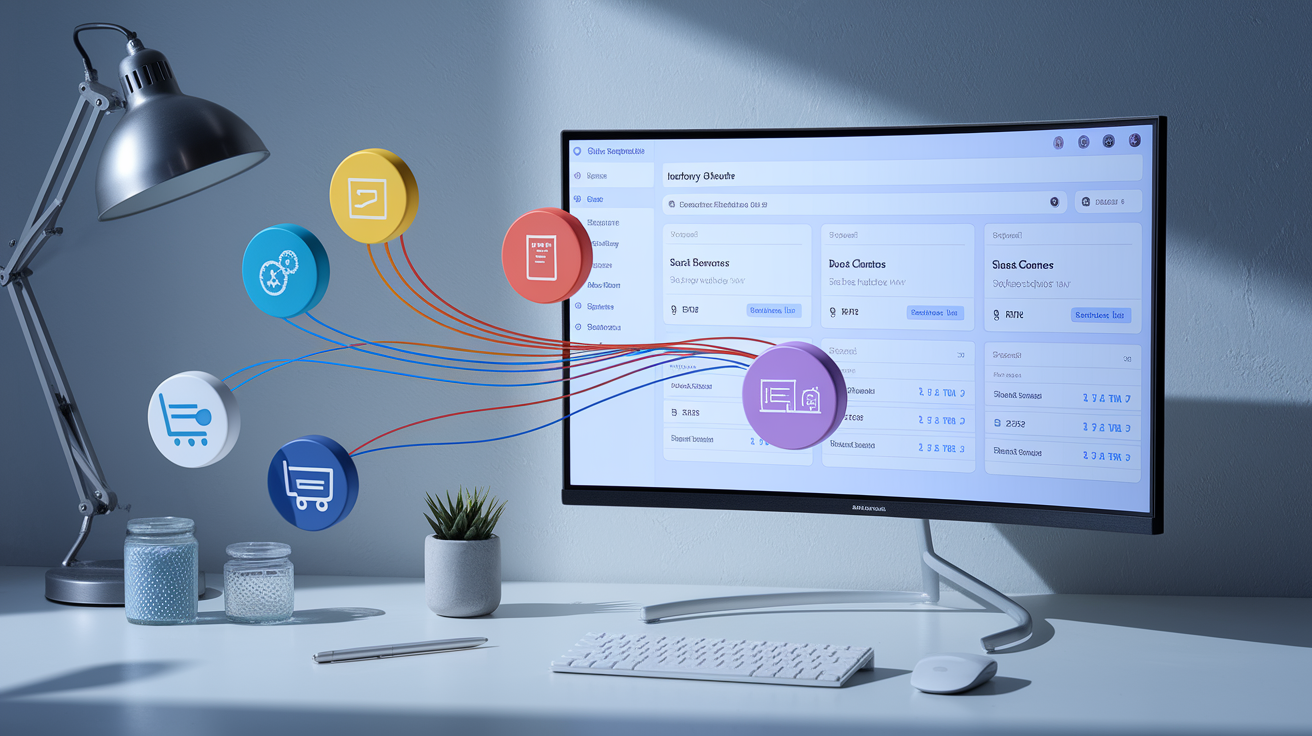
Inventory management software automates the repetitive, error-prone work of stock tracking and turns your inventory into a real-time data asset. The best tools sync stock levels across every sales channel the moment an order lands, generate purchase orders when stock hits reorder points, and provide forecasting that helps you buy the right quantities at the right time. Integration matters more than features. If your software doesn’t connect natively to your ecommerce platform, marketplace accounts, and shipping systems, you’ll spend your day manually bridging gaps instead of growing your business.
The market splits into three tiers. Entry-level tools handle basic multi-channel syncing and are often built directly into ecommerce platforms. Mid-tier systems add demand forecasting, automated reordering, and multi-warehouse support. Enterprise solutions bring multi-echelon inventory optimization, advanced analytics, and the ability to model complex supply chain scenarios before committing capital. Choose based on your SKU count, number of locations, and sales volume. A store with 200 SKUs and one warehouse needs different tools than a brand with 5,000 SKUs, three fulfillment centers, and six sales channels.
Most growing ecommerce operators need a system that reduces manual work, prevents overselling, and scales without requiring a dedicated IT team. Look for transparent pricing, fast onboarding, and responsive support. The right tool pays for itself in the first month by preventing just one oversell incident or stockout during a traffic spike.
| Tool Name | Key Features | Ideal Use Case |
|---|---|---|
| Zoho Inventory | Multi-channel sync, barcode scanning, order management, automated workflows | Small to mid-sized stores needing affordable, integrated multi-channel control |
| Fishbowl | Advanced manufacturing and warehouse management, QuickBooks integration, batch tracking | Product-based businesses with manufacturing or complex assembly workflows |
| Skubana | Real-time multi-channel syncing, purchase order automation, analytics, marketplace integrations | High-volume sellers on Amazon, Shopify, and other major marketplaces |
| TradeGecko (now QuickBooks Commerce) | B2B and wholesale order management, multi-warehouse, demand forecasting | Brands selling both direct-to-consumer and wholesale with multiple locations |
| Katana | Live inventory tracking, material requirements planning, shop floor control | Makers and small manufacturers who produce goods to order or in batches |
Key Features to Look for in Inventory Systems

Start with the non-negotiables: real-time inventory tracking, automated purchase order generation, and native integrations with your ecommerce platform and marketplaces. Real-time tracking means stock levels update across all channels within seconds of a sale, not hours or overnight. Automated purchase orders trigger when stock hits your reorder point, so you’re never caught waiting on a supplier while your best-sellers sit at zero. Native integrations eliminate the need for middleware or manual CSV uploads. Your system talks directly to Shopify, Amazon, WooCommerce, and your shipping carriers without you doing anything.
Beyond the basics, prioritize multi-warehouse support if you operate more than one location, barcode and RFID scanning for accuracy during receiving and fulfillment, and batch or lot tracking if you sell products with expiration dates or serial numbers. Reporting and analytics should be built in. You need to see inventory turnover, holding costs, forecast accuracy, and stockout frequency without exporting to Excel. Dropshipping integrations matter if you carry any supplier-fulfilled products. The system should sync supplier availability and automate purchase orders to prevent overselling items you don’t physically hold.
Real-Time Tracking
Real-time syncing is the single most effective defense against overselling. When a customer completes checkout on your Shopify store, that transaction needs to instantly reduce the available quantity on Amazon, eBay, your wholesale portal, and any other active channel. Without real-time updates, you’re selling from stale data. Your website might show five units in stock when you actually have two, because three sold an hour ago on Amazon and the sync hasn’t run yet. The next three orders will all confirm successfully, but you can only fulfill two. Real-time tracking closes that gap to seconds, making every channel reflect current stock before the next buyer clicks purchase.
Best Practices for Organizing and Scaling Stock

Clear SKU structures are the foundation of scalable inventory management. Use a consistent naming convention that embeds product attributes: category, size, color, variant. Anyone on your team should be able to identify an item from its SKU alone. Avoid vague codes like “PROD12345.” Use something like “TS-BLK-M-001” for a black, medium t-shirt, first design. This pays off when you’re scanning a pick list at 7 p.m. and need to grab the right item fast, or when you’re analyzing sales data and want to filter by attribute without hunting through descriptions.
Organize your warehouse into logical zones based on product velocity and picking patterns. High-turnover items belong in the most accessible locations. Closest to your packing station, at waist height, in bins that allow quick grab-and-go access. Slower-moving SKUs can sit higher, deeper, or in bulk storage. Zone your layout so related items or frequent bundle pairings are near each other, cutting down travel time during multi-item picks. Label every shelf, bin, and location with both a physical tag and a digital record in your system, so your software can direct pickers to exact coordinates.
Run cycle counts on a regular cadence instead of relying on annual wall-to-wall inventory. Focus on your A-items first. The 20 percent of SKUs that generate 80 percent of revenue. Count them weekly or biweekly. B-items can be monthly. C-items quarterly. Cycle counting catches discrepancies early, before a phantom unit causes a stockout, and spreads the workload across the year instead of shutting down operations for a multi-day count. Assign counts to specific team members and track accuracy over time to identify training gaps or process breakdowns.
Optimize your workflow by mapping the order lifecycle and removing bottlenecks. Track the time from order placement to label printed, label printed to item picked, item picked to packed, and packed to carrier scan. When you spot delays (maybe picking takes twice as long on Mondays, or packing slows when your thermal printer runs low) you can fix the root cause instead of just working harder. Small changes compound. Moving your tape dispenser six inches closer, pre-staging boxes by size, or batching label printing can each shave seconds per order. Those seconds add up to hours at scale.
Demand Forecasting and Seasonal Planning

Demand forecasting uses historical sales data, seasonal patterns, and external signals to predict how much of each SKU you’ll sell in the coming weeks or months. Accurate forecasts let you order the right quantities from suppliers, allocate capital to products that will actually move, and avoid both stockouts and overstock. A 10-to-20 percent improvement in forecast accuracy can reduce excess inventory by 5 to 10 percent and cut expedited shipping costs when you’re scrambling to restock a product that spiked unexpectedly.
Most ecommerce forecasting starts simple. Take last year’s sales for the same period, adjust for growth or trends, and layer in known events like promotions or product launches. As your data matures, you can add statistical models that account for demand volatility, lead time variability, and service-level targets. The best systems automate this, running forecasts daily and updating reorder recommendations in real time. You review and approve, but the system does the math and flags the outliers. SKUs that are trending up faster than expected, or slow sellers that are about to become deadstock.
Seasonal planning requires a longer view. If you sell products with pronounced peaks (holiday decor, back-to-school supplies, summer apparel) you need to start ordering months in advance. Map your supplier lead times, then work backward from your peak week to determine when purchase orders must be placed. Build in a safety stock buffer to cover demand surges or supplier delays, and monitor early sell-through rates to adjust mid-season if needed.
Four inputs every forecast should include:
Historical sales data. At least 12 months of daily or weekly sales by SKU, segmented by channel if behavior differs.
Seasonality and trends. Patterns that repeat annually, plus any sustained growth or decline in category demand.
Promotional calendar. Planned sales, launches, or marketing pushes that will spike traffic and conversion.
External factors. Supply chain delays, competitor activity, economic conditions, or platform algorithm changes that affect demand.
Multi-Channel Inventory Syncing for Ecommerce Sellers

Multi-channel syncing connects your inventory system to every platform where you list products. Shopify, WooCommerce, Amazon, eBay, Walmart, Etsy, wholesale portals. It keeps stock counts identical across all of them in real time. When an item sells on any channel, the sync immediately reduces the available quantity everywhere else. This prevents the most expensive mistake in ecommerce: confirming an order for a product you no longer have, then scrambling to source it or issuing a refund and damaging your account health.
Syncing works through APIs. Your inventory platform talks directly to each marketplace or ecommerce system, sending stock updates and pulling order data continuously. The best setups push updates within seconds of a transaction. Slower systems batch updates every few minutes or once an hour, creating a dangerous window where stock levels are out of sync. For high-velocity SKUs or during traffic spikes, even a five-minute delay can result in multiple oversells. Prioritize platforms that offer real-time or near-real-time API connections, and confirm that your plan includes enough API calls to handle your order volume without throttling.
Centralized inventory control also simplifies your workflow. Instead of logging into six different dashboards to check stock or adjust listings, you manage everything from a single hub. Bulk updates (repricing, editing descriptions, adding new SKUs) propagate to all channels at once. When you receive a shipment, you update the count in one place and every listing reflects the new availability instantly. This saves hours every week and eliminates the data-entry errors that happen when you’re manually copying numbers between systems.
Common Syncing Errors and Fixes
The most frequent syncing error is a failed API connection. Marketplaces occasionally change authentication requirements or rate limits, breaking the link between your inventory system and their platform. When this happens, stock updates stop flowing, and your listings freeze at whatever quantity was last synced. Monitor your integrations daily. Most systems provide a dashboard showing sync status and error logs. If a connection drops, re-authenticate immediately and manually verify stock levels on the affected channel before sales resume.
Duplicate SKU mappings cause overselling when the same product is listed under different SKU codes on different platforms. Your system doesn’t realize “TS-BLK-M” on Shopify and “TSHIRT-BLACK-MED” on Amazon refer to the same physical item, so it tracks them as separate inventory pools. A sale on Shopify only decrements the Shopify SKU, leaving the Amazon listing live even after stock is gone. Fix this by standardizing SKUs across all channels or manually mapping variants in your inventory software. Run an audit quarterly to catch new duplicates before they cause problems.
Automating Reorders, Fulfillment, and Stock Alerts

Automated reordering eliminates the constant mental load of tracking when to restock. Your system monitors current stock levels, average daily sales velocity, and supplier lead time, then generates a purchase order automatically when inventory hits the reorder point. You review and approve, or configure rules to auto-submit orders to trusted suppliers. This keeps you from running out of fast-moving SKUs and frees up time you’d otherwise spend in spreadsheets calculating order quantities.
Fulfillment automation connects your inventory platform to your warehouse operations and shipping carriers. When an order arrives, the system routes it to the optimal fulfillment location, generates a pick list, prints a shipping label, and updates tracking information without manual intervention. Barcode scanning at each step confirms the right item went into the right box, reducing mis-ships. The order status updates in your ecommerce platform and the customer receives a tracking email. All triggered by workflows you configured once and now run on autopilot.
Low-stock alerts prevent stockouts by notifying you before inventory reaches zero. Set alert thresholds high enough to cover lead time plus a safety buffer. If your supplier takes two weeks and you sell ten units per day, alert at 150 units, not 20. Alerts should escalate. First to your inventory manager, then to purchasing, then to leadership if stock drops below a critical level and no PO has been issued. Pair alerts with automatic reorder workflows so the system doesn’t just warn you, it takes action.
Five automation examples that reduce manual work:
Reorder triggers. System generates a purchase order when stock hits the reorder point, calculates optimal order quantity using EOQ or MOQ rules.
Inventory allocation. Automatically reserves stock for confirmed orders, preventing overselling while items await picking.
Multi-location transfers. Detects low stock at one warehouse and high stock at another, then generates a transfer order to rebalance.
Expiration alerts. Flags products nearing expiry (or batch/lot codes) and prioritizes them for fulfillment or promotions.
Demand-based replenishment. Adjusts reorder quantities dynamically based on recent sales trends, seasonal patterns, and promotional calendars.
Final Words
Start by applying the core principles: clean SKUs, real-time tracking, zone-based layouts, and regular cycle counts.
Pick software that supports automation, barcode scanning, and multi-channel syncing. Get the features right, then wire forecasting and alerts into fulfillment.
Run a 2-week audit of your top 20 SKUs, fix sync errors, and set reorder triggers. These moves sharpen ecommerce inventory management, cut stockouts and overselling, and make fulfillment steadier. Small changes. Big relief.
FAQ
Q: What is ecommerce inventory management?
A: Ecommerce inventory management is tracking, storing, and controlling stock across warehouses and sales channels to keep product availability accurate, reduce carrying costs, and improve order accuracy for online stores.
Q: Why does ecommerce inventory management matter for my store?
A: Ecommerce inventory management matters because it prevents stockouts and oversells, lowers carrying costs, speeds fulfillment, and protects revenue and customer experience—critical if you sell on multiple channels or run promotions.
Q: How does inventory management prevent stockouts, overselling, and lost revenue?
A: Inventory management prevents stockouts and overselling by syncing real‑time stock, forecasting demand, and automating reorders, which keeps products available and avoids lost sales and unhappy customers.
Q: What quick-win improvements boost inventory accuracy?
A: Quick-win improvements that boost inventory accuracy include barcode scanning, daily top-SKU counts, automated low-stock alerts, clear labeling, and fixing SKU duplicates in your system.
Q: What software should I consider for ecommerce inventory management?
A: For ecommerce inventory management choose software with real-time sync, forecasting, barcode support, and channel integrations; pick lightweight tools for small catalogs and full ERP or OMS if you have high volume or multiple warehouses.
Q: What key features should I look for in an inventory system?
A: Key features to look for are automation, real‑time stock tracking, marketplace and shipping integrations, barcode scanning, and demand forecasting to reduce errors and scale operations efficiently.
Q: How does real-time tracking prevent overselling?
A: Real-time tracking prevents overselling by instantly updating stock after each sale or return, ensuring listings on every channel show accurate availability and stopping simultaneous orders for the same units.
Q: How do I organize my warehouse and SKUs for scaling?
A: To organize for scale, use clear SKU naming, zone your warehouse by speed, label locations, optimize pick paths, and schedule regular cycle counts to keep accuracy as volume grows.
Q: How should I forecast demand and plan for seasonality?
A: Forecast demand and plan seasonality by using sales history, seasonality patterns, upcoming promotions, and supplier lead times to set safety stock and adjust reorder points before peak periods.
Q: How do I sync inventory across channels and what common syncing errors should I watch?
A: Syncing inventory across channels requires a single source of truth and automated updates; watch for SKU mismatches, latency, manual overrides, duplicate listings, and incorrect location assignments.
Q: What automation workflows should I set up first?
A: Automation workflows to set up first are low-stock alerts, automated reorders at reorder points, order routing by warehouse, returns processing, and batch pick list generation for faster fulfillment.
Q: How often should I run cycle counts and why?
A: Run cycle counts weekly for high-turn SKUs, monthly for medium, and quarterly for slow movers; counts catch errors early, improve accuracy, and reduce costly inventory surprises.