

Still reconciling orders in spreadsheets?
Ecommerce and ERP integration stops that waste and turns your storefront into a real-time operation.
When orders, inventory, pricing, and customer data flow two ways, you cut manual work, avoid oversells, and see margin per order instantly.
That change matters fast: if you rely on manual processes you’ll hit capacity limits as SKUs and channels grow.
Thesis: connect your ecommerce platform to an ERP for bi-directional, near-real-time sync. Start by auditing order and inventory flows and pick an API, connector, or middleware that fits your stack.
How Ecommerce and ERP Work Together to Automate and Scale Online Operations
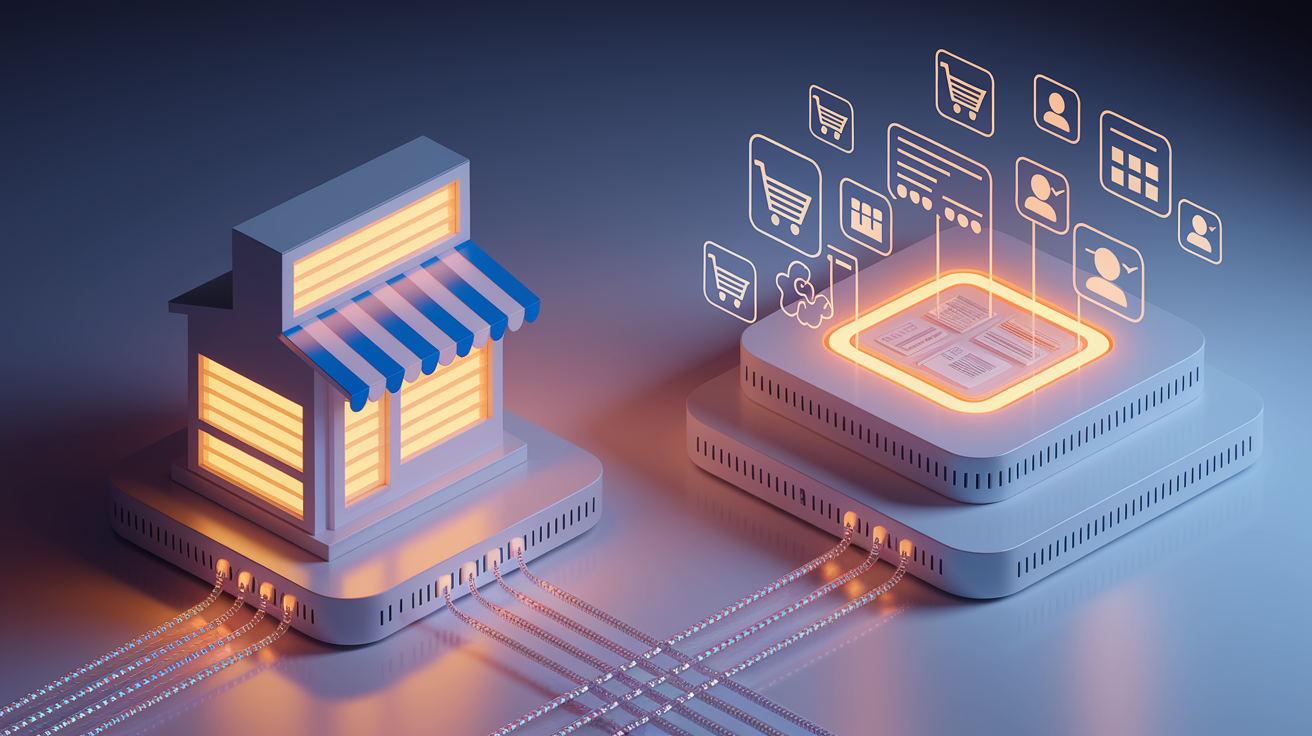
Connecting your online store to an ERP means you stop copying order details by hand, stop updating stock counts in spreadsheets, and stop reconciling payments across different platforms. Instead, data flows continuously between the storefront and the system running fulfillment, accounting, and operations.
When someone buys something on your site or through a marketplace, that order shows up in the ERP automatically. Line items, payment status, shipping address, tax calculations, all there. At the same time, the ERP pushes updated inventory counts, pricing rules, and product availability back to every connected sales channel. This two-way sync eliminates hours of data entry each day and cuts down on errors like overselling out of stock items or charging the wrong price.
More than 26 million ecommerce sites are competing globally right now. If you’re relying on manual processes, you’ll hit capacity limits fast. Real-time, bi-directional data flow solves that bottleneck and gives you room to grow. One case showed a 33% drop in technology costs and a 45% jump in organic traffic after switching to a cloud ERP that automated inventory visibility and pricing updates. Another business went fully remote in days during an unexpected disruption because their ERP was accessible anywhere and kept order processing, returns, and inventory management running.
Core data and workflows synchronized between ecommerce platforms and ERP systems:
- Inventory sync. Stock levels, low-stock alerts, and warehouse location data flow from ERP to all storefronts, preventing oversells.
- Order sync. New orders, returns, exchanges, and cancellations move from ecommerce to ERP for fulfillment and accounting.
- Pricing sync. Base prices, promotional discounts, and customer pricing lists update automatically across channels.
- Customer sync. New registrations, account updates, billing addresses, and purchase history consolidate in one system.
- Fulfillment workflows. Pick lists, packing slips, shipping labels, and tracking numbers generate automatically and sync back to the storefront for customer notifications.
- Financial data. Revenue, cost of goods sold, accounts receivable, and profit and loss figures update in real time so you can see monthly profitability without waiting for manual reconciliation.
ERP integration transforms ecommerce from a front end sales channel into a fully connected operation. As SKU counts grow, new channels launch, and order volumes increase, integrated systems scale without adding proportional headcount. You gain visibility across the entire customer journey, from browsing to payment to delivery, and you can make faster decisions backed by consolidated, accurate data instead of fragmented reports.
Integration Methods That Connect Ecommerce Platforms to ERP Systems

Connecting an online store to an ERP requires choosing an integration method that balances speed, flexibility, cost, and long term maintainability. The three most common approaches are API first integrations, prebuilt connectors, and middleware or integration platform as a service hubs. Each method handles data differently and fits different technical environments and business needs.
API first integrations use direct connections between the ecommerce platform and the ERP, typically through REST or GraphQL endpoints. Orders, inventory updates, and customer records move via API calls, often triggered by webhooks or events. This approach delivers the lowest latency and gives developers precise control over data mappings and business logic. But it requires both systems to have robust, well documented APIs and internal resources to build and maintain the integration.
API-First Integration
API first connections work best when both the storefront and ERP expose modern, stable APIs and when real time responsiveness is critical, like syncing inventory during high traffic sales or updating order status immediately after payment. Developers write custom code to handle authentication, field mapping, error handling, retries, and logging. The result is a lean, purpose built integration with minimal overhead. Changes to either system’s API can require rework though.
Prebuilt Connectors
Prebuilt connectors are vendor supplied integrations designed for common platform pairings. Shopify to NetSuite, BigCommerce to Dynamics 365, or Magento to Odoo. These connectors come preconfigured with standard mappings for orders, products, inventory, and customers, making initial deployment fast and reducing implementation risk. However, as business rules grow more complex or as additional apps enter the stack, point to point connectors can multiply and create maintenance sprawl.
Middleware / iPaaS
Middleware and iPaaS platforms act as a central orchestration layer between ecommerce and ERP. Instead of building direct connections, data flows through the middleware, which applies transformations, enforces retry logic, handles queue management, and logs every transaction. This pattern is especially useful when integrating legacy ERP systems with limited APIs, managing batch and real time flows in parallel, or connecting multiple storefronts, marketplaces, and back office apps without creating a web of one to one links.
| Method | Latency | Flexibility | Initial Cost | Scalability |
|---|---|---|---|---|
| API First | Low (real time) | High (custom logic) | Medium (dev hours) | High (if well architected) |
| Prebuilt Connector | Low to medium | Low (standard mappings) | Low (fast setup) | Medium (can become brittle) |
| Middleware / iPaaS | Medium (orchestration layer) | High (transformations, routing) | Medium to high (platform fees) | Very high (hub and spoke) |
Choosing between synchronous and asynchronous flows depends on the nature of the data and the technical capabilities of your ERP. Synchronous calls wait for an immediate response, useful for critical operations like validating inventory availability during checkout, but they can slow down the user experience if the ERP takes several seconds to reply. Asynchronous flows send the data to a queue and return control to the storefront instantly, making them ideal for order submissions, customer updates, and any workflow where a slight delay is acceptable. Most mature integrations use a mix. Synchronous for inventory checks and asynchronous for order processing, status updates, and batch product imports.
Key ERP Features That Enhance Ecommerce Operations

ERP systems built for ecommerce deliver specific modules that automate fulfillment, pricing, customer management, and reporting. All of which create measurable improvements in speed, accuracy, and profitability.
Inventory Management
Real time inventory visibility is the foundation. ERP tracks stock levels across multiple warehouses, distribution centers, and retail locations, then pushes accurate availability to every connected storefront. Automated replenishment rules trigger purchase orders when stock falls below safety thresholds, and lot and serial control ensure compliance for regulated products. One executive reported pulling live inventory data on a mobile phone during a dinner conversation to answer a customer question on the spot.
Order Management
Order management modules capture every transaction, web orders, marketplace sales, phone orders, and in store pickups, into a single queue. Pricing rules, volume discounts, promotional codes, and customer specific contract terms apply automatically, eliminating manual price adjustments and reducing errors. Cost data flows alongside revenue, so you see margin per order immediately. Dashboards surface orders that were printed but not shipped within 24 hours, flagging bottlenecks before they escalate.
Warehouse Management System (WMS)
WMS tools inside the ERP orchestrate the physical side of fulfillment. Pick methods, wave, batch, zone, optimize labor efficiency, barcoded pick lists reduce mispicks, and packing workflows generate shipping labels and carrier manifests automatically. Real time status updates sync back to the storefront, triggering customer notifications at each milestone. Order confirmed, packed, shipped, delivered. Stock turnover metrics and cart and tote data help warehouse managers balance workload and forecast labor needs.
Pricing and Promotions
ERP driven pricing ensures that every channel displays the correct base price, tiered discounts, and promotional offers without requiring manual updates across storefronts. B2B customers see negotiated contract pricing automatically. Seasonal promotions, flash sales, and bundle discounts activate and expire on schedule. When margin analysis shows a SKU underperforming, you adjust pricing in the ERP and the change propagates across all channels in minutes.
CRM Integration
CRM modules unify customer data. Purchase history, support tickets, payment terms, loyalty points, and billing addresses, into a single profile. Marketing teams can segment by lifetime value, customer service agents see full order history during support calls, and finance teams track accounts receivable and credit limits in real time. This consolidation reduces duplicate records and ensures every team works from the same customer information.
Reporting and Business Intelligence
BI dashboards pull data from sales, inventory, fulfillment, and finance into consolidated reports. Demand forecasting uses historical sales velocity to predict replenishment needs. Cross sell and upsell recommendations identify high margin SKU pairings. SKU rationalization reports highlight slow moving inventory that ties up cash. Real time P&L visibility means you know monthly profitability before the month ends, not weeks later after manual reconciliation.
Most impactful ecommerce outcomes enabled by ERP features:
- Eliminating oversells through real time inventory sync across all channels
- Reducing order to ship time by automating pick, pack, and label workflows
- Applying accurate, customer specific pricing and contract terms without manual intervention
- Consolidating financial data so invoices automatically populate revenue and P&L in real time
- Centralizing customer records to improve service response time and personalization
- Surfacing actionable alerts, such as orders not shipped within 24 hours or low stock warnings, before issues escalate
- Enabling mobile access to live inventory, order status, and financial metrics for remote decision making
These features work together to create operational leverage. As order volumes and SKU counts increase, the ERP handles the added complexity without requiring proportional increases in staff, spreadsheets, or manual workarounds. One retailer reported technology costs 33% lower and functionality ten times greater after switching to an integrated ERP, alongside a 45% increase in organic traffic driven by better catalog accuracy and faster site performance.
Best Integration Approaches for Multichannel and Marketplace Selling

Selling across your own storefront, Amazon, eBay, social commerce channels, and B2B portals creates a data orchestration challenge. Each channel needs accurate inventory, but every sale must draw from the same pool of stock to avoid overselling. ERP systems solve this by acting as the single source of truth for inventory, pricing, and SKU master data, then pushing updates to every connected endpoint.
Product information typically originates in the ERP but often requires a Product Information Management system to enrich catalog data with channel specific images, long descriptions, and marketing copy. The ERP holds the core SKU attributes, dimensions, weight, cost, supplier codes, while the PIM manages the content that varies by channel. Both systems sync to the ecommerce platform and marketplace connectors, ensuring that a product update in the ERP propagates everywhere without overwriting custom content.
Marketplace Integration Flows
Marketplace connectors pull inventory availability and pricing from the ERP, then translate that data into the format required by Amazon, eBay, Walmart, or other platforms. When a marketplace order arrives, the connector writes it into the ERP’s order queue alongside web orders, applying the correct fulfillment rules, tax calculations, and shipping methods. Status updates, packed, shipped, delivered, flow back to the marketplace API to keep buyer facing tracking accurate and avoid late shipment penalties.
Channel specific sync rules for marketplace and omnichannel selling:
- Inventory reservations. When an order is placed on any channel, the ERP immediately reserves that quantity, preventing other channels from overselling the same unit.
- Channel specific pricing. Amazon may show a different price than your D2C site due to fee structures or competitive positioning. ERP price rules handle this per channel without manual overrides.
- Fulfillment routing. Orders route to the closest warehouse or to a designated fulfillment center based on inventory location, shipping speed requirements, and cost optimization rules defined in the ERP.
- Return handling. Marketplace returns sync back to the ERP, update inventory counts, trigger refund workflows, and provide data for return rate analysis by SKU and channel.
- Product taxonomy mapping. ERP category codes map to marketplace browse nodes or Google Shopping categories automatically, reducing listing errors and improving discoverability.
Catalog governance becomes critical when operating at scale. Without centralized control, SKU data fragments. One channel shows an outdated description, another has the wrong price, a third lists a product as available when inventory is zero. ERP integration enforces a single master record for each SKU and automates the distribution of updates, so changes made once in the ERP appear everywhere within minutes. This reduces the manual effort required to maintain accuracy across channels and cuts the support volume generated by incorrect listings or frustrated customers who ordered out of stock items.
Implementation Planning for Ecommerce–ERP Projects

ERP integration projects require careful sequencing, realistic timelines, and clear ownership to avoid costly rework and adoption friction. Implementation time varies by company size, ERP complexity, and the number of integrations, but all successful projects follow a phased approach that prioritizes core workflows first.
Data Migration
Data migration starts with auditing and cleaning existing records in spreadsheets, legacy systems, and the current ecommerce platform. Duplicate SKUs, inconsistent product attributes, outdated customer records, and orphaned order history must be reconciled before the cutover. Establish a mapping plan that defines how each field in the old system translates to the new ERP schema, then run test imports on a subset of data to validate accuracy. Staged migration, moving products first, then customers, then historical orders, reduces risk and allows the team to fix issues incrementally.
Testing and Staging
Set up a staging environment that mirrors production but operates on test data. Run end to end scenarios. Place an order on the storefront, verify it appears in the ERP with correct pricing and tax, trigger fulfillment, generate a shipping label, sync tracking back to the storefront, and confirm the customer receives an accurate notification. Test edge cases like partial shipments, backorders, returns, refunds, and canceled orders. Monitor logs for failed syncs, retry behavior, and error handling. Only move to production after every critical path has been validated under realistic load.
Training and Change Management
Training must cover both technical users, developers and system admins who manage integrations and troubleshoot sync failures, and operational users who process orders, manage inventory, and run reports. Provide role specific training sessions, written guides, and recorded walkthroughs. Assign champions within each department who understand the new workflows and can answer day to day questions. Communicate the business reasons for the change, faster fulfillment, fewer errors, better customer experience, so staff understand the value beyond learning a new interface.
Rollout Strategy
Phased rollout reduces risk. Start with a single product category, a low volume sales channel, or a pilot warehouse. Stabilize core flows, orders and inventory, before adding commercial logic like pricing rules and customer specific terms. Expand scope only after monitoring confirms stable performance and user feedback has been addressed. Run old and new systems in parallel for a brief overlap period if possible, so you can verify data consistency before fully cutting over.
Typical integration timeline milestones:
- Weeks 1 to 2. Business requirements analysis, system assessment, and architecture design.
- Weeks 3 to 6. Data cleansing, mapping, vendor or partner selection, and initial connector or API development.
- Weeks 7 to 10. Integration build, staging environment setup, and end to end testing of core flows.
- Weeks 11 to 12. User training, final data migration, parallel run if applicable, and production cutover.
Actual timelines vary. Simple prebuilt connector projects may go live in four weeks, while complex custom integrations for large catalogs and multiple warehouses can take several months. Plan for post launch support and iteration. No integration is perfect on day one. Budget time and resources for tuning, monitoring dashboards, and addressing edge cases as real transaction volumes expose scenarios missed during testing.
Cost Models, Total Cost of Ownership, and ROI for Ecommerce–ERP Integration

ERP pricing structures vary widely. Some vendors charge per named user, others offer unlimited users at a flat rate, and cloud based systems typically bill monthly or annually based on transaction volume, number of active modules, and data storage. Platform based ERP implementations for mid sized ecommerce companies often start near $50,000, covering software licenses, initial configuration, data migration, and basic training. Custom ERP builds, tailored to unique workflows or highly regulated industries, commonly exceed $1,000,000 and require ongoing internal IT resources to maintain.
Total cost of ownership includes more than the initial implementation. Vendor maintenance and support fees, typically 15 to 20% of the license cost annually, cover patches, updates, and access to technical support. Integration costs grow as you connect additional apps, PIM, CRM, analytics platforms, marketplace connectors, each requiring development time, testing, and monitoring. Internal labor for system administration, user training, and troubleshooting must also be factored into TCO.
Major TCO factors to evaluate before committing to an ERP platform:
- Licensing model. Per user fees scale with headcount. Unlimited user models offer predictability but may carry higher base costs.
- Deployment option. Cloud ERP shifts infrastructure costs to the vendor but introduces recurring subscription fees. On premises ERP requires upfront hardware investment and internal IT staff.
- Integration complexity. More endpoints, custom workflows, and legacy system compatibility increase both initial development and ongoing maintenance costs.
- Vendor support structure. Evaluate whether training is included, how quickly support tickets are resolved, and whether implementation partners charge separately for post launch assistance.
| Cost Type | Platform ERP | Custom ERP | Hybrid ERP |
|---|---|---|---|
| Initial implementation | ~$50k | $1M+ | $200k to $500k |
| Annual maintenance | 15 to 20% of license | Internal IT plus vendor fees | Mix of both |
| Scalability | High (add modules) | Medium (custom dev) | High (mix cloud plus on prem) |
ROI for ecommerce ERP integration typically unfolds over five to ten years. Key drivers include reduced stockouts and overstocking through better demand forecasting, faster order fulfillment that increases customer satisfaction and repeat purchases, elimination of manual data entry across order processing and accounting, and real time profitability reporting that enables quicker adjustments. One case reported a 33% reduction in technology costs and measurably higher functionality, while another cited improved inventory turnover and reduced accounts receivable days outstanding as the most significant financial gains. Intangible benefits, higher staff productivity, improved retention due to less tedious manual work, and faster decision making, also contribute to ROI but are harder to quantify precisely.
Security, Compliance, and Data Governance in ERP–Ecommerce Integration

Every integration that moves customer data, payment information, or financial records must meet security and compliance standards. For ecommerce, that means adhering to PCI DSS when handling credit card data and GDPR when processing personal information for customers in the European Union or UK. Integrations must encrypt data in transit using TLS, authenticate API calls with secure tokens like OAuth 2.0, and log every transaction for audit purposes.
Role based access control ensures that only authorized users can view or modify sensitive data. A warehouse picker should see pick lists and inventory locations but not customer payment details or profit margins. A finance user needs access to revenue and cost data but not the ability to change product descriptions or inventory counts. ERP systems enforce these permissions at the module level, and integrations must respect those boundaries when syncing data between platforms.
Data Governance
Data governance defines who owns each type of record, where the master copy lives, and how conflicts are resolved when the same data exists in multiple systems. For example, the ERP typically owns SKU master data, pricing rules, and inventory counts, while the ecommerce platform may own rich product content like images and marketing copy. Clear ownership prevents sync loops where two systems continuously overwrite each other’s updates. Governance policies also specify data retention periods, backup schedules, and procedures for handling data deletion requests under GDPR’s “right to be forgotten.”
Required security controls for ecommerce ERP integrations:
- Encrypted data transmission. All API calls and file transfers must use TLS 1.2 or higher to prevent interception.
- Authentication and authorization. Use OAuth 2.0, API keys with short expiration, or SSO. Avoid embedding credentials in code.
- Idempotency and retry logic. Ensure duplicate API calls caused by network errors or retries do not create duplicate orders or double charge inventory.
- Comprehensive logging and monitoring. Track every sync event, error, and retry. Set up alerts for failed transactions or unusual activity patterns.
- Regular security audits. Review API access logs, test for vulnerabilities, and update dependencies to patch known exploits.
Compliance extends beyond technology. Staff who access integrated systems must be trained on data handling policies, and vendors or integration partners must sign data processing agreements that define their responsibilities under GDPR and other regulations. Neglecting these controls exposes the business to fines, reputational damage, and operational disruption if a breach occurs.
Leading ERP Platforms Used by Ecommerce Businesses

Choosing the right ERP depends on company size, growth trajectory, technical resources, and the complexity of your ecommerce workflows. The platforms below represent the most commonly deployed systems for online retail and omnichannel operations.
Microsoft Dynamics 365
Microsoft offers two primary tracks. Business Central targets growing small to midsize businesses and includes native connectors for Shopify, order management, inventory updates, demand forecasting, and financial consolidation. Dynamics 365 Finance & Supply Chain Management plus the Commerce module serves mid sized to large enterprises with complex supply chains, multi entity financials, and warehouse management. Both run on Azure, support API first integrations, and integrate tightly with Power BI for reporting.
Oracle NetSuite
NetSuite delivers a unified cloud ERP with SuiteCommerce, a native ecommerce storefront built directly into the platform. This tight coupling eliminates many integration headaches. Inventory, orders, customers, and financials share the same database. NetSuite handles B2B and B2C scenarios, supports pre built themes, and automates billing workflows. It scales well for companies with high SKU counts and international operations, though licensing costs can be high for smaller businesses.
Odoo
Odoo is an open source modular platform with flexible deployment options. Odoo Online is SaaS, Odoo.sh is PaaS for developers, and on premises installations. Its modularity lets you activate only the apps you need, Sales, Inventory, Accounting, Website, POS, and add more as the business grows. Odoo’s strength is customization at lower cost than proprietary systems, but it requires more technical expertise to configure and maintain, especially for complex integrations.
Acumatica
Acumatica’s Retail Commerce Edition focuses on cloud and private cloud deployment with unlimited user licensing. Core strengths include sales order processing, inventory visibility, and reporting dashboards. Acumatica works well for retailers seeking predictable licensing costs and straightforward ecommerce integrations without the overhead of enterprise scale ERP platforms.
SAP Commerce and Adobe Commerce
SAP Commerce Cloud, formerly Hybris, and Adobe Commerce, formerly Magento, are often paired with ERP back ends rather than serving as the ERP itself. SAP Commerce integrates with SAP S/4HANA for financials and supply chain. Adobe Commerce connects to a wide range of ERP systems via API or middleware. Both platforms excel at complex catalog management and personalization but rely on external ERP for core back office functions.
| Platform | Flexibility | Target Company Size | Ecommerce Integration |
|---|---|---|---|
| Dynamics 365 | High (modular) | SMB to Enterprise | Native Shopify, API first |
| NetSuite | Medium (unified suite) | Mid market to Enterprise | SuiteCommerce (native) |
| Odoo | Very high (open source) | SMB to Mid market | Odoo Website or API |
| Acumatica | Medium (cloud native) | SMB to Mid market | API, connectors |
| SAP / Adobe Commerce | High (headless) | Enterprise | Pairs with external ERP |
Common Challenges in Ecommerce–ERP Projects and How to Avoid Them

ERP integration projects routinely encounter predictable obstacles. Recognizing them early and planning mitigation strategies keeps timelines and budgets on track.
Data mapping tops the list. SKUs may use different identifiers in the ecommerce platform and the ERP. One system uses internal part numbers, the other uses manufacturer codes. Customer records may include slightly different address formats or missing fields. Without a detailed mapping document and thorough cleansing before cutover, syncs fail or create duplicate records. The fix is to audit both systems, standardize formats, and build transformation logic into the integration layer before going live.
Overselling happens when inventory updates lag behind order velocity. If the ERP pushes stock levels to the storefront only once per hour and multiple customers buy the last unit within that window, the system will accept orders it can’t fulfill. Real time or near real time inventory sync paired with reservation logic solves this. When an order is placed, the ERP immediately reserves that quantity so other channels see reduced availability.
Six common risks in ecommerce ERP integration projects:
- SKU and attribute mismatches across systems leading to failed product syncs
- Insufficient testing of edge cases like partial shipments, backorders, and multi warehouse fulfillment
- Lack of monitoring and alerting for failed syncs, causing silent data drift until a customer complaint surfaces the issue
- Brittle point to point integrations that break when one platform updates its API or data schema
- Unclear ownership of master data, resulting in conflicting updates and sync loops
- Underestimating ongoing maintenance effort required to keep integrations running as business rules and catalogs evolve
Using middleware or an iPaaS platform mitigates many of these risks. Instead of building ten separate point to point links between the ERP, ecommerce platform, PIM, CRM, analytics tools, and marketplace connectors, a hub and spoke architecture centralizes data flows. The middleware handles retries, logging, transformations, and schema changes in one place, reducing the burden on internal developers and making it easier to add new endpoints without rewriting existing integrations. This approach scales better as the tech stack grows and simplifies troubleshooting when something breaks.
Case Examples Showing the Impact of Ecommerce–ERP Integration

Real world deployments illustrate the operational and financial gains that follow successful integration. These examples span different industries, company sizes, and technical architectures, but all share a common outcome. Reduced manual work, faster fulfillment, and better visibility into performance.
One B2B automotive parts distributor integrated a headless commerce platform with an ERP managing more than 4,000,000 SKUs across 30 countries. The system connected Elastic for search, Briqpay for payments, and Umbraco for content management, with the ERP serving as the source of truth for pricing, inventory, and order processing. The integration enabled real time availability checks during checkout and automated order routing to regional warehouses based on stock location and shipping cost.
A beverage distributor deployed ERP linked ecommerce across 25 countries to digitize route to market and enable customer self service ordering. The integration replaced phone and email orders with an online portal that displayed contract pricing, placed orders directly into the ERP fulfillment queue, and provided delivery tracking. Customer adoption reached 80% within the first year, reducing order entry workload and cutting errors caused by manual transcription.
| Company Type | Scope | Outcome |
|---|---|---|
| Automotive parts B2B | 4M+ SKUs, 30 countries, headless commerce plus ERP | Real time availability, automated routing, multi country fulfillment |
| Beverage distributor | 25 countries, self service portal plus ERP | 80% customer adoption, reduced manual order entry, fewer errors |
| Retail ecommerce | Cloud ERP migration, 207 stores | 33% lower tech costs, 45% organic traffic lift, mobile inventory access |
| Public sector cooperative | 11,000+ agencies, 94% U.S. coverage | Centralized procurement, contract pricing automation, unified reporting |
A retail chain with 207 stores migrated from legacy ERP to a cloud based system with native ecommerce integration. The new platform delivered technology costs 33% lower than the previous setup while providing ten times the functionality. Organic traffic increased 45% due to improved catalog accuracy and site performance. Executives accessed live inventory data on mobile devices, and finance teams saw real time P&L updates as invoices automatically populated revenue and cost records. When an external disruption required the business to shift fully remote, the cloud ERP enabled the transition in a matter of days without halting order processing or fulfillment.
Key Things to Keep in Mind When Connecting Ecommerce and ERP
Before starting an integration project, assess your readiness. If your team still relies on daily spreadsheet exports, manual price updates across channels, or phone calls to check inventory availability, integration is overdue. The longer you delay, the more operational debt accumulates and the harder it becomes to scale without adding headcount in direct proportion to order volume.
Six item readiness checklist:
- Inventory visibility. Can you see real time stock levels across all warehouses and sales channels in one system, or do you reconcile at end of day?
- Order processing speed. How many manual steps sit between order placement and fulfillment start? Does every order require data entry or review?
- Pricing accuracy. Are prices, discounts, and customer specific terms applied automatically, or do sales ops manually adjust invoices?
- Financial consolidation. Can you view current month profitability in real time, or do you wait weeks for manual reconciliation?
- Scalability. If order volume doubles in the next six months, can your current process handle it without hiring proportionally more staff?
- Data governance. Do you have clear ownership and a single source of truth for SKUs, inventory, pricing, and customer records?
Sync strategy matters. Real time synchronization is essential for inventory levels, order status, and payment confirmations. Any delay risks overselling or disappointing customers. Lower frequency batch syncing works for non critical data like product metadata updates, historical analytics exports, or catalog enrichment from PIM systems. Match sync cadence to business impact. High impact, high velocity data syncs in real time. Everything else syncs on a schedule that balances freshness with system load and storage costs.
Final Words
This guide showed how integrating ecommerce platforms with ERP delivers real-time, bi-directional data: inventory sync, order automation, pricing, and unified reporting. Those are the concrete wins.
It matters because you remove manual work, stop oversells, speed fulfillment, and get faster financial insights—so you protect revenue and margin.
Start small: audit your top 20 SKUs for sync problems, pick API vs middleware based on latency needs, and run a phased rollout with testing and monitoring. Tie ecommerce and erp together and you’ll scale cleaner and faster.
FAQ
Q: What is ERP and e-commerce?
A: ERP and e-commerce refers to enterprise resource planning systems working with online storefronts to sync inventory, orders, pricing, and finances—automating workflows, cutting manual errors, and improving fulfillment and reporting.
Q: What are the top 5 ERPs?
A: The top 5 ERPs are Oracle NetSuite, Microsoft Dynamics 365, SAP (S/4HANA), Odoo, and Acumatica—each differing by target company size, customization, and native ecommerce integration options.
Q: What are the 4 types of e-commerce?
A: The four types of e-commerce are B2C (business-to-consumer), B2B (business-to-business), C2C (consumer-to-consumer), and C2B (consumer-to-business), each reflecting different buyer-seller relationships, pricing models, and fulfillment needs.
Q: Is Shopify an ERP?
A: Shopify is not an ERP; it’s an e-commerce platform with storefront, checkout, and basic inventory tools. For full ERP functionality—financials, procurement, advanced inventory planning—connect Shopify to an ERP system.