


Think picking a shipping tool by price is fine?
You’re probably losing money every month.
Rate-shopping platforms look similar on the surface but vary in fees, carrier coverage, automation, and how they handle those annoying edge cases that eat time.
This guide shows the exact criteria small ecommerce brands should use, starting with pricing transparency, real carrier API support, rules and automation, label accuracy, and integrations, so you can pick a tool that cuts total cost per order in dollars and labor, not just promises.
Key Criteria for Evaluating Multi‑Carrier Rate‑Shopping Tools

Most small ecommerce brands pick shipping software the way they pick lunch. Quick glance, decent price, hope it works out. That’s costing you money every single month.
Rate shopping tools aren’t all the same. They differ wildly in what they charge, which carriers they actually support (versus just claim to support), how much they automate, and whether they handle the weird edge cases that break your manual workflow. A tool that cuts shipping costs by 8 percent sounds great until you’re spending three extra hours every week reconciling invoices and fixing errors. The question that matters is simple: does this reduce your total cost per order, in both dollars and time, without breaking checkout or creating new problems?
Here’s what to look at when you’re evaluating any multi‑carrier rate shopping platform:
Pricing model transparency. You need to understand if you’re paying per label, a monthly fee, a percentage of what you save, or some combination. And you need to know how that cost changes when your order volume grows.
Carrier integration depth. Make sure the tool actually connects to your carriers through live APIs and pulls your negotiated rates, not the generic published numbers anyone can see on the carrier’s website.
Automation and rules capability. Can the platform pick carriers automatically based on delivery speed, cost, package size, or where it’s going? Or are you still clicking through options for every order?
Label generation and accuracy. Do the labels print correctly? Do they include everything the carrier needs? Can you print in batches? Does it work with the label printer you already have?
Ecommerce and WMS integration. Does it sync cleanly with Shopify, WooCommerce, BigCommerce, or your warehouse system? Or are you dealing with duplicate orders and sync delays?
SMB features. Look for low minimums, actual human support, documentation that makes sense, and onboarding that doesn’t assume you have an IT team.
If you’re shipping 500 to 5,000 packages a month, the most important question is how fast you’ll see real savings. If you can’t calculate a clear payback period in the first pilot month using your actual shipping data, not some vendor case study, it’s probably not the right fit. Go with tools that let you test with real shipments, track cost per package before and after, and change rules quickly when carriers adjust pricing or your priorities shift.
Pricing Models and Total Cost Evaluation

Rate shopping tools usually charge one of four ways: per label fees (typically $0.05 to $0.15 per shipment), flat monthly subscriptions ($50 to $500+ depending on volume), percentage of savings structures (where the vendor takes 10 to 30 percent of what you save), or hybrid models that mix a low monthly fee with per transaction charges. Small brands think the lowest number on the pricing page wins. But total cost depends on your volume, average package cost, and how much manual work disappears.
Per label pricing looks expensive when you scale, but it protects you if you’re low volume. You don’t pay for capacity you’re not using. Flat monthly subscriptions get cheaper per shipment as volume grows, but only if you consistently hit the tier you’re paying for. Percentage of savings pricing sounds safe because “you only pay when you save,” but it requires the vendor to accurately calculate what you used to spend. And those calculations get disputed. A lot. Hybrid models can work well if the base fee is low and the per transaction charge drops as you grow.
To figure out real ROI, track these four things over a full billing cycle:
Platform fees. Whatever the rate shopping vendor charges, whether it’s subscription, per label, or percentage.
Carrier rate changes. What you’re paying per package now versus what you paid before, using the same package profiles.
Labor time saved. How many hours per week you’re not spending comparing rates, printing labels, or fixing shipping mistakes.
Hidden fees or surcharges. Implementation costs, carrier account setup, label printer hardware, API charges, anything not included in the advertised price.
Carrier Integrations and Coverage Depth

Carrier integration quality varies way more than vendors admit. A platform might say it supports “100+ carriers” but only offers live API rate shopping for three or four national carriers. The rest? Manual label printing or static rate tables. For small ecommerce brands, what matters is real time rate retrieval using your carrier account credentials and your negotiated rates. Not generic published pricing.
Check if the tool pulls service level details correctly. USPS Priority Mail and Priority Mail Express have different delivery windows and Saturday rules. UPS Ground and UPS SurePost route differently and price differently. If the platform treats service levels like they’re all the same, or only shows “ground” and “express” without mapping actual carrier service codes, you’ll miss savings and create customer experience problems when expected delivery dates don’t match what the carrier promised.
Rate accuracy depends on how often the vendor updates carrier pricing tables and surcharge logic. Carriers change fuel surcharges every week, add peak season fees, revise dimensional weight divisors with almost no notice. A rate shopping tool that caches pricing for a month will show you rates that were accurate three weeks ago. Which means the “lowest cost” option at checkout might not be the lowest cost when the carrier invoices you. Ask how often they update and how they handle mid month carrier pricing changes.
Automation and Workflow Efficiency

Automation separates tools that actually save time from tools that just move manual work to a different screen. The baseline is automatic carrier selection. The system compares live rates and picks the cheapest option (or fastest option under a cost threshold) without you clicking through rate tables. That alone cuts label creation from two minutes per order to under ten seconds.
Better automation includes rules engines that let you define decision logic. “Use USPS for packages under 1 lb going to residential addresses, unless the customer paid for expedited shipping.” “Exclude FedEx for Alaska or Hawaii.” “Always use UPS for insured shipments over $500.” Rules reduce exceptions that need manual review and prevent costly mistakes like accidentally shipping a high value order via the cheapest uninsured service.
Key Automation Features
Batch label printing, order import automation, and error prevention checks are the next layer. Batch printing lets you generate 50 or 200 labels in one action instead of processing orders one at a time. Automatic order import pulls new orders from your ecommerce platform every few minutes, so you’re not manually copying order details into the shipping system. Address verification and package weight validation catch data entry errors before a label prints. “This 15 lb package has a street address but no apartment number, confirm before shipping” prevents costly reshipments and customer service escalations.
Ecommerce Platform and WMS Integrations
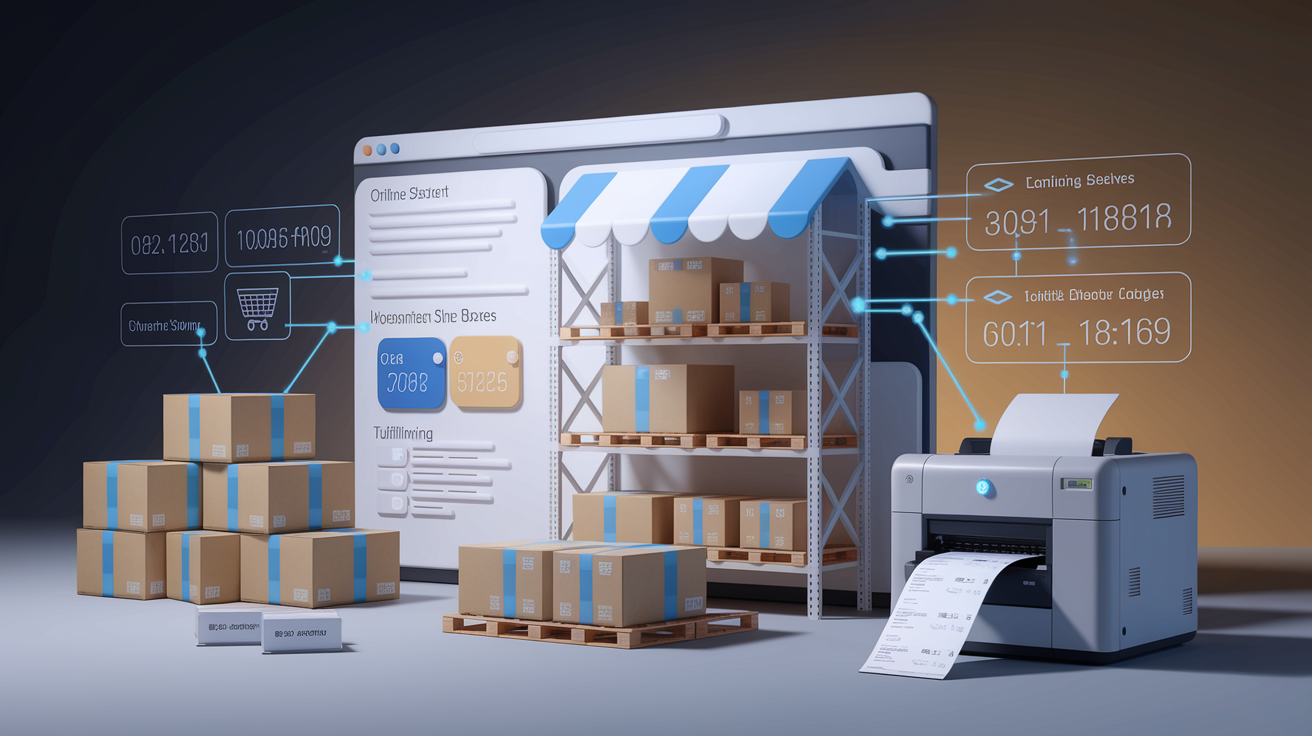
Platform integration quality determines whether rate shopping becomes invisible infrastructure or a daily bottleneck. A native Shopify app that syncs orders in real time, updates tracking numbers back to Shopify automatically, and lets you fulfill orders without leaving the Shopify admin is fundamentally different from a tool that makes you export a CSV, upload it to a separate dashboard, print labels, then manually paste tracking numbers back into 50 orders.
Most rate shopping platforms offer pre built connectors for Shopify, WooCommerce, and BigCommerce, but connector depth varies. Check if the integration supports your fulfillment workflow. Can you bulk select unfulfilled orders and print all labels in two clicks? Or does each order need individual review? Does the system handle split shipments (one order, two packages) cleanly, or does it duplicate the order? Can you map custom fields like gift messages, delivery instructions, SKU specific shipping rules? Or does the integration only sync basic order data?
For brands using a warehouse management system or third party logistics provider, verify that the rate shopping tool integrates with your WMS (ShipStation, ShipBob, Extensiv) or offers API access so your 3PL can pull rates and print labels. If integration requires custom development, get a clear estimate of implementation time and cost before you commit.
Scalability and Future Proofing

A tool that works well at 500 orders per month can break or become crazy expensive at 2,000 orders per month if pricing tiers jump or the platform can’t handle volume spikes during peak events.
Review the vendor’s pricing tiers and make sure there are no sudden cost cliffs. Some platforms charge $99/month for up to 1,000 shipments, then jump to $499/month at 1,001 shipments. If you’re averaging 900 shipments per month and expect steady growth, that cliff will hit in a few months and force a budgeting conversation or a platform migration. Look for pricing that scales gradually or offers custom pricing once you outgrow standard tiers.
Technical scalability matters if you plan to add warehouses, expand internationally, or launch on new sales channels. Make sure the platform supports multi warehouse fulfillment with location based carrier selection. “Ship from the closest warehouse using the lowest cost carrier for that origin destination pair.” If international expansion is on the roadmap, verify that the tool handles customs documentation, duties calculation, and cross border carrier integrations, not just domestic USPS, UPS, and FedEx. Migrating to a new rate shopping platform after you’ve scaled is expensive and disruptive. Choose a tool that supports the next two years of growth, not just today’s volume.
Implementation Guidance for Small Brands

Implementation complexity ranges from plug and play Shopify apps that go live in 30 minutes to API integrations that take two weeks of developer time and testing.
For most small ecommerce brands, the fastest path is a native platform app or pre built connector. Install the app, authenticate your carrier accounts (USPS, UPS, FedEx), set basic shipping rules, and run a test batch of 10 to 20 recent orders to confirm rates match expectations and labels print correctly. If the test works cleanly, activate the tool for all new orders and monitor cost per package and fulfillment time for the first week.
Here’s a practical five step implementation checklist:
- Gather carrier account credentials. Collect API keys, account numbers, and negotiated rate agreements for every carrier you use or want to test.
- Load historical shipping data. Import the past 30 to 90 days of shipments so you can baseline current costs and compare post implementation savings accurately.
- Configure shipping rules. Define decision logic for cost versus speed trade offs, service level exclusions, package size thresholds, and any carrier preferences.
- Run sandbox tests. Process test orders in a non production environment to validate rate accuracy, label formatting, tracking number sync, and edge cases like oversized packages or international addresses.
- Pilot with a subset of orders. Activate the tool for 10 to 20 percent of daily order volume for one to two weeks, measure savings and exceptions, then scale to 100 percent if results meet targets.
Case Studies and Real World Scenarios

A small apparel brand shipping 1,200 packages per month was manually selecting USPS Priority Mail for nearly every domestic order because the owner assumed it was always cheapest for lightweight packages. After implementing a multi carrier rate shopping tool and enabling rules that compared USPS, UPS, and regional carriers for every shipment, the brand discovered that UPS Ground cost less than Priority Mail for 35 percent of orders. Mostly packages over 2 lbs going to the Midwest and West Coast. Average shipping cost per package dropped from $8.20 to $7.10, a 13 percent reduction that saved $1,320 per month. The tool paid for itself in the first billing cycle. And the owner redirected the time previously spent comparing rates into customer acquisition.
A health supplement brand with 800 monthly orders and tight margins implemented rate shopping to reduce fulfillment costs but found the bigger win in automation and error reduction. Before the tool, the brand’s shipping associate spent roughly 90 minutes per day manually entering order details, comparing carrier websites, and printing labels one at a time. Address errors led to four to six reshipments per month, each costing $15 to $25 in duplicate shipping and lost product. The rate shopping platform’s address verification feature caught invalid or incomplete addresses before labels printed, cutting reshipments to fewer than one per month. Batch label printing dropped daily fulfillment time from 90 minutes to under 30 minutes. Combined shipping cost savings and labor savings totaled approximately $950 per month, against a tool cost of $120 per month. Nearly 8× ROI within 60 days.
Final Words
This guide gave a tight checklist for evaluating multi‑carrier rate‑shopping tools: pricing models, carrier integrations, automation rules, label speed, SMB features, and true cost-savings.
Use it to score options quickly—weight integration and automation higher if you ship many orders, and front-load a pricing audit to avoid surprise fees.
Run a short pilot and track cost per label, delivery accuracy, and handling time. That’s the practical way to test how to evaluate multi-carrier rate-shopping tools for small ecommerce brands. You’ll likely cut shipping cost and reclaim fulfillment time.
FAQ
Q: What pricing models do multi‑carrier rate‑shopping tools use?
A: Multi‑carrier rate‑shopping tools use per‑label fees, subscription tiers, carrier‑discount access, and volume‑based pricing. Check per‑label vs subscription break‑even and whether negotiated rates are included.
Q: How do I calculate the true cost and ROI of a rate‑shopping tool?
A: To calculate true ROI, compare added fees (monthly, per‑label, setup) against measurable savings from better rates and labor reduction. Run a 30‑day baseline and a mirrored pilot to measure net gain.
Q: Which carrier integrations and coverage depth should I check?
A: Carrier integrations matter for API speed, service‑level availability, and negotiated‑rate support. Prioritize tools listing your carriers, showing API latency, and mapping services to delivery promises.
Q: How fast do these tools generate labels and why it matters?
A: Label generation speed affects throughput and packing lines; fast tools offer sub‑second single‑label prints and efficient batch printing. Test label time with your typical batch size before committing.
Q: What automation features should SMBs prioritize?
A: SMBs should prioritize rule engines, batching, error‑prevention checks, and predictive service selection. Start with simple rules for cheapest eligible service and expand as exceptions and volume justify it.
Q: Can rate shopping actually reduce my shipping costs?
A: Rate shopping can cut shipping costs if the tool supports negotiated rates and smart rules; typical initial savings range 5–15 percent, varying by SKU mix and volume. Pilot top SKUs first.
Q: How do I evaluate ecommerce platform and WMS compatibility?
A: Platform and WMS compatibility depends on sync frequency, inventory handling, and order import speed. Verify Shopify/WooCommerce plugins, WMS connectors, and test SKU syncing and cancellation flows.
Q: How hard is implementation for a small brand and what’s the timeline?
A: Implementation difficulty varies; expect carrier linking, rule setup, and testing. Small brands should budget 1–2 weeks for basic rollout and run a 100‑order test to catch issues early.
Q: How do I pick a tool that will scale with my business?
A: Scalability means handling volume spikes, new carrier services, and multi‑warehouse routing. Choose vendors with proven spike performance, flexible pricing, and clear SLAs for carrier failover.
Q: What metrics should I monitor after deploying a rate‑shopping tool?
A: Metrics to monitor are shipping cost per order, on‑time delivery rate, label error rate, pick‑to‑label time, and customer shipping complaints. Review weekly for six weeks after launch.