


Most AI rollouts fail for the same reason: poor change management.
In ecommerce operations that looks like unclear ownership, scared frontline staff, and processes that stop working when models go live.
A 2025 internal study found 62% of mid-market pilots failed because of lousy change prep, not broken tech.
What changed: teams can now automate forecasting, fulfillment decisions, and customer replies with AI, but those gains vanish without clear roles and timelines.
This post lays out a practical, phased plan: assess, pilot, scale, optimize, plus role-based training, comms cadence, and human-in-the-loop controls so you hit ROI and keep operations running.
Managing Organizational Transition During AI Adoption in Ecommerce

Most ecommerce teams hit three walls when they try to introduce AI automation: nobody’s really clear on what’s changing, frontline staff worry they’re about to lose their jobs, and there’s zero detail on how daily work will actually shift. A 2025 internal study of mid‑market ecommerce operators found that 62% of failed AI pilots died because of lousy change prep, not broken technology. Before you flip the switch on a single AI model, you need frameworks that address what your people are actually worried about, map out who does what going forward, and give transparent timelines for each piece of the rollout.
Change management in ecommerce AI is really about getting people, processes, and platforms moving in the same direction at the same time. Your merchandising team needs to understand how AI demand forecasting replaces their manual spreadsheets. Fulfillment staff must learn when the system auto‑allocates inventory and when they can override. Customer service reps need clarity on which ticket types the conversational AI handles and which escalations stay theirs. Without that clarity, teams either fight the tools or misuse them, killing ROI and creating friction that slows every release after.
Transitions that work follow a phased roadmap: assessment, pilot, scale, optimization. Communication runs the whole way through, training is role‑specific and hands‑on, and you’ve got risk mitigation plans ready before go‑live. The goal isn’t to eliminate human decision‑making. It’s to offload repetitive tasks so operators can focus on exceptions, strategy, and customer experience. When teams see AI as an assistant instead of a replacement, adoption moves faster and performance metrics improve quicker.
Core elements every ecommerce AI change plan must include:
Baseline measurement. Record current manual hours, error rates, order cycle times, and support ticket volumes before any AI deployment so ROI calculations are grounded in real data.
Phased rollout criteria. Define clear success gates for each phase (pilot, scale, optimize) including minimum adoption thresholds, acceptable error rates, and rollback triggers.
Role‑specific training plans. Allocate 8–16 hours of initial training per impacted employee, broken into workflow modules, plus ongoing monthly refreshers of 2–4 hours.
Transparent communication cadence. Weekly updates during pilot, biweekly during scale, monthly at steady state, with dedicated town halls for major milestones and open Q&A sessions.
Human‑in‑the‑loop controls. Maintain manual override and escalation paths for high‑stakes decisions such as pricing changes, fraud blocks, and inventory allocation until confidence thresholds are met.
Monitoring and feedback loops. Track weekly active users, task automation rates, and mean time to process, then adjust workflows and training based on observed friction points and user feedback.
Frameworks for Structuring AI‑Driven Change in Ecommerce

Ecommerce operators do better with structured change methods that guide workforce alignment, process redesign, and technology adoption in predictable stages. Three frameworks stand out for clarity and practical fit with ecommerce workflows: ADKAR for individual transitions, Kotter’s 8‑step model for organizational momentum, and a custom ecommerce‑specific phased approach that respects legacy system dependencies and peak‑season constraints.
ADKAR for Individual Readiness
ADKAR (Awareness, Desire, Knowledge, Ability, Reinforcement) helps ecommerce leaders design change interventions at the employee level. Awareness addresses “Why is AI being introduced and what problem does it solve?” Desire builds motivation by linking automation to personal benefits like reduced manual data entry and more strategic work. Knowledge covers training on the new tools, Ability ensures employees can actually execute new workflows under real conditions, and Reinforcement embeds the change through recognition, performance metrics, and iterative feedback.
Awareness. Run kickoff sessions that show current pain points (stockouts, manual invoice reconciliation, slow ticket resolution) and quantify the business case for AI (target metrics: 30–70% faster processing, 40–90% error reduction).
Desire. Highlight role evolution opportunities such as shifting from repetitive SKU data entry to exception handling and customer escalation, and offer early adopter incentives or learning credits.
Knowledge. Deliver role‑based training cohorts (merchandising, fulfillment, customer service) with 8–16 hours of hands‑on modules covering prompt‑based interfaces, data dashboards, and escalation protocols.
Ability. Conduct supervised trial runs in a sandbox environment before go‑live, assign AI champions (1 per 10–20 staff) for peer support, and allow parallel manual workflows during the first 2–4 weeks.
Kotter’s 8‑Step Model for Organizational Momentum
Kotter’s framework focuses on building urgency, forming coalitions, and embedding wins into culture. Critical when ecommerce operations teams span multiple departments and peak seasons leave little room for disruption. The first four steps (create urgency, build a guiding coalition, form a strategic vision, communicate the vision) align leadership and mid‑level managers. Steps five through seven (remove obstacles, create short‑term wins, build on change) accelerate adoption. The final step anchors change in culture through updated role definitions and performance scorecards.
Create urgency. Present competitive benchmarks (e.g., “Competitors using AI demand forecasting reduced stockouts by 40% and safety stock costs by 18%”) and customer experience data (ticket resolution time, cart abandonment linked to slow response).
Form a guiding coalition. Establish an executive sponsor, a program manager, and a cross‑functional governance board with representatives from operations, IT, finance, customer service, and merchandising. Meet weekly during pilot, then biweekly.
Communicate the vision. Use multi‑channel messaging (email, Slack, town halls, shift huddles) to repeat the same core narrative: “AI handles routine tasks, humans own exceptions and strategy.”
Remove obstacles. Address data access bottlenecks, update job descriptions to reflect AI‑augmented workflows, and provide budget for external training or certification if internal resources are insufficient.
Ecommerce‑Specific Phased Framework
Ecommerce operations need a custom change model that respects inventory cycles, promotional calendars, and integration with ERP, warehouse management systems, and customer service platforms. This framework breaks migration into five phases (Assess, Design, Pilot, Scale, Optimize), each with defined durations, success criteria, and go/no‑go checkpoints. It prioritizes quick wins in low‑risk areas (chatbots, product recommendations) before tackling complex integrations (dynamic pricing, automated replenishment).
Assess (2–6 weeks). Audit current systems, data quality, manual process hours, and baseline KPIs. Run an AI readiness assessment and identify top 3 high‑ROI use cases based on impact, integration complexity, and stakeholder alignment.
Design (2–3 weeks). Define pilot scope (5–10% of SKUs or a single fulfillment lane), draft success metrics (30–50% reduction in manual steps, ≤5% error rate), assign roles (pilot lead, data engineer, training coordinator), and document rollback procedures.
Pilot (8–12 weeks). Deploy limited‑scope AI automation, run parallel manual workflows for validation, hold weekly steering reviews, collect user feedback via surveys and observation, and measure KPIs weekly.
Scale (3–9 months). Expand to remaining product lines and regions in 3–6 month waves, integrate AI outputs into BI dashboards and ERP workflows, train the remaining 70–80% of affected staff within the first 3 months, and move to biweekly steering cadence.
Communication Strategies for AI Automation Rollouts

Clear, frequent communication reduces resistance and aligns expectations across merchandising, fulfillment, marketing, and customer service teams. Ambiguity about role changes or system behavior leads to workarounds, shadow processes, and passive resistance that erode adoption. Good communication plans combine top‑down messaging (vision, timelines, business case) with bottom‑up feedback loops (user concerns, friction points, early wins) and keep the narrative consistent across all channels.
Launch communication before technology deployment begins. As soon as leadership commits to AI automation, schedule a company‑wide announcement that covers three points: what problem AI solves, which processes will change first, and how employees can prepare. Follow that kickoff with regular updates that track progress against stated milestones, celebrate quick wins (e.g., “Chatbot deflected 30% of routine tickets in pilot week 4”), and transparently address setbacks or delays. Transparency builds trust. Silence fuels rumors and anxiety.
Five‑step communication rollout sequence:
Pre‑launch announcement (Week –4 to –2). Executive message outlining business case, high‑level timeline, and commitment to training and redeployment. Include FAQ document addressing job‑impact concerns and role evolution opportunities.
Weekly pilot updates (Weeks 1–12). Short email or Slack digest summarizing pilot metrics (tasks automated, error rates, user feedback themes), upcoming training sessions, and links to recorded demos or walkthroughs.
Town halls and Q&A sessions (Monthly during scale). Live forums where employees can ask questions, watch live system demonstrations, hear from pilot users, and receive direct answers from leadership and the project team.
Role‑specific briefings (Ongoing). Tailored sessions for each function (merchandising sees demand forecasting changes, fulfillment sees inventory allocation logic, customer service sees escalation rules) delivered by department managers and AI champions.
Success story spotlights (Biweekly). Highlight individual or team wins enabled by AI (e.g., “Fulfillment team cut manual SKU checks by 60%, reallocated time to exception handling, improved same‑day ship rate by 12%”) to reinforce positive outcomes and build peer proof points.
Training and Skill Development for AI‑Integrated Ecommerce Teams

AI adoption requires reskilling in prompt‑based system operation, data interpretation, human‑AI collaboration workflows, and exception handling. Traditional ecommerce roles (inventory planner, customer service rep, merchandiser) shift from task execution to system supervision, requiring new skills in reviewing AI recommendations, overriding automated decisions when context demands it, and escalating edge cases. Without targeted training, employees either ignore the new tools or misuse them, creating process gaps and eroding trust in the technology.
Core training areas by role:
Customer service reps. Learn conversational AI escalation triggers, how to review chat transcripts for quality, when to override AI responses, and how to interpret sentiment scores and intent classifications in the support dashboard.
Fulfillment and inventory teams. Understand demand forecast logic, how to adjust AI‑generated replenishment suggestions based on supplier lead times or promotional calendars, and how to flag data anomalies that skew predictions.
Merchandising and marketing teams. Master dynamic pricing dashboards, A/B test design for AI‑driven personalization, and how to configure business rules that govern automated promotions or search ranking adjustments.
Finance and operations analysts. Gain skills in monitoring automated invoice reconciliation, reviewing exception reports, auditing AI‑generated financial summaries, and validating data flows between AI systems and ERP platforms.
IT and data teams. Develop competencies in prompt engineering, model monitoring, data pipeline troubleshooting, API integration management, and governance policy enforcement for AI agents accessing sensitive customer or financial data.
Plan 8–16 hours of initial role‑based training per employee during the first 3 months of rollout, delivered through a mix of live workshops, recorded modules, hands‑on sandbox exercises, and shadowing sessions with AI champions. Supplement with monthly refreshers (2–4 hours) that cover new features, process refinements, and lessons learned from recent incidents or optimizations. Create internal certification pathways that recognize proficiency milestones and tie advancement or role expansion to demonstrated AI collaboration skills. Allocate roughly 5–15% of the total project budget to training, change management, and redeployment support. Underinvestment here is the single largest predictor of slow adoption and user dissatisfaction.
Phased Implementation Planning for Migrating to AI Automation
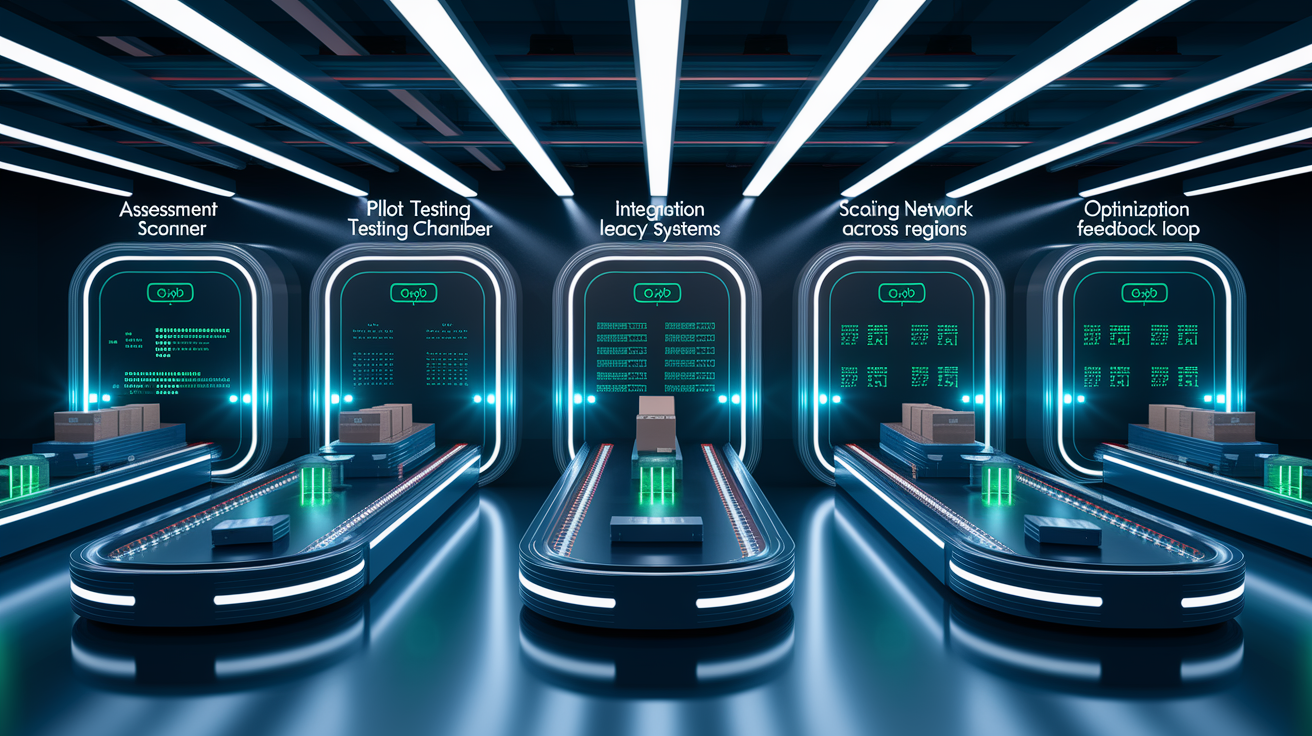
Successful ecommerce automation follows a structured sequence: assessment to establish readiness and baselines, pilot to validate tools and workflows in a controlled scope, integration to connect AI outputs with existing systems, scaling to expand coverage across product lines and geographies, and continuous performance evaluation to refine models and processes. Each phase has defined entry criteria, success metrics, and go/no‑go decision gates that prevent premature expansion before stability is achieved.
Phase 0: Assessment and Baseline Establishment
Assessment begins with an inventory of current systems, data quality checks, and quantification of manual effort across key workflows. Document how many hours per week teams spend on invoice reconciliation, product data entry, customer ticket triage, demand forecasting, and pricing updates. Record baseline KPIs such as order‑to‑fulfillment cycle time, stockout frequency, average customer service handle time, chargeback rate, and gross margin by category. Run an AI readiness evaluation that scores data availability, integration maturity, stakeholder alignment, and skill gaps.
Audit all data sources (ERP, WMS, CRM, marketing platforms) and catalog data quality issues such as missing SKU attributes, duplicate customer records, or inconsistent product taxonomy that will degrade AI model accuracy.
Calculate baseline manual hours and error rates for target processes. Track weekly time spent on routine tasks that AI could automate and quantify rework or correction costs tied to human errors.
Identify top 3–5 use cases based on ROI potential, integration complexity, and stakeholder support. Prioritize high‑impact, low‑complexity candidates (chatbots, product recommendations) for initial pilots over complex integrations (dynamic pricing with margin constraints).
Phase 1: Pilot Design and Execution
Pilot scope should cover 5–10% of operational footprint: one product category, a single fulfillment center, or a defined customer segment. Define clear success criteria before launch, such as 30–50% reduction in manual processing time, ≤5% error rate for automated decisions, and 60–80% weekly active user adoption within 6 weeks. Run the pilot for 8–12 weeks, long enough to capture weekly and monthly operational cycles and observe how the system handles variability in demand, promotions, and customer behavior.
Draft a detailed pilot plan that specifies which SKUs, orders, or tickets will route through AI, which will remain manual for comparison, and how data will be collected for both treatment and control groups.
Assign dedicated pilot team members (1–2 operators per function, plus a data analyst and a project coordinator) who commit at least 50% of their time to testing, feedback, and iteration during the pilot window.
Hold weekly steering reviews where the team presents adoption metrics, error logs, user feedback themes, and recommended process adjustments. Document decisions and update runbooks after each review cycle.
Phase 2: Integration with Legacy Systems
Integration connects AI outputs to ERP, warehouse management, customer service platforms, and BI dashboards so automated decisions flow into existing workflows without manual handoffs. Prioritize API‑first integration patterns or middleware adapters to minimize disruption to legacy systems. Map data flows end‑to‑end: demand forecast updates inventory planning in ERP, conversational AI logs sync to helpdesk ticketing, dynamic pricing adjustments push to product catalog and promotional calendars.
Use migration accelerators or prebuilt connectors (if available from your AI platform) to speed integration and reduce custom development time. Test data mapping and transformation logic in staging before production cutover.
Preserve existing BI dashboards and reporting artifacts by ensuring AI systems output data in compatible schemas or by building lightweight transformation layers that translate AI outputs into formats current reports expect.
Conduct end‑to‑end functional testing, regression testing for workflows that interact with AI components, and stress testing under peak‑load conditions (Black Friday traffic, seasonal inventory spikes) to validate performance and fallback behavior.
Phase 3: Scaling Across Business Units and Geographies
Scaling expands AI automation from pilot scope to full operational coverage, typically rolling out in 3–6 month waves by product line, region, or channel. Train the remaining 70–80% of affected staff within the first 3 months of the scale phase, using cohort‑based sessions that group employees by function and schedule training around operational peaks to minimize disruption. Move governance cadence from weekly to biweekly or monthly as adoption stabilizes and exception rates decline.
Set clear expansion criteria. Pilot must achieve target KPIs (automation rate, error rate, user satisfaction) and demonstrate stable performance for at least 4 consecutive weeks before scale begins.
Implement controlled rollouts using percentage‑based traffic splits (e.g., route 20% of orders through AI in week 1, increase to 50% in week 3, reach 100% by week 6) to manage risk and allow rapid rollback if issues emerge.
Maintain manual fallback processes and escalation workflows for the first 2–4 weeks of each new rollout wave, then phase them out as confidence grows and exception handling procedures mature.
Phase 4: Optimization and Continuous Improvement
Optimization is ongoing. Models require retraining as product mix, customer behavior, and market conditions evolve, and workflows need refinement as users identify friction points or new automation opportunities. Establish a monthly model performance review that examines prediction accuracy, false positive rates for fraud detection, recommendation click‑through and conversion rates, and dynamic pricing margin impact. Use feedback from frontline teams to tune business rules, adjust escalation thresholds, and prioritize new agent capabilities.
Define model retraining cadences based on data velocity and business volatility: weekly for dynamic pricing and demand forecasting, monthly for personalization models, quarterly for fraud detection if incident volumes are stable.
Track soft benefits such as improved forecast accuracy, reduced stockouts, faster dispute resolution, and employee satisfaction with AI tools. Include these in total economic impact models and quarterly ROI reviews.
Publish automation criteria and exception‑handling rules transparently so employees understand when AI makes decisions autonomously and when human judgment is required, building trust and reducing workarounds or shadow processes that bypass the system.
Risk Mitigation and Operational Safeguards During AI Migration

Common risks during ecommerce AI migration include data errors that propagate through automated workflows, workflow interruptions when legacy integrations fail, system incompatibility between AI platforms and existing ERP or WMS tools, and user adoption gaps when training is insufficient or communication unclear. Each risk can derail ROI timelines and erode stakeholder confidence, making proactive mitigation planning essential before go‑live.
Data quality issues amplify when AI automates decisions at scale. A single incorrect product attribute (wrong weight, missing dimension, outdated cost) can trigger hundreds of bad inventory allocations, pricing errors, or shipping miscalculations within hours. Before pilot launch, run data cleansing sprints that deduplicate SKUs, standardize taxonomy, validate master data fields, and establish ongoing data governance policies with clear ownership and audit trails. Use AI PII redaction agents and access controls to prevent unauthorized exposure of customer payment details, addresses, or order histories.
Workflow interruptions and integration failures require fallback plans and service‑level agreements. Define rollback triggers (if error rates exceed 10%, if automated decisions violate margin thresholds, or if system latency degrades order processing speed) and document step‑by‑step rollback procedures that any on‑call engineer can execute. Maintain manual escalation paths for high‑stakes decisions (pricing changes, fraud blocks, inventory allocation) until AI performance meets predefined confidence thresholds measured over multiple operational cycles.
Six operational safeguards to implement before go‑live:
Parallel runs. Operate AI and manual workflows side by side for 2–4 weeks during pilot and the first wave of scale, comparing outputs and validating accuracy before cutting over fully to automated processes.
Real‑time monitoring dashboards. Track task completion time, error rates, escalation volume, and system latency every hour during the first month post‑launch, with automated alerts when metrics deviate beyond acceptable thresholds.
Human‑in‑the‑loop checkpoints. Require manual approval for high‑value or high‑risk automated actions such as price changes above 15%, inventory transfers exceeding $50K, or fraud blocks on customers with >$10K lifetime value until confidence improves.
Staged rollout with canary releases. Deploy new AI models or rule changes to 5–10% of traffic first, monitor for 48–72 hours, then expand progressively to full traffic if no anomalies appear.
Comprehensive testing regimen. Execute functional, regression, integration, and stress tests in staging environments that mirror production data volumes, peak traffic loads, and edge‑case scenarios such as SKU stockouts or promotional surges.
Clear escalation and incident response procedures. Define who is on‑call, how to contact them, what log files to collect, how to pause automated agents, and how to communicate status to affected teams and customers during incidents.
Aligning Stakeholders Across Ecommerce Departments

Ecommerce AI transitions require coordination across marketing, logistics, product, customer operations, finance, IT, and executive leadership for successful adoption. Each department has distinct priorities: marketing wants personalization and conversion lift, logistics needs accurate demand forecasts and allocation logic, customer ops requires ticket deflection and faster resolution, finance demands cost savings and auditability, IT focuses on integration stability and security. Misalignment creates conflicting requirements, delayed decisions, and siloed implementations that fail to deliver enterprise‑wide value.
Start by forming a cross‑functional governance board with executive sponsorship and representation from every major function. Appoint an executive sponsor who owns the business case, secures budget, and breaks escalation deadlocks. Assign a dedicated program manager who coordinates workstreams, tracks milestones, manages dependencies, and runs weekly steering meetings during pilot and biweekly meetings during scale. Use a RACI matrix (Responsible, Accountable, Consulted, Informed) to clarify decision rights and eliminate confusion about who approves model changes, data access policies, or process redesigns.
Five tactics to maintain cross‑department alignment:
Unified success metrics. Agree on 3–5 enterprise KPIs (e.g., order cycle time reduction, gross margin improvement, customer satisfaction score, total cost to serve) that all departments contribute to, preventing local optimization that harms overall performance.
Shared roadmap and release calendar. Publish a single source of truth for pilot timelines, training schedules, go‑live dates, and feature releases. Coordinate AI rollouts with promotional calendars and seasonal peaks to avoid disruption during critical revenue periods.
Regular cross‑functional reviews. Hold monthly business reviews where each department presents adoption progress, operational impact, blockers, and requests. Use these sessions to surface interdependencies early and resolve conflicts before they delay the roadmap.
Dedicated change champions per department. Identify 1–2 enthusiastic early adopters in each function who serve as AI advocates, provide peer training, collect frontline feedback, and translate technical updates into department‑specific implications.
Transparent escalation paths. Document how decisions escalate from working team to steering committee to executive sponsor, with defined SLAs (e.g., escalations resolved within 48 hours) and clear criteria for when escalation is required versus when the working team can proceed.
Build trust by delivering quick wins that benefit multiple departments simultaneously. For example, a conversational AI chatbot pilot deflects routine customer service tickets (helping ops reduce cost‑per‑contact), captures structured feedback on product issues (helping product prioritize fixes), and identifies common questions that inform FAQ and marketing content (helping marketing improve conversion). When teams see shared value, collaboration improves and resistance to future phases declines.
Measuring Adoption and Performance After AI Implementation

Measuring adoption and performance requires tracking both usage metrics (are people actually using the AI tools) and outcome metrics (are the tools improving operational and business KPIs). Without clear measurement, teams can’t distinguish between successful automation and expensive shelf‑ware, and leadership lacks data to justify continued investment or expansion. Define metrics before pilot launch, collect baseline data, and establish a reporting cadence: weekly during pilot, biweekly during initial scale, monthly at steady state.
Adoption metrics answer whether employees are engaging with AI systems as designed. Track weekly active users, percentage of eligible tasks routed through automation, time‑to‑resolution for AI‑handled vs. manual processes, and user satisfaction scores collected via short post‑interaction surveys. Set targets such as 60–80% weekly active user rate among the pilot group within 6 weeks, and 70–80% of eligible tasks automated within 3 months of full‑scale rollout. Low adoption signals training gaps, workflow friction, or unclear value. Address root causes before expanding scope.
| Metric | Description | Suggested Data Source |
|---|---|---|
| Weekly Active Users (%) | Percentage of assigned users who interact with AI tools at least once per week | AI platform usage logs, authentication systems |
| Task Automation Rate (%) | Percentage of eligible tasks (invoices, tickets, SKU updates) processed by AI vs. manual workflows | Workflow management system, ERP transaction logs |
| Mean Time to Process (minutes) | Average duration from task creation to completion for AI‑automated vs. manual tasks | Helpdesk, order management, invoice reconciliation systems |
| Error/Exception Rate (%) | Percentage of AI‑automated tasks requiring manual correction or escalation | Exception queues, audit logs, QA review records |
| User Satisfaction Score (1–5) | Post‑interaction survey rating of AI tool usability, accuracy, and helpfulness | In‑app surveys, periodic employee pulse checks |
| Cost Per Task ($) | Fully loaded cost (labor + system) per automated task vs. manual baseline | Finance/HR systems, platform usage billing, time‑tracking data |
Final Words
Address resistance first: choose a proven change framework, map new workflows, craft clear communications, train staff, and roll out in phases.
These steps cut friction, protect day-to-day ops, and make scaling safer. Track task time, accuracy, and adoption as you go.
If you’re ready, start with a small pilot and iterate fast. change management for migrating ecommerce operations to AI automation is the operational muscle that protects revenue while unlocking efficiency—doable, and worth the effort.
FAQ
Q: How do you manage organizational resistance during AI adoption?
A: Managing organizational resistance during AI adoption requires clear goals, transparent communication, and defined role changes. Start with stakeholder mapping, explain job impacts honestly, offer reskilling, and run small pilots to build trust.
Q: What change management frameworks work for ecommerce AI migration?
A: Change management frameworks that work for ecommerce AI migration include ADKAR, Kotter’s 8‑step model, and phased rollout approaches tied to specific operations goals. Map the chosen framework to pilots, KPIs, and training.
Q: How should we craft communication plans for AI automation rollouts?
A: Crafting communication plans for AI automation rollouts means clear, role-specific messages and frequent updates. Define objectives, cadence, channels, feedback loops, and executive sponsorship before launch.
Q: What training and skills do ecommerce teams need for AI integration?
A: Training and skills needed for AI integration include prompt operation, data interpretation, human-AI workflows, and basic change management. Offer role-based courses, hands-on labs, and quick reference guides for daily use.
Q: What are the steps in a phased implementation plan for migrating to AI automation?
A: Phased implementation steps for migrating to AI automation are assessment, pilot, integration, scaling, and ongoing evaluation. Begin with a capability audit and a time-boxed pilot tied to measurable KPIs.
Q: What risks should be mitigated during AI migration and how?
A: Risks during AI migration include data errors, workflow interruptions, system incompatibility, and low adoption. Mitigate them with data validation, rollback plans, integration testing, and staged user training.
Q: How do you align stakeholders across ecommerce departments for an AI project?
A: Aligning stakeholders across ecommerce departments for an AI project means shared goals, clear roles, and governance. Create a cross-functional steering group, agree KPIs, and schedule regular outcome-focused check-ins.
Q: What KPIs should we track to measure AI adoption and performance?
A: KPIs to track AI adoption and performance include task completion time, accuracy, cost per order, order cycle time, error rate, and employee adoption score. Use system logs, analytics, and team surveys for measurement.
Q: How long should an AI rollout take in ecommerce?
A: An AI rollout in ecommerce typically takes weeks for pilots, 3–9 months for integration, and up to 12–18 months to scale depending on scope. Plan clear milestones and quarterly reviews.
Q: How do you redesign workflows when integrating AI without disrupting operations?
A: Redesigning workflows when integrating AI without disrupting operations means map current processes, identify human-AI handoffs, and automate incremental tasks first. Run parallel operations and set SLAs to prevent service drops.