
What if Instagram quietly pulls your shop unless you let it process payments?
Instagram rolled out strict 2026 merchant rules: mandatory in-app checkout for U.S. merchants, tighter business and product verification, a 5% selling fee plus card fees, and an Aug 31 migration deadline.
This matters because noncompliance removes product tags, shoppable posts and Shop access, hurting conversion and revenue, and it shifts tax and dispute handling to Meta.
If you sell on Instagram, the rule is clear: verify your business, enable native checkout, update catalogs and shipping, and start the migration now to avoid disruption.
Key 2026 Instagram Commerce Changes for Merchants

Instagram started enforcing a new set of merchant eligibility and checkout rules in early 2026. Product compliance standards got stricter, native checkout became mandatory for all approved U.S. merchants, and verification requirements for business identity and product authenticity got a lot tighter. Instagram isn’t just a discovery layer anymore. It’s a full transaction platform. Checkout happens inside the app now, and Meta handles payment processing, buyer protection, and dispute resolution.
Enforcement rolled out in January 2026 for new merchants. Existing shops have until August 2026 to migrate. If you don’t meet the updated eligibility criteria or fail to enable native checkout, you’ll lose access to product tagging, shoppable posts, and the Instagram Shop tab. Meta introduced these changes to reduce buyer friction, improve trust, and bring Instagram commerce closer to the experience of established marketplaces.
The updates also include revised prohibited product categories, new fee structures tied to in-app checkout, and mandatory tax collection in states where Meta acts as a marketplace facilitator. You need to provide verified business information, accurate product data, visible return policies, and compliant catalog structures to keep access.
Core 2026 Changes
- Mandatory native checkout – All approved merchants must enable Instagram’s in-app checkout. External link only selling is no longer permitted for commerce approved accounts.
- Strengthened merchant verification – Business registration, domain ownership, and tax ID validation are now required during onboarding.
- Revised prohibited product list – Categories including supplements with health claims, ingestible wellness products, and unverified electronics are now restricted or banned.
- New transaction fees – Meta charges a flat 5% selling fee (or $0.40 minimum per order) on in-app checkout transactions, plus payment processing fees.
- Migration deadline – Existing shops must complete migration to the new system by August 31, 2026. Accounts not migrated by this date will be suspended from commerce features.
Updated Merchant Eligibility Requirements for 2026

Instagram raised the bar for merchant eligibility in 2026. All sellers must verify business registration, connect a single primary domain, and pass automated checks for product authenticity and policy compliance. The goal is to prevent counterfeit goods, misleading product claims, and low quality sellers from reaching buyers inside the app. If you operated under the pre 2026 rules (where catalog quality and business verification were less rigorously enforced), you must re-submit your shop for approval under the new criteria.
Meta introduced a multi-step verification process that cross checks business details against public records, domain registration, and payment history. If your business name, address, or tax ID doesn’t match across these sources, your shop will be flagged for manual review or rejected. Return policy visibility is now mandatory. You must publish a clear, accessible return policy on your website and mirror it in Commerce Manager settings.
Eligibility Checklist for 2026
- Supported region – Your business must be registered and operating in a Meta supported country. The U.S., Canada, and select EU markets are included, but the list can change.
- Verified business identity – Provide a valid tax ID (EIN for U.S. businesses), business registration documents, and a domain you own and control.
- Compliant product catalog – All products must meet Meta’s commerce policies. Catalog data must include accurate titles, descriptions, prices, images, and availability status.
- Visible return policy – Publish a return policy on your website and configure it in Commerce Manager. Policy must specify return windows, conditions, and refund methods.
- Professional Instagram account – Your account must be set to business or creator mode and linked to a Facebook Page and business portfolio.
- No prohibited products – Your catalog must not include restricted categories such as digital only goods, unverified supplements, weapons, tobacco, or adult products.
2026 Checkout Policy Updates and Mandatory On‑Platform Checkout

Starting in 2026, Instagram requires all commerce approved merchants to use native in-app checkout. The old model (where merchants could tag products but send buyers to external websites) is no longer supported for shops. This change unifies the buyer experience, reduces checkout abandonment, and gives Meta control over payment processing, fraud prevention, and buyer protection. Checkout completes inside Instagram. Buyers enter payment and shipping details once, and Instagram stores that data for future purchases across all approved shops.
You’re responsible for fulfillment, shipping, and customer service, but Meta handles payment collection, chargeback disputes, and refund processing. If a buyer requests a refund, Meta reviews the claim, and if approved, the refund is issued from your connected payout account. Shipping expectations are now enforced. You must ship within the timeframe stated in your shop settings. Failure to meet shipping commitments can result in account penalties or suspension.
Payment processing fees are separate from the 5% selling fee. Meta partners with Stripe and PayPal to process payments, and standard card processing fees (around 2.9% + $0.30 per transaction) apply on top of the selling fee. You receive payouts on a rolling basis, typically within 3 to 5 business days after the order is marked as delivered.
Steps to Enable 2026 Checkout
- Connect a payout account – Link a valid bank account in Commerce Manager under Payment Settings. Account must match your verified business name.
- Configure shipping profiles – Set up shipping zones, rates, and delivery windows. These appear to buyers at checkout and are enforced by Meta.
- Publish a return policy – Add your return policy in Commerce Manager and ensure it’s visible on your website. Policy must be clear and enforceable.
- Enable checkout in settings – Toggle “Enable Instagram Checkout” in Commerce Manager. This activates native checkout for all tagged products and Shop listings.
Product Restrictions and Compliance Standards for 2026

Instagram tightened product restrictions in 2026 to reduce policy violations and protect buyers from misleading claims. The updated prohibited product list now includes categories that were previously in a gray area, such as wellness supplements, beauty devices with unverified claims, and electronics without safety certifications. If you previously sold these items, you must remove them from your catalog or provide documentation proving compliance with FDA, FTC, or relevant safety standards.
Catalog accuracy enforcement is automated. Meta’s systems scan product titles, descriptions, and images for banned keywords, prohibited claims, and policy violations. If flagged, the product is removed from your shop. Repeated violations can result in account suspension. You must also ensure that product availability is accurate. Listing out of stock items or using placeholder images violates policy and triggers penalties.
Restricted and Prohibited Product Categories
- Digital only products – Software, downloads, courses, and subscriptions aren’t eligible for Instagram Shopping. Only physical goods that ship are allowed.
- Supplements and ingestibles with health claims – Products claiming to treat, cure, or prevent medical conditions are prohibited unless you provide FDA registration and approved labeling.
- Unverified electronics – Items without recognized safety certifications (UL, CE, FCC) are restricted. This includes chargers, batteries, and wireless devices.
- Counterfeit or replica goods – Any product mimicking a brand without authorization is banned. Meta uses automated image recognition and rights holder reports to enforce this.
- Weapons, tobacco, and alcohol – All categories remain prohibited. This includes vape products, CBD (in most regions), and weapon accessories.
- Adult products and services – Sexually explicit items, dating services, and products marketed for adult use are banned from Instagram Shopping.
- Misleading before/after claims – Beauty, fitness, and wellness products can’t use unverified transformation images or testimonials as primary product photos.
Tax, Fees, and Policy Compliance Updates for 2026

Instagram now collects and remits sales tax on behalf of merchants in states where Meta qualifies as a marketplace facilitator. As of 2026, this includes most U.S. states, and Meta automatically calculates tax at checkout based on the buyer’s shipping address. You’re no longer responsible for collecting or remitting tax in these states, but you must still file accurate 1099-K forms and report gross sales to the IRS.
Transaction fees changed in 2026. Meta charges a flat 5% selling fee on each transaction, with a $0.40 minimum per order. This fee applies to the item subtotal and doesn’t include shipping or tax. Payment processing fees (approximately 2.9% + $0.30 per transaction) are charged separately and appear as a line item in your payout report. If you use Shopify or BigCommerce integrations, those platforms may charge additional transaction fees unless you use their native payment processors.
Compliance documentation is now required for high volume sellers. If your shop processes more than $20,000 in gross sales or 200 transactions per year, Meta will request additional business verification, including proof of inventory, supplier agreements, or business licenses. Failure to provide documentation within 14 days can result in temporary account suspension and payout holds.
| Requirement | What’s New in 2026 |
|---|---|
| Sales tax collection | Meta now collects and remits tax automatically in marketplace facilitator states. Merchants no longer collect tax in these regions. |
| Transaction fees | New flat 5% selling fee (minimum $0.40 per order) applies to all in-app checkout transactions, plus separate payment processing fees. |
| 1099-K reporting | Merchants receive a 1099-K if gross sales exceed $600 in a calendar year. This threshold was lowered from $20,000 in previous years. |
| High-volume verification | Sellers exceeding $20,000 in sales or 200 transactions must submit proof of inventory and business licenses for compliance review. |
Step‑by‑Step Setup Guide for 2026 Instagram Commerce

Setting up Instagram commerce in 2026 requires completing a multi-step verification and configuration process in Meta Commerce Manager. The system checks business identity, product catalog accuracy, and policy compliance before approving your shop. Approval can take up to four weeks, so start the process well before any planned campaigns or product launches.
Before you begin, confirm that your business is registered in a supported country, you own a verified domain, and your Instagram account is set to professional mode (business or creator). You’ll also need a Facebook Page and a connected business portfolio in Meta Business Suite. These are required even if you only plan to sell on Instagram.
Complete Setup Steps for 2026
- Create or access Commerce Manager – Navigate to business.facebook.com/commerce and log in with your business account. If you don’t have a Commerce Manager account, follow the prompts to create one and link your business portfolio.
- Connect your Instagram account – Under “Sales Channels,” select Instagram and link your professional Instagram account. This automatically pulls your Instagram handle and Page association.
- Add and verify your domain – Enter your website URL, download the verification HTML file or add the meta tag to your site’s header, and confirm ownership in Commerce Manager.
- Upload or sync your product catalog – Manually upload a product feed (CSV or XML), or connect Shopify, BigCommerce, or WooCommerce to sync automatically. Ensure all required fields (title, price, image, availability, description) are complete.
- Configure checkout and payout settings – Enable Instagram Checkout, link a bank account for payouts, and set up shipping profiles with accurate zones, rates, and delivery windows.
- Publish your return policy – Add a clear return policy in Commerce Manager and ensure it’s visible on your website. Specify return windows, conditions, and refund methods.
- Submit your shop for review – Once all steps are complete, click “Submit for Review” in Commerce Manager. Meta will review your business, catalog, and compliance within 2 to 4 weeks and notify you via email when approved or if additional information is needed.
What Changed from Previous Years: 2024–2025 vs. 2026 Instagram Commerce
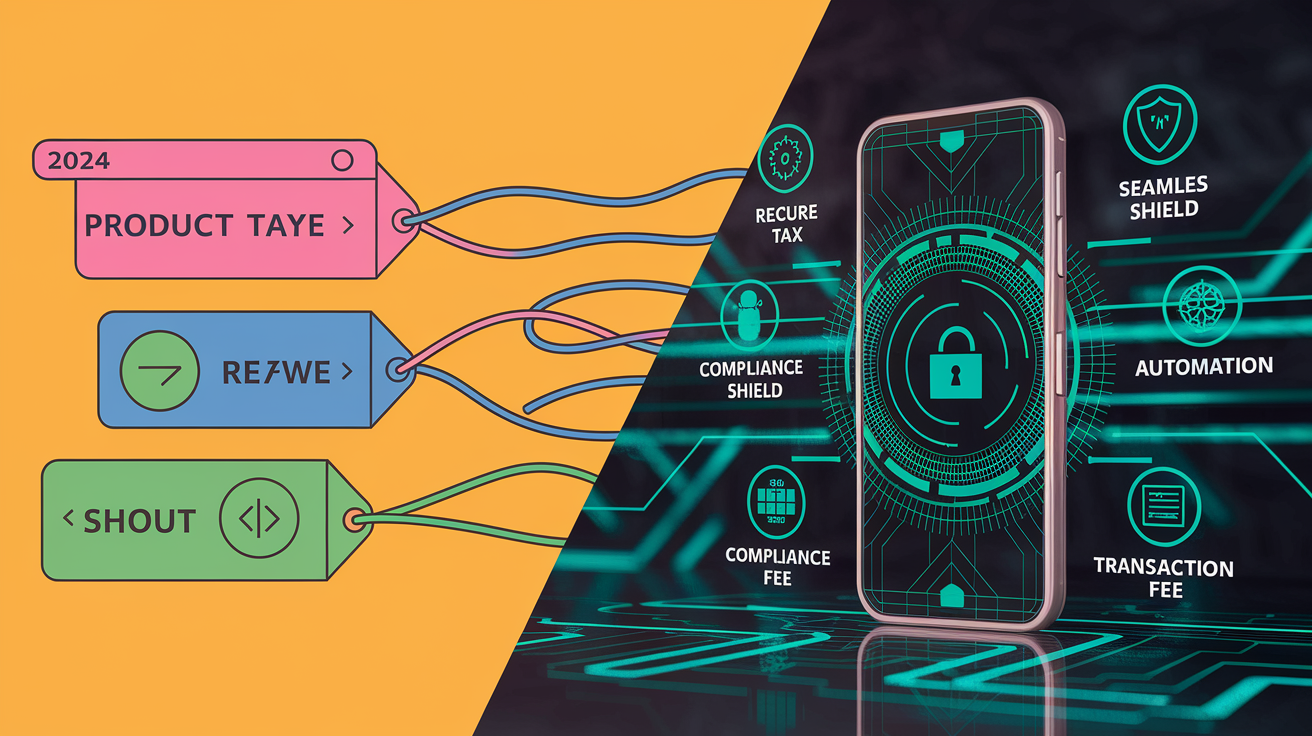
The shift from 2025 to 2026 represents Instagram’s move from a discovery and referral platform to a full transactional marketplace. In 2024 and 2025, merchants could tag products and send buyers to their own websites for checkout. Meta introduced native checkout as an optional feature, but most merchants continued using external links because fees were lower and they retained control over the buyer experience.
In 2026, native checkout became mandatory for all commerce approved accounts. If you rely on Shopify, WooCommerce, or standalone sites, you must now enable Instagram’s in-app checkout or lose access to product tagging and the Shop tab. This change also introduced new fee structures, stricter catalog accuracy rules, and automated tax collection in marketplace facilitator states.
| Policy Area | Before 2026 | In 2026 |
|---|---|---|
| Checkout location | Merchants could tag products and redirect buyers to their own websites for checkout. Native checkout was optional. | Native in-app checkout is mandatory for all commerce approved accounts. External link only selling is no longer supported. |
| Transaction fees | No selling fee if buyers completed checkout on external websites. Only payment processing fees applied. | Flat 5% selling fee (minimum $0.40 per order) on all in-app transactions, plus separate payment processing fees (~2.9% + $0.30). |
| Business verification | Basic business name and domain connection required. Manual review was rare. | Tax ID, business registration documents, and domain ownership verification are required. Automated checks cross reference public records. |
| Prohibited products | Digital goods, supplements, and unverified electronics were in a gray area. Enforcement was inconsistent. | Strict prohibitions on digital only products, supplements with health claims, and electronics without safety certifications. Automated catalog scanning enforces rules. |
| Tax collection | Merchants were responsible for collecting and remitting sales tax in all states. | Meta collects and remits tax automatically in marketplace facilitator states. Merchants no longer handle tax in these regions. |
Final Words
Update your account now: Instagram will enforce stricter merchant eligibility, mandatory in‑app checkout, tighter product rules, and timelineed enforcement through 2026. These changes can pause listings or drop conversions if you’re not compliant.
Quick next steps: verify business details, fix catalog accuracy, enable native checkout, and update taxes and return pages. Audit your top 20 SKUs for restricted items.
Instagram commerce 2026 eligibility and checkout policy updates for merchants are manageable if you act early—small fixes now avoid bigger headaches later.
FAQ
Q: What are the new Instagram rules 2026?
A: The new Instagram rules for 2026 require mandatory in‑app checkout for approved merchants, stricter merchant verification, tighter product compliance and updated prohibited categories, with phased enforcement starting in 2026—update verification, catalogs, and checkout settings.
Q: How to set up an Instagram shop in 2026?
A: To set up an Instagram shop in 2026, verify your business identity, register your eligible region, connect an accurate product catalog, publish clear shipping and return policies, and enable Instagram’s native checkout after passing compliance checks.
Q: Do I need a license to sell things on Instagram?
A: You may need a license to sell on Instagram depending on your country and product; Instagram requires verified business details and may request documents for regulated items—check local laws and Meta commerce policy before listing.